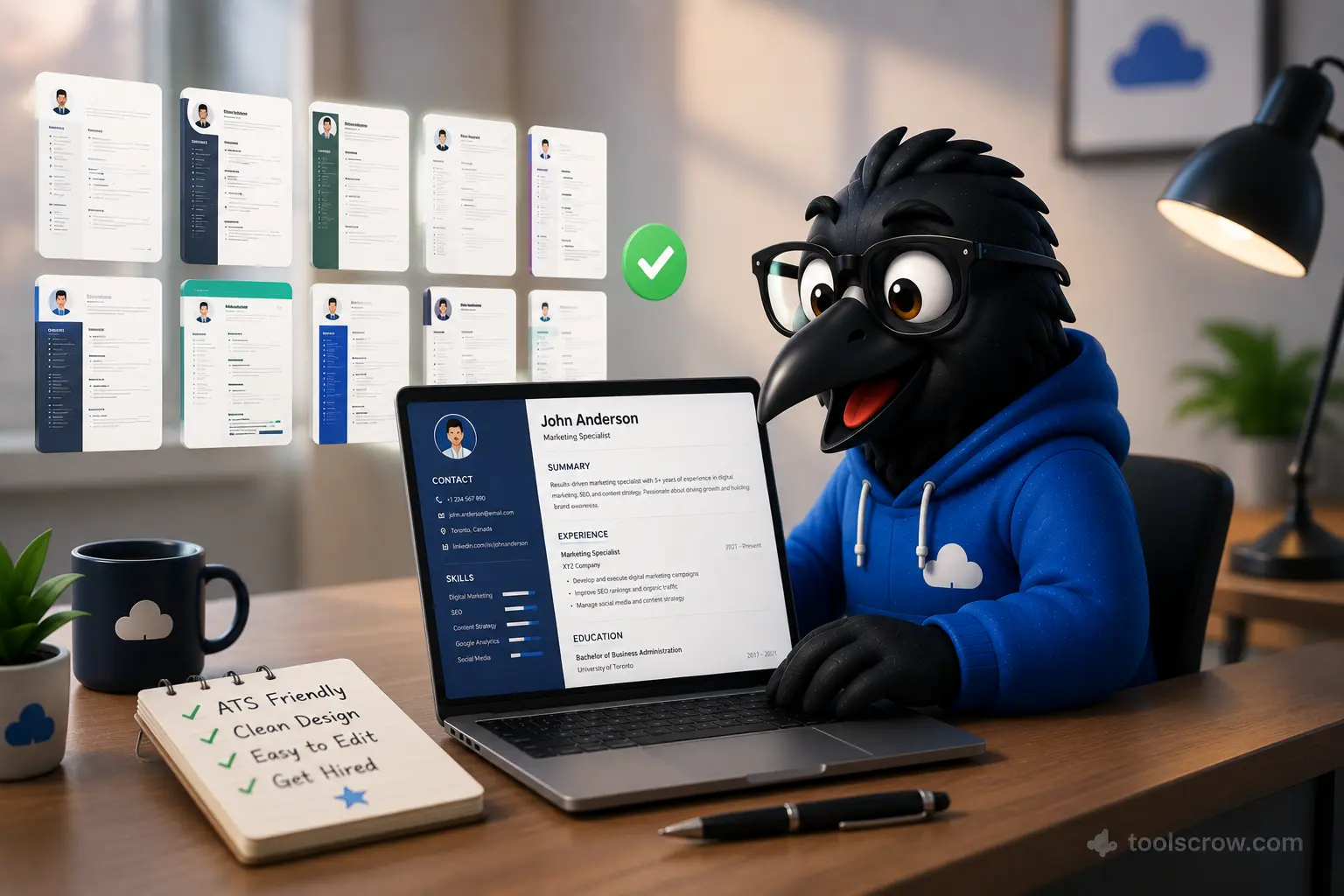
ATS compatibility rules updated to reflect current Workday, Greenhouse, Lever, and iCIMS parsing behavior. Template rankings based on 2026 recruiter feedback data.
Your Resume Gets Rejected Before a Human Reads It — Here's Why
You spent three hours writing your resume. You got the formatting exactly right. You listed every relevant job. You crafted a strong summary that opens with your best credential. Then you submitted it to a job posting that looked like a perfect fit — and never heard back.
Here's what most job seekers don't know: in 2026, more than 98% of Fortune 500 companies and the majority of mid-size employers use Applicant Tracking Systems — ATS software — to screen resumes before a single human reviews them. These systems parse your resume into structured data fields, match your content against the job's requirements, score your application, and automatically filter out anything below a threshold. If your resume doesn't format correctly in the ATS parser, your qualifications become invisible — literally unreadable — regardless of how strong they are.
The problem isn't usually your experience. It's your resume's format, structure, and keyword choices. A resume built in the wrong template, with the wrong fonts, in the wrong sections, with keywords that don't match the job description, fails the ATS scan before anyone has a chance to assess your actual suitability for the role.
This guide fixes that. You'll learn exactly what makes a resume ATS-compatible, which template structures consistently pass parsing, how to write every section for both human readers and automated systems, and how to build your ATS-ready resume for free using the CV maker at toolscrow.com/cv-maker/ — in under 30 minutes.
Here's everything this guide covers:
- How ATS systems actually work — what they parse, what they score, what they reject
- The 10 resume template structures that consistently pass ATS scans in 2026
- The ATS-killing formatting mistakes that disqualify strong candidates
- How to optimize every resume section for ATS parsing and human readability simultaneously
- The keyword strategy that moves you from filtered out to shortlisted
- A complete step-by-step walkthrough of building your resume with the free CV maker
- Industry-specific resume guidance for tech, finance, healthcare, marketing, and more
- Common resume mistakes and how to fix them before you apply
How Applicant Tracking Systems Actually Work — What Happens the Second You Hit Submit
Understanding the mechanics of ATS parsing changes how you think about every decision in your resume — from font choice to section headers to how you describe your job titles. Most job seekers think of ATS as a simple keyword filter. The reality is more nuanced, and more fixable.
Stage 1: Document Parsing
The moment you submit a resume, the ATS software attempts to parse the document into structured fields — extracting your name, contact information, work experience entries (each with job title, company, dates, and description), education, skills, and certifications into a database record. This parsing happens automatically using a combination of pattern recognition and machine learning trained on millions of resumes.
The critical word is "attempts." If your resume uses a complex multi-column layout, decorative fonts, text boxes, tables, or graphics, the parser may extract garbled data, skip entire sections, or crash on the document entirely. A hiring manager reviewing your ATS record might see your name correctly but find your five years of experience missing because it was formatted in a two-column layout the parser couldn't read linearly.
Stage 2: Scoring and Ranking
Once parsed, the ATS scores your extracted data against the job requirements. Different ATS platforms weight different factors differently, but the core scoring elements are consistent across major systems:
- Keyword match rate: How many of the job description's key terms appear in your resume
- Job title relevance: How closely your previous titles match the role you're applying for
- Skills inventory match: Whether your listed skills correspond to the required and preferred skills in the posting
- Years of experience: Whether your total experience in relevant roles meets any stated minimum
- Education requirements: Degree level and field of study alignment with stated requirements
Stage 3: Filtering and Human Review
Resumes above the threshold score — typically set by the hiring team — pass to human review. Everything below is archived, often automatically. The threshold varies by role, company, and how many applications they're managing, but the effect is the same: if your resume doesn't score high enough in the ATS, a human recruiter never sees it.
Understanding this three-stage process reveals the two-part challenge of modern resume writing: your document must parse correctly (a formatting problem) and score high enough (a content and keyword problem). Both are solvable. And both are addressed by the template structures and writing strategy in this guide.
The Major ATS Platforms and Their Quirks
Different ATS platforms have different parsing strengths and weaknesses. Knowing which system a company uses can help you anticipate specific issues:
| ATS Platform | Market Share | Known Parsing Strengths | Known Parsing Weaknesses |
|---|---|---|---|
| Workday | Very High (enterprise) | Standard sections, clean formatting | Struggles with complex tables, headers/footers |
| Greenhouse | High (tech/startup) | LinkedIn-style data, plain text | Graphics, text boxes, multi-column layouts |
| Lever | High (tech/startup) | Clean single-column PDFs | Non-standard section headers, decorative fonts |
| iCIMS | High (mid-market) | Word documents, standard headers | Unusual date formats, creative resume styles |
| Taleo (Oracle) | Very High (enterprise) | Consistent formatting, PDF and Word | Symbols, non-standard bullets, special characters |
| BambooHR | Medium (SMB) | Simple layouts, plain text | Creative designs, color-heavy formats |
The common thread across all major ATS platforms: clean, linear, single-column formatting performs best. This is the core design principle behind every template recommended in this guide — and the fundamental design philosophy of the CV maker tool.
10 Resume Template Structures That Pass ATS Scans in 2026
A "template" in ATS terms isn't about visual design — it's about structural architecture. How information is organized, what sections are present, in what order they appear, and how they're labeled. Here are the ten template structures that consistently pass ATS parsing across all major platforms.
Template 1: The Classic Chronological — The Universal ATS Standard
Best for: Most job seekers with consistent work history in a single field
ATS score: Excellent across all platforms
The classic chronological resume lists your work experience in reverse order — most recent first — with clear company names, job titles, dates, and bullet-point accomplishments for each role. This structure is what every ATS system is optimized to parse because it's the most common format in the training data those systems learned from. It's predictable, scannable, and almost universally parsed correctly.
Section order: Contact Information → Professional Summary → Work Experience (reverse chronological) → Education → Skills → Certifications (if applicable)
The key to making the classic chronological template perform well in ATS is the precision of your section labels. Use standard headers that every ATS recognizes: "Work Experience," "Professional Experience," or "Employment History" — not creative alternatives like "My Career Journey" or "Where I've Made an Impact," which parsers frequently fail to categorize correctly.
Template 2: The Hybrid Functional — Skills-Forward With Experience Backing
Best for: Career changers, those with employment gaps, multi-industry backgrounds
ATS score: Good when properly structured
The hybrid format opens with a comprehensive skills section before the work experience, allowing your transferable capabilities to lead rather than a chronological listing that might highlight gaps or pivots. The critical difference from a pure functional resume (which ATS systems consistently fail to parse well) is that work experience is still included, in chronological order, below the skills section — so the parser can extract both your competencies and your employment history.
Section order: Contact Information → Professional Summary → Core Competencies/Skills → Work Experience → Education → Certifications
Template 3: The Technical Resume — Skills Matrix Above the Fold
Best for: Software engineers, IT professionals, data analysts, cybersecurity specialists
ATS score: Excellent when skills are in text format (not tables or icons)
Technical roles are evaluated heavily on specific tool and language proficiency, so technical resumes move the skills inventory to the top immediately after the summary. The skills should be listed as plain text — preferably in comma-separated format or simple bullet-point lists, not in grid tables or graphical rating bars that ATS systems cannot parse. A Python developer's skills section as "Python, Django, FastAPI, PostgreSQL, Docker, AWS, Git" is fully parseable; the same skills displayed as a visual competency bar graph is invisible to every ATS.
Section order: Contact Information → Technical Summary → Technical Skills (plain text) → Professional Experience → Projects → Education → Certifications
Template 4: The Executive Resume — Achievement-Led Format
Best for: Senior managers, directors, C-suite candidates
ATS score: Excellent when properly structured
Executive resumes emphasize strategic impact and measurable outcomes over task descriptions. Each role's bullet points lead with quantified achievements — revenue generated, teams led, cost reductions achieved, transformations managed — rather than responsibilities. Executive ATS systems also look specifically for leadership indicators: team size, P&L responsibility, board-level engagement, and strategic initiative ownership. Ensure these appear as searchable text, not in a visual design element.
Section order: Contact Information → Executive Profile → Core Leadership Competencies → Career Experience → Board/Advisory Roles (if applicable) → Education → Publications/Speaking (if applicable)
Template 5: The Academic/Research Resume (CV Format)
Best for: Academics, researchers, PhD candidates, postdoctoral researchers
ATS score: Good with standard academic ATS systems
Academic CVs are typically longer than standard resumes (sometimes 5–15 pages) and follow a specific convention: education and research experience lead, followed by publications, presentations, grants, teaching experience, and service. Academic ATS systems used by universities (Interfolio, PeopleAdmin) are specifically tuned for these structures. Standard corporate ATS systems may truncate or misparse lengthy academic CVs — keep a shorter, adapted version for industry applications.
Section order: Contact Information → Education → Research Experience → Publications → Presentations/Conferences → Teaching Experience → Grants & Funding → Professional Service
Template 6: The Healthcare Resume — Licensure-Forward Format
Best for: Nurses, physicians, allied health professionals, medical administrators
ATS score: Excellent when credentials appear clearly
Healthcare ATS systems search specifically for licensure information, clinical specialties, and certification numbers. These must appear prominently and in text format. The healthcare resume places professional credentials (RN, MD, NP, PA-C, etc.) immediately after the name in the contact section — "Jane Smith, RN, BSN" — and a dedicated Licensure and Certifications section appears high in the document, often before work experience for clinical roles.
Section order: Contact Information (with credentials) → Clinical Summary → Licensure and Certifications → Clinical Experience → Education → Clinical Skills → Professional Memberships
Template 7: The Marketing/Creative Resume — Content-Rich With Standard Structure
Best for: Marketing managers, content strategists, brand managers, digital marketers
ATS score: Good when visual design is restrained
Marketing roles require demonstrating creative thinking while maintaining ATS compatibility. The solution: let the writing demonstrate creativity, not the visual design. A clean, single-column resume with compelling, metrics-driven bullet points ("Increased organic traffic 340% in 12 months through content strategy overhaul") demonstrates marketing competence more convincingly than a colorful, graphically complex template that an ATS cannot parse. Save the portfolio link for the contact section — it gives hiring managers direct access to your creative work without compromising the resume's parseability.
Section order: Contact Information (with portfolio/LinkedIn URL) → Marketing Summary → Key Achievements → Professional Experience → Technical Skills (platforms, tools, analytics) → Education → Certifications (Google Analytics, HubSpot, Meta Blueprint, etc.)
Template 8: The Entry-Level Resume — Education-Forward Format
Best for: Recent graduates, career starters, those with limited professional experience
ATS score: Excellent when education section is detailed
For candidates entering the workforce, education takes priority over experience because it's the primary qualification signal. Relevant coursework, academic projects, thesis topics, GPA (if above 3.5), academic awards, and relevant extracurricular roles all belong in an expanded education section. Internships, co-op placements, and part-time work experience follow. The skills section should include all technical tools learned during education — software, programming languages, laboratory equipment, research methodologies — because these are the keyword matches ATS systems use to score entry-level candidates.
Section order: Contact Information → Education (detailed) → Relevant Experience/Internships → Academic Projects → Skills → Activities and Leadership → Certifications
Template 9: The Finance/Accounting Resume — Numbers-Dense Format
Best for: Accountants, financial analysts, investment bankers, CFOs
ATS score: Excellent when financial credentials are clearly structured
Finance ATS systems search specifically for designations (CPA, CFA, CMA, FRM), financial software (SAP, Oracle, Bloomberg, Excel modeling), and quantifiable deal or portfolio sizes. Every bullet point should contain a dollar figure, percentage, or other financial metric where possible. The skills section should list all financial software, modeling tools, and specific accounting standards (GAAP, IFRS) in plain text format. Professional designations belong both in the name line and in the certifications section to maximize parsing hits.
Section order: Contact Information (with designations) → Financial Profile → Professional Certifications → Experience (metrics-heavy) → Technical Skills → Education
Template 10: The Federal/Government Resume — Compliance Format
Best for: Federal government job applicants (USAJOBS), public sector roles
ATS score: Excellent within government systems (USAJOBS specifically)
Government resumes operate under different rules than private sector resumes. USAJOBS and similar platforms require significantly more detail than civilian resumes — typically 2–5 pages, with precise hour-per-week listings for every job, exact salary history, supervisor contact information, GS grade equivalents, and comprehensive duty descriptions that mirror the federal job posting's language verbatim. Government ATS systems specifically parse for KSA (Knowledge, Skills, Abilities) alignment and security clearance levels. The detail requirement that would make a private sector recruiter's eyes glaze over is exactly what a government ATS scores highest.
Section order: Contact Information (with citizenship status) → Summary of Qualifications → Security Clearance (if applicable) → Professional Experience (with hours/week and salary) → Education → Training and Certifications → Awards and Recognition
The ATS Formatting Rules That Apply to Every Template
Regardless of which template structure fits your background, these formatting rules apply universally — violating any of them risks your resume being misparsed or scored incorrectly.
Font: Stick to the ATS-Safe List
Use only these fonts — they are universally readable by ATS parsers and professional in appearance:
- Arial — clean, modern, widely supported
- Calibri — Microsoft default, excellent parsing
- Garamond — professional serif, good for conservative industries
- Georgia — web-safe serif, reliable parsing
- Helvetica — modern, clean, excellent for tech roles
- Times New Roman — traditional, widely supported
- Verdana — designed for screen readability
Never use: decorative fonts, script fonts, handwriting-style fonts, any font that requires a non-standard system install, or font sizes below 10pt (which some parsers skip as "footnote" content).
Layout: Single Column Is Non-Negotiable for ATS
Multi-column layouts are the single most common cause of ATS parsing failures. When a resume uses two or three columns, the parser reads left-to-right and top-to-bottom across the entire page width — merging content from different columns into a single stream of garbled text. A resume where your skills column and your job description column merge into one unreadable block is the most reliably rejected resume format in existence. Every template in this guide is single-column for this reason.
File Format: PDF vs. DOCX
The universal advice is to submit PDF unless the application specifically requests DOCX. PDFs preserve your formatting exactly regardless of the recipient's operating system or word processor version. However — and this matters — make sure your PDF is a text-based PDF (not a scanned image PDF). A scanned image PDF is completely invisible to ATS parsers; they cannot extract any text from an image-based document. When you export from the CV maker, the downloaded PDF is text-based and fully parseable.
The exception: if the job posting specifically says "submit as Word document" or if you're applying through a system known to have poor PDF parsing (some older Taleo installations), submit DOCX.
Headers and Footers: Keep Contact Info in the Body
Many candidates put their name and contact information in the document header (the designated header area in Word or a PDF's header element). Some ATS systems cannot extract content from document headers or footers — they only parse the main body. Always place your name, email, phone number, LinkedIn URL, and location as the first elements in the main body of the document, even if they're visually at the top of the page.
Section Headers: Use Standard Labels
ATS systems are trained on standard section header terms. Use these:
| Section | ATS-Safe Headers | Avoid These |
|---|---|---|
| Summary | Professional Summary, Summary, Profile, Objective | "My Story," "Who I Am," "About Me" |
| Experience | Work Experience, Professional Experience, Employment History, Experience | "Career Highlights," "My Journey," "Where I've Worked" |
| Education | Education, Academic Background, Educational History | "Learning," "Where I Studied," "Degrees" |
| Skills | Skills, Technical Skills, Core Competencies, Proficiencies | "What I Know," "Toolkit," "Superpowers" |
| Certifications | Certifications, Licenses, Professional Certifications, Credentials | "My Badges," "Achievements," "Completed Courses" |
The ATS Keyword Strategy: How to Get Your Resume in Front of Human Eyes
Your resume's keyword match rate against the job description is the most heavily weighted factor in most ATS scoring systems. Getting this right is less about stuffing keywords and more about strategic, natural alignment of your experience language with the language the employer uses in the posting.
Step 1: Mine the Job Description for Keywords
Read the job description three times: once for overall understanding, once specifically circling every skill, tool, and qualification mentioned, and once noting the verbs used to describe responsibilities. Create two lists:
- Hard keywords: Specific tools, technologies, certifications, and methodologies named in the posting ("Salesforce," "Python," "GAAP," "Agile," "PMP")
- Soft keywords: Competency and responsibility language ("cross-functional collaboration," "stakeholder management," "strategic planning," "data-driven decision making")
The keywords that appear multiple times in the job description, or that appear in the "Required" rather than "Preferred" section, are the highest priority. These are the terms the ATS is specifically programmed to find.
Step 2: Mirror the Exact Language
ATS systems are not always sophisticated enough to recognize synonyms. If the job says "Machine Learning" and your resume says "ML," some systems won't match them. If the job says "Customer Success" and your resume says "Client Relations," you may miss the keyword match even though they describe the same competency. Use the job description's exact terminology wherever it accurately describes your experience.
This doesn't mean copying the job description — it means ensuring that when you describe your experience, you use the same vocabulary the employer uses. If they call it "pipeline management" and you've always written "deal tracking" on your resume, update your language for this application.
Step 3: Place Keywords Where They're Weighted Most
ATS systems typically weight keywords more heavily depending on where they appear in the document. The highest-weighted locations (in descending order):
- Job title fields — the most heavily weighted single element
- Skills section — parsed as a keyword inventory
- Professional summary — scanned for role-level qualification signals
- Most recent role's bullet points — weighted more than older experience
- Education field name — degree title, institution, and field of study
Step 4: The Tailoring Discipline — One Resume Per Application
The single most impactful thing you can do for your ATS score is tailor your resume to each specific job description. This doesn't mean rewriting from scratch — it means adjusting your skills section, updating a few bullet points in your most recent role, and revising your summary to incorporate the specific language of each posting you apply to.
Candidates who send the same generic resume to 50 applications consistently underperform candidates who send tailored resumes to 20 applications. The ATS score difference between a generic resume and a tailored one can be the difference between 40% match and 80% match — the difference between the rejection pile and the interview shortlist.
How to Write Every Resume Section for ATS and Human Readers
Contact Information: The Basics Plus the Strategic Additions
Required: Full name, professional email address ([email protected] format — not nicknames or outdated providers), phone number, and city/state or city/province (not full street address — a privacy best practice that's now standard).
Strategic additions that improve both ATS performance and human first impressions:
- LinkedIn URL: Customize it at linkedin.com/in/yourname — the default URL with random numbers looks unprofessional
- GitHub URL: Essential for developers, increasingly expected for data and analytics roles
- Portfolio URL: Required for designers, writers, marketers, and creative roles
- Professional designation after name: "Jane Smith, CPA" or "John Ahmed, RN" — this appears in the name field many ATS systems parse and immediately signals credentialed status
Professional Summary: 3–4 Sentences That Do Heavy Lifting
The professional summary is the only section where the primary audience is human rather than algorithmic — the recruiter scans it first to decide whether to read further. But it also needs to contain your highest-priority keywords for ATS scoring. The formula:
Sentence 1: Title + years of experience + primary specialization
Sentence 2: Your most significant career achievement (with number)
Sentence 3: Core technical or functional expertise (keyword-rich)
Sentence 4: What you bring to the next role / what you're seeking
Example for a marketing manager: "Results-driven Digital Marketing Manager with 8 years of experience leading performance marketing programs for SaaS companies. Grew organic search traffic 420% over 18 months through SEO strategy overhaul, contributing $2.4M in pipeline. Expert in Google Analytics 4, HubSpot, Salesforce Marketing Cloud, and paid social across Meta and LinkedIn. Seeking a senior marketing leadership role where data-driven strategy and cross-functional collaboration drive measurable revenue impact."
This summary contains the job title (Marketing Manager), years of experience (8), specific tools (Google Analytics 4, HubSpot, Salesforce Marketing Cloud), competencies (performance marketing, SEO, paid social), a quantified achievement ($2.4M pipeline), and the target role signal (senior marketing leadership) — all in four sentences that a human can read in under 20 seconds.
Work Experience: The STAR-Q Method for Every Bullet
Every bullet point in your work experience section should follow the STAR-Q structure: Situation/Task → Action → Result → Quantification. Most candidates write task descriptions ("Managed social media accounts," "Responsible for client onboarding"). High-performing resumes write achievement statements ("Managed social media accounts across 6 platforms, growing combined following 180% and driving 34% of website traffic through organic social within 12 months").
The quantification is what separates a resume that passes ATS and impresses humans from one that passes ATS and is forgotten. ATS systems score your experience higher when achievement language is paired with metrics — numbers signal specificity, which signals credibility. Aim for at least 60–70% of your bullet points to contain a specific number, percentage, dollar amount, or time reference.
Skills Section: Your ATS Keyword Inventory
The skills section functions as your primary keyword inventory for ATS scoring. List every relevant hard skill — tools, platforms, languages, methodologies, certifications — as plain text. Do not use rating systems (bars, dots, percentages, or "Intermediate/Expert" labels) — these add no ATS value and make your document look amateur to human readers who know that self-assessed skill ratings are meaningless.
Group skills logically: Technical Skills, Industry Tools, Languages, Methodologies. Keep each skill as its proper, searchable name — "Microsoft Excel" not "MS Excel" or "Excel," unless the job description uses the abbreviated form (in which case mirror that abbreviation).
Build Your ATS-Ready Resume in 30 Minutes: CV Maker Step-by-Step
➡️ Open the free CV Maker at toolscrow.com/cv-maker/ — no account, no payment, download your resume as a clean, ATS-compatible PDF.
Step 1: Choose Your Template Structure
Open the CV maker and select the template that matches your career stage and field from the template options. Using the guide from Section 2 above, identify which of the 10 template structures fits your situation. Select the corresponding clean, single-column layout — resist the temptation to choose a visually complex template if it has multi-column sections. A visually simple resume that passes ATS will always outperform a visually impressive one that gets filtered before any human sees it.

Step 2: Fill In Your Contact Information
Enter your full name, professional email, phone number, city and country, and any professional URLs (LinkedIn, GitHub, portfolio). Include any professional designations after your name in the name field if applicable. Verify that all contact information is entered in the main body fields of the form — not in any separate header element.
Step 3: Write Your Professional Summary
Using the STAR-Q formula from Section 5, write your 3–4 sentence summary in the designated summary field. Before finalizing, check that your summary contains: your target job title, years of experience, at least one quantified achievement, and three to five keyword skills from the job description you're targeting. The summary text box in the CV maker supports plain text — keep formatting simple with no special characters that might cause encoding issues on export.

Step 4: Add Your Work Experience
Add each role using the work experience section — job title, company name, location, and dates in the format MM/YYYY – MM/YYYY (or Present). For each role, add bullet points using the STAR-Q method. The CV maker's experience section is structured to capture each role as a discrete entry with clearly labeled fields, which maps directly to how ATS systems expect to parse experience data.
Work backwards chronologically — most recent role first. Include your three to five most relevant roles. Roles more than 15 years ago can typically be abbreviated to job title, company, and dates only, with no bullet points — they're too old to be scored heavily by most ATS systems and using space on them crowds out your more relevant recent experience.
Step 5: Add Education and Certifications
Add your highest degree first, then any additional qualifications. Include: degree type (Bachelor of Science, Master of Arts, etc.), field of study, institution name, and graduation year. GPA is optional — include it if 3.5 or above and you graduated within the last five years. Certifications should be listed with the full official name of the certification, the issuing body, and the year obtained or expiry date — these are the fields ATS systems match against stated requirements.
Step 6: Build Your Skills Section
In the skills section, list every relevant hard skill as plain text. Check your target job description one more time — add any keywords from the description that you legitimately possess but haven't yet included. Arrange skills from most to least relevant to your target role. The CV maker renders skills as a clean text list, which is the optimal format for ATS parsing.

Step 7: Preview and Adjust
Use the preview function to see your completed resume. Check: Is all content displaying correctly? Are section headers using standard, ATS-recognized labels? Does the layout appear as a clean single column with no overlapping elements? Does every role show complete information including dates? Is there consistent formatting throughout — same bullet style, same date format, same text size?
Step 8: Download Your ATS-Ready PDF
Click the Download button to save your resume as a text-based PDF. The CV maker generates a clean, single-column, text-based PDF that is readable by all major ATS platforms. Before submitting to any job application, open the downloaded PDF and verify it looks exactly as the preview showed — then test a copy by pasting the PDF's text into a plain text editor to confirm the text extracts in correct linear order, which is how ATS parsers read it.

Template Options Available in the CV Maker
Creative Bold
 Modern Professional
 Classic Executive
 Minimal Fresh
All templates use clean, single-column formatting that passes ATS parsing
Industry-Specific Resume Tips for 5 High-Demand Fields
Technology and Software Development
Tech resumes are evaluated heavily on technical stack specificity. List programming languages, frameworks, databases, cloud platforms, and DevOps tools with their exact, spelled-out names. Include a GitHub profile link — many tech recruiters go directly there before reading the resume. Add a Projects section after work experience, particularly if you have open-source contributions or personal projects that demonstrate skills beyond your employment history. Use the Technical Resume template (Template 3) and ensure every technology listed is one you can discuss confidently in an interview.
Finance and Accounting
Finance resumes must quantify everything — the monetary scale of portfolios managed, transaction sizes closed, cost reductions achieved, revenue generated. Professional designations (CPA, CFA, CMA) should appear prominently in both the name line and the certifications section. Specific financial software (Bloomberg Terminal, SAP, Oracle Financials, FactSet) and accounting standards (GAAP, IFRS, SOX compliance) are critical keywords. Use the Finance/Accounting template (Template 9) and keep the tone formal and metrics-driven throughout.
Healthcare and Clinical Roles
Healthcare resumes require specific compliance with licensing language. State license numbers and expiration dates, BLS/ACLS/PALS certification status, and clinical specialties must all appear clearly. EMR/EHR systems (Epic, Cerner, Meditech) are heavily parsed keywords in healthcare ATS systems. The tone should be clinical and precise — healthcare hiring managers and ATS systems alike are pattern-matching against specific clinical vocabulary. Use the Healthcare template (Template 6) and confirm that every credential appears in its proper, fully-spelled format.
Marketing and Communications
Marketing resumes need to demonstrate both strategic thinking and measurable results. Every role should contain at least one metric: traffic growth percentages, lead generation numbers, campaign ROI, social media engagement rates, email open rates. Platform-specific certifications (Google Ads, Meta Blueprint, HubSpot, Salesforce Marketing Cloud) are high-priority keywords. Portfolio URLs belong in the contact section. Use the Marketing/Creative template (Template 7) and let the metrics and platform expertise do the persuasive work — resist the urge to add visual design elements that will be lost in ATS parsing.
Project Management
Project management resumes hinge on two keyword clusters: methodologies (Agile, Scrum, Waterfall, PRINCE2, PMP, PMI) and project scale metrics (budget managed, team size, timeline, delivery outcome). Every project in your experience should be framed with its scope — "Led cross-functional team of 14 delivering $2.8M ERP implementation on schedule and 12% under budget." Tools (Jira, Asana, Microsoft Project, Smartsheet) are secondary keywords that support the methodology signals. The PMP certification, if held, should appear both after your name and in the certifications section for maximum ATS match rate.
10 Resume Mistakes That ATS Systems Penalize (And Humans Notice)
Mistake 1: Using a Two-Column Layout
The most common ATS-killer. A visually appealing two-column resume that merges into unreadable text in an ATS parser is worse than a plain text document. Every major ATS platform struggles with multi-column parsing. Single column, always, for any resume being submitted to an ATS-screened role — which is essentially every role at a company with more than 50 employees.
Mistake 2: Putting Contact Information in the Document Header
Word document headers and PDF header elements are frequently skipped entirely by ATS parsers. Your name may be invisible to the system. Place all contact information in the main body of the document, styled to appear at the top of the page.
Mistake 3: Using Icons, Graphics, and Visual Elements
Skill rating bars, profile photos, decorative icons next to section headers, and any other graphical elements are completely invisible to ATS parsers. They consume document space, add no keyword value, and can cause parsing errors when the parser attempts to extract text from a complex document layout. Keep the resume as clean text with standard formatting throughout.
Mistake 4: Listing Responsibilities Instead of Achievements
"Responsible for managing social media accounts" is a task description. "Grew Instagram following from 4,200 to 28,000 in 8 months through daily content strategy, increasing profile-driven website traffic 89%" is an achievement. The first describes what your job was. The second demonstrates what you accomplished. ATS systems score achievement language higher; human readers hire achievement demonstrators, not task completers.
Mistake 5: Using the Same Resume for Every Application
A generic resume scores an average of 40–60% keyword match across diverse job descriptions. A tailored resume scores 75–90% on the specific role it was adapted for. The few minutes spent updating your skills section and adjusting two or three bullet points per application consistently produces better results than sending 50 generic applications.
Mistake 6: Including an Objective Statement Instead of a Summary
"Seeking a challenging role where I can apply my skills" is an objective statement — it describes what you want from the employer. A professional summary describes what you offer the employer. No hiring manager in 2026 is reading objective statements. Replace any objective statement with a 3–4 sentence professional summary that leads with your value, not your needs.
Mistake 7: Omitting Keywords That Appear in the Job Description
If the job description says "cross-functional team leadership" and your resume never uses that phrase or a direct equivalent, the ATS scores you zero on that factor — even if you've led cross-functional teams in every role for a decade. The keyword has to appear explicitly. Read the job description carefully before every application and verify your resume contains each key requirement stated in the posting.
Mistake 8: Inconsistent Date Formatting
ATS systems parse dates to calculate tenure in each role. Inconsistent date formatting — "Jan 2021 – March 2023" in one entry and "04/2023 – Present" in another — can confuse parsers and produce incorrect tenure calculations that affect your score. Choose one date format (MM/YYYY is most universally parsed) and use it consistently throughout the entire document.
Mistake 9: Making the Resume Too Long or Too Short
The conventional "one page only" rule is outdated for experienced professionals. The correct length: one page for candidates with fewer than five years of experience, two pages for five to fifteen years of experience, and up to three pages for senior executives or those with extensive publications and credentials. Beyond three pages is almost never appropriate outside academic CVs. Every line should earn its place — cut roles older than fifteen years to a brief listing or remove them entirely if they add no relevant keywords.
Mistake 10: Using a Non-ATS-Safe Font or Unembedded Font in PDF
Decorative fonts, handwriting-style fonts, and any font that isn't embedded in the exported PDF can render as unreadable characters in ATS systems. Stick to the seven ATS-safe fonts listed in Section 3 and ensure your PDF export embeds fonts (the CV maker handles this automatically in the generated output).
Frequently Asked Questions About ATS-Compatible Resumes
What percentage of resumes are rejected by ATS before a human sees them?
Studies consistently estimate that 70–75% of resumes submitted to positions using ATS are automatically filtered before reaching a human recruiter. The rejection rate is higher at large companies (Fortune 500 firms often receive thousands of applications per role) and lower at smaller companies that may use more basic ATS functionality or review resumes more manually. Building an ATS-compatible resume is no longer optional — it's the minimum requirement for participating effectively in the modern job market.
Does every company use ATS software?
Not every company, but every company of significant size almost certainly does. Estimates suggest over 98% of Fortune 500 companies and the majority of companies with 50+ employees use some form of ATS. Smaller companies and startups in very early stages may still use manual email-based applications, but even many of these use lightweight ATS tools built into LinkedIn, Indeed, or Greenhouse. Designing your resume to be ATS-compatible doesn't hurt your chances with companies that don't use ATS — a clean, well-formatted resume reads well to human reviewers too.
Should I include a photo on my resume?
In North America (US and Canada) and the UK, resume photos are strongly discouraged and considered unprofessional in most industries. They create unconscious bias risk and add no value to ATS parsing. In some European countries (Germany, France, Switzerland) and many Asian markets, photos are still conventional or expected — follow the norms of the country and industry you're applying in. When in doubt for international applications, omit the photo and focus on the content.
How long should my resume be in 2026?
One page for fewer than five years of experience. Two pages for five to fifteen years. Three pages maximum for senior executives or candidates with extensive credential histories. The "one page rule" is genuinely outdated — condensing 12 years of relevant experience onto one page by using tiny fonts and removing achievements to fit a format convention actively hurts your application. Use the space you need to tell your professional story completely, and no more.
Can I use color in my resume and still pass ATS?
Minimal, strategic color use is generally safe: a single accent color for section header lines or your name can add visual hierarchy without affecting parsing. What causes ATS problems is color used within text (colored body text may not be extracted by some parsers) or color used as a background for text boxes and graphical elements. If you use any color, ensure it's in design elements only — never as colored text in your main content, and never in a way that requires a parser to handle non-text elements. The safest approach remains black text on white background for body content.
Is a PDF or Word document better for ATS systems?
PDF is generally preferred — it preserves your formatting exactly and is universally compatible with modern ATS platforms. The exception: some older ATS installations (particularly older Taleo versions) have better Word document parsing than PDF parsing. If a job application specifically requests Word format, submit DOCX. If no format is specified, submit a text-based PDF. Never submit an image-based PDF (a scanned document) — these are invisible to ATS parsers.
How do I know which ATS a company uses before I apply?
The most reliable signal is the application portal itself. Workday applications have a distinctive URL structure (wd3.myworkdayjobs.com or similar). Greenhouse applications typically show "boards.greenhouse.io" in the URL. Lever shows "jobs.lever.co." LinkedIn Easy Apply uses LinkedIn's own ATS. Recognizing the portal tells you which ATS is processing your application, allowing you to optimize accordingly. Many job seekers also use LinkedIn to find current employees and ask about the company's HR tech stack.
Your Resume Should Open Doors — Not Get Stuck at the Gate
The job search in 2026 has a technical layer that didn't exist a decade ago. Before your skills, your experience, and your potential get any opportunity to impress a hiring manager, your resume has to pass an automated filter — a system that doesn't know you, doesn't care about your work ethic, and makes its decision in milliseconds based on parseable data and keyword match rates.
That's the bad news. The good news: the rules are learnable, the template structures are clear, the keyword strategy is straightforward, and the tools to build a fully ATS-compatible resume are free and take under 30 minutes to use.
Here's your action checklist before the next application you submit:
- Choose the right template structure for your career stage and industry from the 10 options in this guide
- Build your resume in the CV maker — single column, ATS-safe fonts, standard section headers throughout
- Mine the job description for hard and soft keywords before finalizing your skills section and summary
- Rewrite every bullet point using the STAR-Q method — action verb + specific accomplishment + quantified result
- Test the output by pasting the PDF text into a plain text editor — if it reads linearly and correctly, it will parse correctly
- Tailor the skills and summary for each specific application rather than sending one generic version to every role
The candidates who consistently get interviews aren't always the most qualified. They're the candidates whose resumes communicate their qualifications most effectively — to both the machine that screens first and the human who decides.
Build your ATS-ready resume right now — free:
toolscrow.com/cv-maker/ — choose your template, fill in your details, download a clean ATS-compatible PDF in under 30 minutes.
Already have your resume ready? Make sure your job applications are complete — check out our Schema Markup Generator if you have a personal website, and our full suite of free tools for everything else your job search needs.
Comments (0)
No comments yet. Be the first to share your thoughts!
Leave a Comment
All comments are reviewed before publishing. Please keep it respectful and on-topic. Comments with links or promotional content will be rejected automatically.