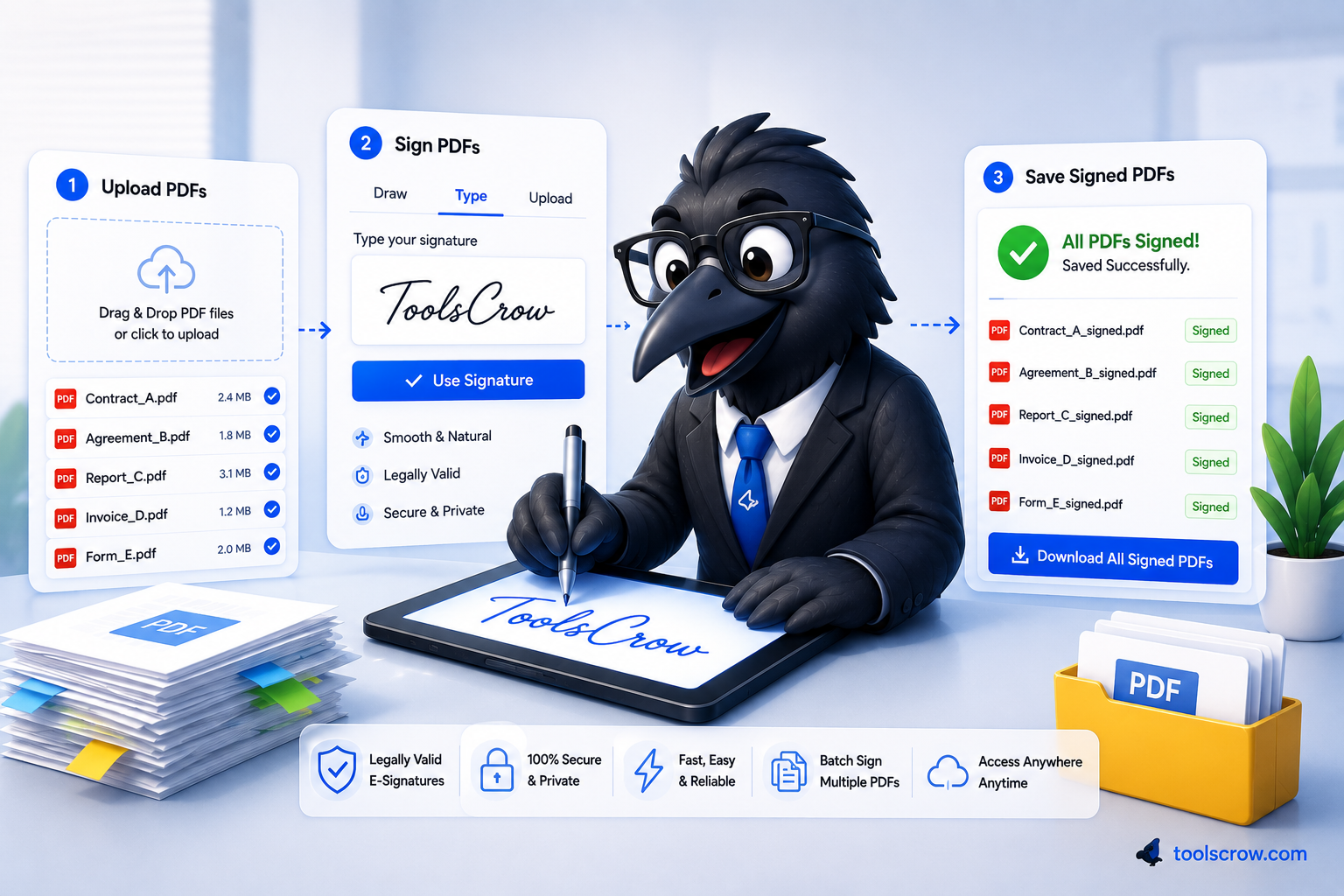
How to Sign a PDF Digitally (Free and Legal – 2026)
Learn how to sign a PDF digitally for free, legally binding under ESIGN Act & eIDAS. Draw, type, or uplo…
Read article →Place signatures anywhere on your PDF pages. Private — runs in your browser. Export signed PDF instantly.
PDF preview will appear here
Your files never reaches any server, they are 100% secured. our main goal is to provide free and secured tools to our respected users.
Sign and download your PDF in seconds with our optimized tool.
Works perfectly on all devices - desktop, tablet, and mobile.
This tool uses PDF.js to preview your PDF and PDF-LIB to embed signature images into the PDF pages in the browser. No file upload — everything stays private in your browser. Signatures are flattened into the output PDF for universal compatibility.
Sign documents instantly with our secure, browser-based PDF e-signature tool. No downloads required, completely free, and works on all devices.
Your files never leave your browser. No server uploads required for complete privacy protection.
Sign and download your PDF in seconds with our optimized processing technology.
Works perfectly on all devices - desktop, tablet, and mobile phones with touch support.
Access directly from your browser with no software to download or install.
In today's digital world, the ability to sign documents electronically has become essential for businesses, freelancers, and individuals alike. Our free online PDF signer offers a comprehensive solution for all your document signing needs without compromising security or convenience.
When you need to sign a PDF document quickly, our tool provides the perfect solution. Unlike many other e-signature services, we prioritize your privacy by processing everything directly in your browser. This means your sensitive documents never get uploaded to any server, ensuring complete confidentiality.
Whether you prefer to draw your signature with a mouse or touchscreen, type it using beautiful font styles, or upload an image of your existing signature, our tool accommodates all preferences. This flexibility makes it ideal for various use cases from business contracts to personal documents.
Professionals can quickly sign contracts, agreements, proposals, and other business documents without printing or scanning. Our tool is perfect for remote teams who need to execute documents quickly regardless of their location.
Bank documents, loan applications, tax forms, and other financial paperwork often require signatures. Our secure platform ensures these sensitive documents remain private while providing legally valid signatures.
Lease agreements, rental contracts, property documents, and real estate paperwork can be signed electronically, streamlining processes for landlords, tenants, and real estate professionals.
Permission slips, application forms, consent documents, and other school-related paperwork can be signed quickly by parents and students, eliminating the need for physical paperwork.
Yes, our PDF signing tool is completely free to use with no hidden fees or subscription requirements. You can sign as many documents as you need without any cost.
While electronic signatures are legally recognized in many countries and situations, the legality can vary based on your jurisdiction and the type of document. For important legal documents, we recommend consulting with a legal professional.
Your documents are processed entirely within your browser and never uploaded to any server. Once you download the signed PDF, no copy remains in our system, ensuring complete privacy.
Absolutely! Our PDF signer is fully responsive and works perfectly on smartphones and tablets. You can draw your signature directly on the touchscreen for a natural signing experience.
Our tool specifically works with PDF documents. If you have other file types that need signing, you can convert them to PDF first using various free online converters.
To get the most out of our PDF signing tool, consider these helpful tips:
The digital transformation has made electronic signatures increasingly popular for several compelling reasons. They eliminate the need for printing, scanning, and faxing documents, saving time and resources. Electronic signatures also reduce paper consumption, making them an environmentally friendly choice. With remote work becoming more common, the ability to sign documents from anywhere has become essential for maintaining business continuity.
Our tool embraces this future by providing a secure, accessible, and efficient way to sign PDF documents without compromising on security or convenience. Whether you're a business professional, student, or individual needing to sign occasional documents, our solution meets your needs without complicated processes or expensive software.
For frequently used documents, consider creating and saving a high-quality signature image that you can quickly upload each time, ensuring consistency across all your signed documents.
Now that you understand the benefits and capabilities of our free PDF signing tool, why not put it to the test? Whether you need to sign a business contract, application form, or personal document, our tool provides a secure, efficient solution that works across all devices. Experience the convenience of electronic signatures without compromising security or privacy.
Simply upload your PDF, create your signature using your preferred method, position it appropriately on the document, and download your signed PDF—all within minutes. Join thousands of satisfied users who have streamlined their document signing process with our reliable tool.
Learn how to sign a PDF digitally for free, legally binding under ESIGN Act & eIDAS. Draw, type, or uplo…
Read article →I sign contracts daily. Draw, upload, or type signature - all options work perfectly. Place anywhere on PDF. Free and secure!