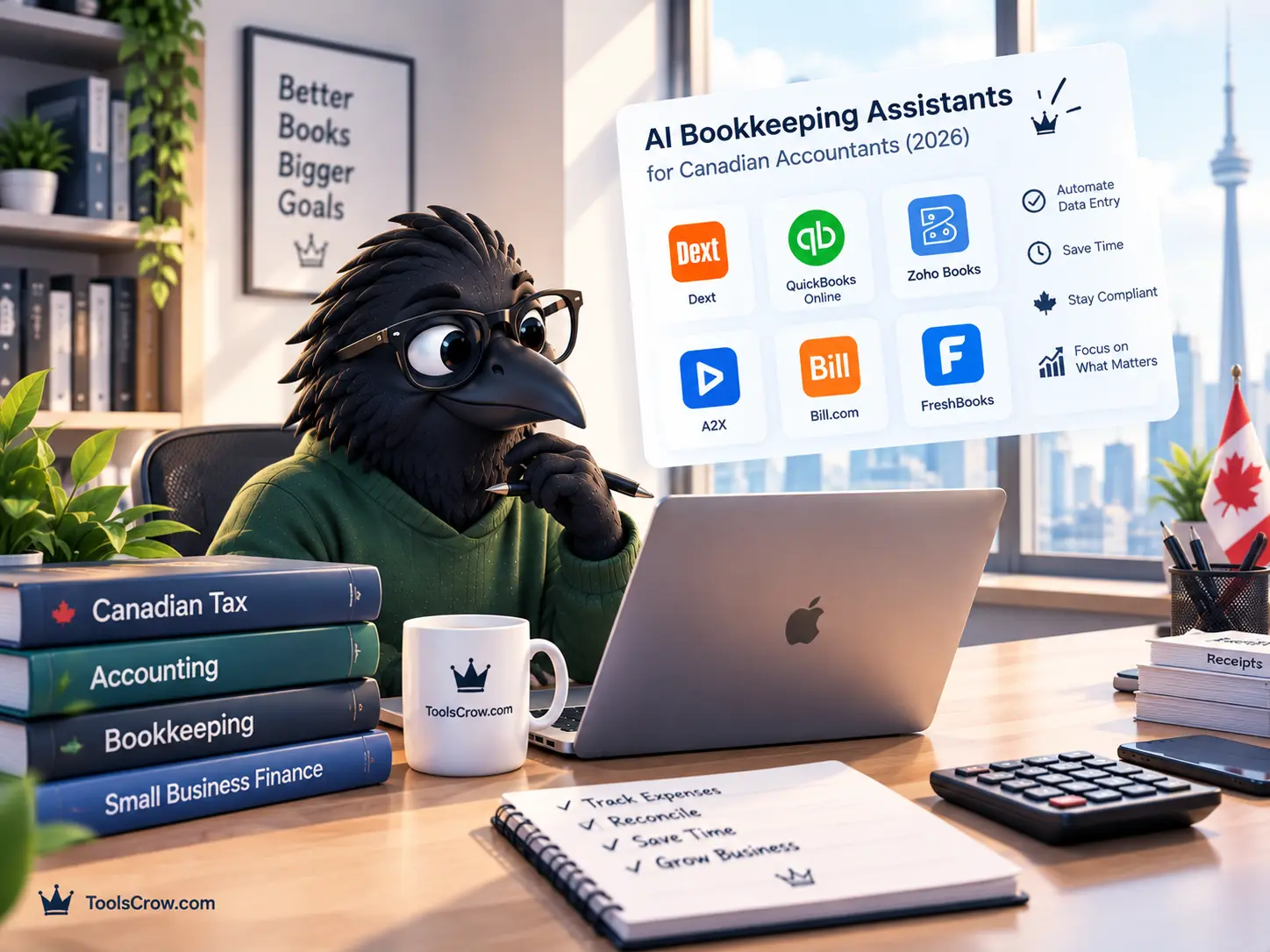
Every AI bookkeeping tool marketed to Canadian accountants in 2026 makes some version of the same promise: connect your bank feed, let the AI categorize transactions, and get CRA-ready books without the manual entry that used to eat a Tuesday afternoon. According to a 2026 survey cited by Float Financial, 46% of Canadian accountants are already using AI daily, and 95% say the technology genuinely reduces the time spent on compliance work. The promise is not marketing fiction. It is measurably real for a large share of the profession already.
What gets glossed over in most vendor comparisons is the second half of that story: AI receipt scanning, even in 2026, lands at roughly 90 to 95% accuracy on real-world receipts according to independent Canadian analysis, which means somewhere around one in every ten receipts still needs a human to check it. More importantly, "CRA-compliant" is not a feature a piece of software simply has. It is a standard your records need to meet regardless of how they were generated, and that standard specifically requires an intact audit trail and accessible original source documents - a detail that Canadian CPA commentary on this topic returns to repeatedly, because it is the exact place where an accountant's judgment remains irreplaceable no matter how good the AI gets.
This guide covers six tools that Canadian accountants and bookkeepers are genuinely using in 2026, what each one actually automates, where each one still requires a human, and the free tax-calculation tools that catch the specific Canadian tax-rate errors that none of these bookkeeping platforms verify automatically on their own.
This article is for general informational purposes and does not constitute accounting, tax, or professional advice. Software pricing and features change frequently - verify current details directly with each vendor. "CRA-compliant" claims made by software vendors should be independently verified against current CRA record-keeping requirements; consult a qualified CPA for guidance specific to your practice.
Quick Summary: What Canadian Accountants Need to Know
- 46% of Canadian accountants already use AI daily in 2026 (per Float Financial survey)
- AI receipt accuracy is 90-95% - meaning 1 in 10 receipts still needs human review
- "CRA-compliant" is not a software feature - it requires an intact audit trail + accessible source documents, regardless of how records were created
- Core platforms: QuickBooks (~60% Canadian share), Xero (multi-currency), Wave (free), ReInvestWealth (Canadian-built)
- Capture layers: Dext (per-user pricing) or AutoEntry (per-credit pricing) - choose based on document volume
- No AI tool catches cross-provincial tax rate errors - verify manually with a calculator before finalizing books

What "CRA-Compliant" Actually Requires - Read This Before Any Vendor Comparison
Before naming tools, the single most important piece of context in this entire article: no software vendor can make your books CRA-compliant by itself. Compliance is a standard your records need to meet, and Canadian CPA commentary on digitizing accounting with AI is consistent on this point - a system only counts as compliant if it preserves an intact audit trail and the original source documents remain accessible, regardless of how automated the categorization process was.
This matters practically because a tool can auto-categorize transactions flawlessly and still leave a firm exposed if the underlying receipt images are not retained in a retrievable, unaltered form, or if the audit trail showing who approved which categorization is broken or absent. When evaluating any of the six tools below, the specific question worth asking is not "does this tool claim CRA compliance" - nearly every vendor in this category makes that claim in its marketing. The question is whether the tool preserves source documents and a clear approval trail in a way that would hold up if CRA asked for it. That distinction is where a Canadian accounting professional's judgment remains load-bearing, no matter how advanced the underlying AI becomes.
1. QuickBooks Online - The Default Choice, and the One Most Canadian Clients Already Use
Canadian market position: approximately 60% market share among Canadian small businesses, per 2026 market analysis.
QuickBooks Online's dominant position in the Canadian market means that for most accountants, the practical question is not whether to support QuickBooks but how to use its AI features most effectively, since a majority of incoming clients will already be using it or will land there by default. The platform's "Categorize" feature uses machine learning trained on the specific patterns in an individual business's transaction history to auto-categorize bank feed entries with increasing accuracy over time, and its cash flow forecasting tool projects future cash position based on historical patterns combined with known upcoming payments already entered into the system.
The Canadian-specific strength that matters most for a practicing accountant: full HST and GST support across all provinces, CRA-compliant report formatting, and direct support for T4 and T5 slip preparation - the kind of jurisdiction-specific depth that a US-built tool retrofitted for Canada frequently gets subtly wrong in ways that create real downstream correction work.
The honest limitation, consistent with the compliance principle above: QuickBooks' AI categorization is trained on pattern recognition across transaction history, which means a genuinely unusual transaction - a one-time asset sale, an inter-company transfer, a transaction type the business has never had before - is exactly where the AI is most likely to guess wrong, and exactly where a bookkeeper's manual review remains essential rather than optional.
2. Xero - Best for Multi-Currency and eCommerce-Heavy Canadian Clients
Canadian market position: smaller than QuickBooks but growing rapidly, particularly in eCommerce and multi-currency client segments.
Xero's specific advantage for a Canadian accounting practice is its handling of multi-currency transactions and its cloud-native collaboration model, which was built from the ground up for real-time, multi-user access rather than retrofitted onto an older desktop-first architecture. For a Canadian accountant serving clients who sell internationally, hold foreign currency accounts, or run cross-border eCommerce operations through platforms like Shopify, Xero's native multi-currency handling frequently requires less manual correction than alternatives built primarily around single-currency Canadian or US operations.
Xero's AI-driven features have expanded significantly through 2025 and into 2026 to include smart bank reconciliation suggestions and predictive categorization that improve with use, functioning similarly in principle to QuickBooks' Categorize feature. The tradeoff for a Canadian-focused practice specifically: Xero's global-first design means some Canada-specific compliance reporting requires more manual configuration or third-party app connections than a Canada-optimized platform, which is worth confirming directly against a specific client's provincial and industry requirements before committing.
3. Wave - Best Free Option, and Genuinely Built in Canada
Price: Free core bookkeeping. Wave is a Canadian company, and its bookkeeping product - not just its invoicing, covered in a separate Toolscrow guide - is a legitimate, full double-entry accounting system available at no cost.
Wave's free tier includes automatic bank feed connections and reconciliation, transaction categorization, and accountant-approved double-entry reports, which is a meaningfully more complete bookkeeping offering than most "free" competitors that gate real double-entry accounting behind a paid tier. For a Canadian accountant advising a genuinely small client - a sole proprietor, a very early-stage business, a client for whom a $30 to $50 monthly software subscription is a real budget concern - Wave provides a legitimate starting point rather than a stripped-down trial designed to force an upgrade.
The specific feature worth highlighting for an accounting practice: Wave supports inviting an accountant or bookkeeper as a "guest collaborator" directly into the client's account, enabling real-time review access without requiring the accountant to maintain separate login credentials for every client on a paid multi-user tier. This collaborative access model, combined with Wave being a Canadian-founded company, has made it a genuinely common recommendation among Canadian accountants specifically for their smallest, most budget-conscious clients.
The honest tradeoff: Wave's AI categorization is less sophisticated than QuickBooks' or Xero's machine learning models, and its reporting depth is intentionally lighter - appropriate for a straightforward small business, genuinely limiting for a client with complex multi-entity or inventory-heavy operations.

4. ReInvestWealth - The Canadian-Built AI Bookkeeping Tool Most Accountants Haven't Heard Of Yet
A genuinely Canadian product, based in Montreal, built specifically around AI-driven automatic categorization and tax deduction identification.
ReInvestWealth deserves specific attention in a Canadian-focused guide precisely because it is not a global platform with Canadian features bolted on - it was built in Montreal, for the Canadian small business and freelancer market specifically. Once connected to a business bank account, its AI system categorizes transactions, matches receipts against bank statements automatically, and - a feature worth calling out specifically - identifies likely tax deductions automatically based on transaction patterns, surfacing them for review rather than requiring a bookkeeper to manually scan every line for a deduction opportunity.
For a Canadian accounting practice serving freelancers, consultants, and businesses without inventory management complexity, ReInvestWealth's specifically Canadian design means less of the "translate the US-built tool's assumptions into Canadian tax reality" friction that shows up with platforms built primarily for a different market. It is a smaller, less internationally known name than QuickBooks or Xero, which for some clients is itself a consideration - a practice recommending it should be prepared to explain why a less globally recognized tool is nonetheless a strong, genuinely Canadian-built fit for that specific client's situation.
5. Dext - Best for Multi-Client Practices That Want a Polished, End-to-End Capture Workflow
Price: entry pricing around $31.50/month per independent 2026 comparison data, using a per-user pricing model. Confirmed available in Canada alongside the US, UK, and Australia.
Dext (formerly known as Receipt Bank) occupies a distinct role from the full accounting platforms above - it is specifically a document capture and pre-processing layer, designed to sit in front of QuickBooks, Xero, or Sage rather than replace them. Its core job is taking the receipts, invoices, and bills a client generates throughout the month and extracting, categorizing, and preparing that data before it ever needs manual entry into the main accounting system.
For a Canadian accounting practice managing multiple client files simultaneously, Dext's specific strength - confirmed consistently across independent 2026 comparisons - is its polish across the full capture-to-publish workflow: mobile receipt capture, categorization suggestions that improve with use, supplier-feed connections that can pull bills directly from utility and telecom provider portals rather than waiting for a client to forward them, and Dext Precision, an add-on layer specifically built for error detection across multiple client files at once.
The pricing structure worth understanding clearly before comparing Dext to its main alternative below: Dext charges per user rather than per document, which independent comparison sources note works out more cost-effective specifically for a firm running many clients through a smaller number of staff logins, since the cost scales with headcount rather than with document volume.
6. AutoEntry - Best for Variable Document Volume and Bank Statement Reconciliation
Price: entry pricing around $12/month per independent 2026 comparison data, using a per-credit, pay-as-you-go pricing model.
AutoEntry solves the same fundamental problem as Dext - automated extraction from receipts, invoices, and bank statements - but with a meaningfully different pricing philosophy that changes which practices it fits best. Rather than charging per user, AutoEntry meters usage per document processed, which independent 2026 comparisons consistently note is the more cost-effective structure for a practice with genuinely variable or lower monthly document volume, since a slow month costs less rather than being charged the same flat per-user rate regardless of actual usage.
AutoEntry's particular strength, called out specifically across multiple 2026 comparison sources, is bank statement and supplier-statement reconciliation - matching a supplier's statement against what has already been recorded to catch discrepancies, a task that is genuinely tedious to do manually and where AutoEntry's usage-based model makes it attractive for firms that only need this handled periodically rather than as a constant daily-capture workflow the way Dext is typically used.
The practical decision between these last two tools, synthesizing the independent comparisons consulted for this article: choose Dext when a practice wants a single, polished, more expensive-but-comprehensive workflow across many active clients being processed constantly. Choose AutoEntry when document volume varies meaningfully month to month, when bank and supplier statement reconciliation specifically is the recurring pain point, or when a smaller practice wants to avoid paying a flat per-user fee during lighter months.

The One-in-Ten Problem: Why Every Tool on This List Still Needs You
The single most important statistic in this entire article, and the one every Canadian accountant evaluating these tools should hold onto: independent Canadian analysis places AI receipt scanning accuracy at roughly 90 to 95% on real-world receipts. That is genuinely impressive relative to where this technology sat even three or four years ago. It also means that, on average, somewhere around one in every ten receipts a client submits will be miscategorized, misread, or flagged incorrectly by even the best tool on this list.
For a Canadian practice, this has a specific, practical implication beyond the general "AI isn't perfect" caveat that applies everywhere. The one-in-ten error rate does not distribute evenly across transaction types. It concentrates specifically in exactly the places CRA scrutiny also concentrates: transactions with ambiguous business-versus-personal use, multi-jurisdictional transactions crossing provincial tax rate boundaries, and one-off transaction types the AI has not seen enough examples of to categorize confidently. This is precisely why the review step in any AI bookkeeping workflow cannot be treated as a formality - it is where the highest-risk errors are statistically most likely to be hiding.

Where Canadian Tax Complexity Specifically Trips Up AI Categorization
The transaction type where AI bookkeeping tools most reliably need a human check in a Canadian context is anything touching provincial tax rate variation. Every tool on this list categorizes and applies tax treatment based on patterns learned from a business's own transaction history and the rules configured for that business's home province. What none of them independently verify, transaction by transaction, is whether a specific invoice issued to an out-of-province client actually used the correct rate for that client's location rather than defaulting to the business's home province rate - a distinction that matters because Canadian tax rules generally require charging based on where the client is located, not where the business operates from.
This is a genuinely common, quietly compounding error: a Vancouver-based consulting business's accounting software defaults to British Columbia's 12% combined rate for every invoice, when an invoice to an Ontario client should carry 13% HST, and one to an Alberta client should carry only 5% GST. None of the six AI bookkeeping tools in this guide flag this specific mismatch automatically as part of their standard workflow, because doing so would require cross-referencing every invoice's tax treatment against the specific client's actual province - a narrow, specific check that sits outside what general-purpose categorization AI is built to verify.
Before finalizing any client's books that include invoices to out-of-province customers, cross-checking the tax rate actually charged against the correct provincial rate is a fast, specific verification step. The free GST-HST Calculator at toolscrow.com confirms the exact rate for any Canadian province in seconds - Alberta's 5% GST-only rate, British Columbia's 12% combined rate, Ontario's 13% HST, Quebec's 14.975% compound-calculated rate, and the 15% HST rate shared by New Brunswick, Nova Scotia, Newfoundland and Labrador, and Prince Edward Island - and its reverse calculation mode extracts the pre-tax amount and tax component from a total that already includes tax, useful for reconciling exactly where a categorization error occurred once one is suspected.

The Client-Facing Side: What These Tools Don't Tell Your Client About Their Own Take-Home
A second, related gap that sits outside what any of these six bookkeeping platforms are built to answer: a business owner client frequently wants to know what a given revenue level or invoice actually translates to in personal take-home income, once corporate tax, personal tax, and CPP obligations are all accounted for. Bookkeeping software tracks the business's books accurately, but translating that into a specific answer to "what will I actually keep from this contract" requires a separate personal tax calculation layered on top of the business numbers.
The free Salary After-Tax Calculator and Canada Income Tax Calculator at toolscrow.com give a quick, province-specific answer to exactly this kind of client question during a conversation, without needing to open a full tax projection model for what is often a quick, directional answer a client is asking for in the middle of a planning discussion.
Frequently Asked Questions About AI Bookkeeping for Canadian Accountants
Can AI bookkeeping tools actually file GST/HST returns directly with CRA?
Some platforms support this capability, and it is a genuine 2026 development worth verifying directly with the specific vendor, since the feature and its exact scope vary by platform and by whether the business is set up for direct electronic filing through CRA's systems. Even where direct filing is supported, the underlying principle from the compliance section above still applies: the accuracy of that filing depends entirely on the accuracy of the categorization and tax treatment that fed into it, which is why the human review step described throughout this article remains necessary before any AI-assisted GST/HST calculation is submitted.
Should a small accounting practice adopt all six of these tools, or choose one?
Choose one core accounting platform - QuickBooks, Xero, Wave, or ReInvestWealth depending on client profile - as the system of record, and consider Dext or AutoEntry specifically as an add-on capture layer if a practice's client base generates enough receipt and invoice volume that manual entry into the core platform is a genuine time cost worth automating. Running Dext and AutoEntry simultaneously is redundant for most practices; the choice between them, as covered above, depends on document volume consistency and whether per-user or per-credit pricing better fits a specific practice's client mix.
Is it safe to recommend a smaller, less internationally known tool like ReInvestWealth to a client?
Product maturity and company size are reasonable factors to weigh, but they are not the only relevant consideration. A smaller, Canadian-built tool designed specifically around Canadian tax rules can genuinely outperform a larger international platform for a client whose needs are straightforward and squarely within what that smaller tool is built for - freelancers and simple service businesses without inventory complexity, in ReInvestWealth's specific case. The responsible approach is evaluating fit against a specific client's actual needs rather than defaulting to the largest name in the category by assumption alone.
Does using AI bookkeeping tools reduce professional liability risk, or increase it?
It can do either, depending entirely on how the review process is structured. AI tools reduce the manual data-entry burden and, when used with a disciplined review step, can reduce the error rate compared to fully manual entry by catching and flagging inconsistencies a tired human reviewer might miss late in a busy season. Liability risk increases specifically when the review step is skipped or treated as a rubber stamp - trusting a 90 to 95% accurate categorization without verifying the flagged exceptions is where AI-assisted bookkeeping actually becomes riskier than a slower, fully manual process, because the confidence the automation projects can mask exactly the errors that matter most.
How do these tools handle multi-provincial businesses specifically?
Handling varies significantly by platform, and this is precisely the area flagged earlier in this article as needing manual verification regardless of which tool is used. QuickBooks and Xero both support configuring tax rates by province and can apply the correct rate when an invoice is coded with the correct client location, but none of the platforms independently verify that a specific invoice was coded with the correct province in the first place - that step still depends on the person creating the invoice entering the client's actual location correctly, which is exactly the kind of small, easy-to-miss error that a quick manual cross-check against a rate calculator catches before it compounds across a full filing period.
The Bottom Line for Canadian Practices in 2026
The six tools in this guide represent genuinely different layers of the AI bookkeeping stack rather than six competing options for the exact same job. QuickBooks and Xero are the core accounting platforms most Canadian practices will build around, with Wave and ReInvestWealth serving as strong, budget-conscious or Canadian-specific alternatives for the right client profile. Dext and AutoEntry sit in front of any of those platforms as document capture accelerators, chosen based on document volume consistency and pricing model fit rather than one being objectively superior to the other.
Across every one of these six tools, the same principle holds: AI bookkeeping in 2026 is genuinely capable of removing the majority of manual data entry from a Canadian accounting practice's workload, and it is not yet capable of removing the professional judgment that catches the one-in-ten error, verifies the cross-provincial tax rate, and confirms that what the software calls "CRA-compliant" actually meets that standard when it matters most.
Verify the tax details these tools don't check automatically:
GST-HST Calculator - confirm the correct provincial rate on any client invoice in seconds
Canada Income Tax Calculator - quick answers for client tax-planning conversations
Salary After-Tax Calculator - translate business revenue into personal take-home for clients
Related reading: 5 Best Automated Invoice Software for Freelancers (Under $20/month) and 7 Best Canadian Tax Calculators for Freelancers and Influencers.



Comments (0)
No comments yet. Be the first to share your thoughts!
Leave a Comment
All comments are reviewed before publishing. Please keep it respectful and on-topic. Comments with links or promotional content will be rejected automatically.