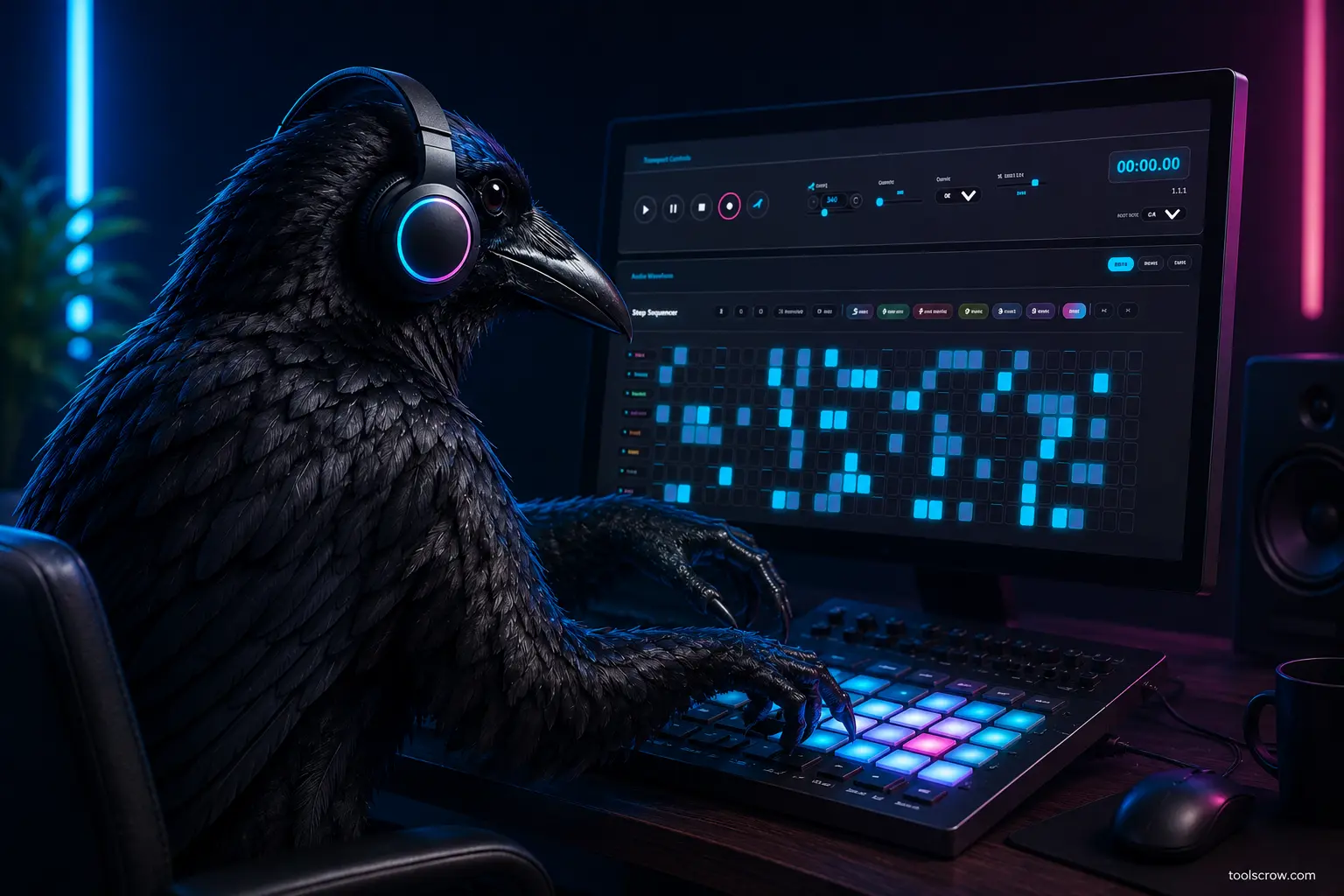
Guide tested and verified using current browser-based beat making tools. No software downloads required.
A decade ago, making a trap beat meant either booking studio time, buying a copy of FL Studio, or knowing someone who already had a setup. The barrier to entry was real, financial, technical, and geographical. If you didn't have the money, the gear, or the connections, your ideas stayed in your head.
That barrier is gone. In 2026, you can open a browser tab and start building a legitimate trap beat in under five minutes — with real 808 bass, rolling hi-hats, layered kicks, and melodic samples — entirely for free, with nothing to install, no account to create, and no tutorial videos to sit through before anything makes sound.
But "you can make a beat online" is not the same as knowing how to make one that actually sounds like trap music. A browser-based beat maker gives you the tools. This guide gives you the knowledge to use them correctly. The difference between a beginner's first chaotic grid of random sounds and a beat that has the actual structure, feel, and energy of trap music comes down to understanding a handful of fundamentals — and once you understand them, they click fast.
Here's what this guide covers:
- What makes a beat "trap" — the defining elements of the genre
- The right BPM and time signature to start with
- How to program a trap drum pattern that actually hits
- How to write and layer the 808 bass line
- How to add hi-hats the way trap producers do — including triplets and rolls
- How to add melody, chords, and atmosphere
- How to mix and balance everything so it sounds finished
- Step-by-step walkthrough of making your first trap beat using an online tool
- Common beginner mistakes and how to avoid them
Whether you're making beats for your own rap verses, creating content for social media, learning music production from scratch, or just curious what the process actually feels like — this guide will get you there without a single download.
What Actually Makes a Beat Sound Like Trap Music?
Trap music emerged from Atlanta in the early 2000s, shaped by producers like Shawty Redd, Zaytoven, and later Lex Luger, Metro Boomin, and Southside. The genre has evolved dramatically since then, branching into drill, melodic trap, dark trap, and hyperpop — but the core sonic fingerprint has remained remarkably consistent. Understanding that fingerprint is the first step to recreating it.
The Six Defining Elements of Trap Production
1. Tempo: Slow but Energetic (130–170 BPM)
Trap beats typically run between 130 and 170 BPM. That might sound fast when you see the number, but in trap production the hi-hats subdivide the beat into very small rhythmic units, which makes the overall feel more dense and rolling than the BPM alone suggests. For a first beat, start at 140 BPM — it's the center of the genre's range and sits comfortably for both rap flow and melodic trap.
2. The 808 Bass — The Heartbeat of Trap
The Roland TR-808 drum machine, originally manufactured in 1980, became the defining instrument of trap music decades after it was discontinued. Specifically, its bass drum sample — which has a long, pitched, booming decay — became the "808" that trap producers tune to match the key of their beat. When you hear a bass note that seems to bend and sustain for a beat or two after the kick hits, that's an 808. It's not just a drum sound — it functions as a bass instrument, and getting the 808 right is arguably the single most important element in a trap beat.
3. Hi-Hat Rolls and Triplets — The Rhythmic Texture
Standard beats use hi-hats on the eighth notes or sixteenth notes. Trap hi-hats go further — they use rapid-fire rolls, triplet groupings, and irregular spacing that creates an almost breathless, stuttering energy. The pattern is rarely perfectly even. Listen to any major trap record and you'll hear the hi-hats fluctuating in speed and rhythm, almost like they're improvising around a fixed pulse. This is what gives trap its signature nervous energy.
4. Dark, Atmospheric Melody
The melodic content in trap is almost universally minor key — dark, brooding, often sparse. Common sources are piano samples, string patches, choir pads, flute loops (hugely popular in the late 2010s), or synthesizer arpeggios. The melody often leaves more space than it fills — a few notes hanging in the air, sustained by reverb, rather than a busy lead line. This space is intentional; it gives the 808 and the rapper room to breathe.
5. Hard-Hitting Kicks and Snares on the 2 and 4
Despite all the complexity in the hi-hats and 808, the foundational drum pattern in trap is straightforward: a punchy kick drum on beat 1 (and sometimes the "and" of beat 2), and a sharp, cracking snare on beats 2 and 4. Sometimes the snare is replaced by a clap layered with the snare for extra snap. This simple backbone underneath all the complexity is what makes trap beats feel grounded and danceable.
6. Space and Reverb — "Room" in the Sound
Trap beats don't sound dry and close. Almost every element — snares, melodies, hi-hats — has some reverb applied, creating a sense of space and size. The snare in particular often has a short room reverb or a gated reverb effect that makes it sound like it's echoing in a large space. This wet, spacious quality is part of what distinguishes a finished trap beat from a flat, amateurish one.
Before You Hit a Single Pad: Setting BPM and Key
Two decisions you make before programming a single note will shape everything that follows: your tempo (BPM) and your musical key. Getting both right from the start is much easier than trying to change them after you've built a pattern.
Choosing Your BPM
The table below gives you a quick guide to how BPM maps to feel within the trap genre:
| BPM Range | Feel | Subgenre Examples |
|---|---|---|
| 130–140 BPM | Slower, heavy, cinematic | Dark trap, melodic trap, sad rap |
| 140–150 BPM | Standard trap tempo — most versatile | Classic trap, ATL trap, rap |
| 150–160 BPM | Energetic, aggressive | Drill, hard trap, club trap |
| 160–170 BPM | Very fast, intense | UK drill, rage beats, pluggnb |
For your first beat, 140 BPM is the safest starting point. It's fast enough to have trap energy, slow enough to hear every element clearly as you build, and sits in the sweet spot where most trap vocal flows are written.
Choosing Your Key
Trap music overwhelmingly favors minor keys. The most commonly used keys in trap production are:
- C minor — dark, heavy, very common; easy to work with on any instrument
- F minor — slightly warmer than C minor; popular in melodic trap
- G minor — aggressive, punchy; common in drill and hard trap
- A minor — versatile, accessible; good for beginners because many sample packs are keyed in A minor
If you're using melody samples or loops from your online beat maker's library, choose samples that are already in the same key — or at least in keys that are musically compatible. Mixing samples from unrelated keys is one of the most common beginner mistakes and produces a jarring, unpleasant result. When in doubt, stick to one key for the entire beat and don't mix samples from different keys without pitch-shifting them to match.
For your first beat: A minor at 140 BPM. These are the training wheels of trap production — the combination that gives you the most available samples, the most forgiving musical relationships, and a result that genuinely sounds like real trap music.
Programming Your Trap Drum Pattern — The Foundation
Drums are the skeleton of a trap beat. Everything else — the 808, the melody, the atmosphere — rests on top of the drum pattern. Build this first, before adding anything else. A weak drum pattern will make everything else sound weak. A solid drum pattern makes even a simple melody sound like a finished record.
Understanding the Grid
In CrowBeats' step sequencer, each row represents a different drum sound, and each column represents a small unit of time — typically a sixteenth note (one quarter of a beat). You can choose between 16, 32, or 64 steps using the Steps dropdown menu above the sequencer. A standard 16-step sequence represents one full bar (measure) of music at four beats per bar.
In a 16-step grid, the beats fall on steps 1, 5, 9, and 13. The "and" of each beat (the eighth notes) falls on steps 3, 7, 11, and 15. Everything else is in between — the sixteenth notes that give you more rhythmic options.
Step 1: The Kick Drum
Start with the kick. In a basic trap pattern, the kick hits on:
- Step 1 (Beat 1 — downbeat, always)
- Step 9 (Beat 3 — optional; some patterns only have beat 1)
- An extra hit before the snare for "push" — try step 4 or step 8 for a kick that anticipates the snare
A simple, effective starting kick pattern in a 16-step grid: steps 1, 4, 9. That's it. Don't overcrowd the kick — trap kicks are punchy and deliberate, not busy.
Step 2: The Snare
The snare in trap sits on beats 2 and 4 — steps 5 and 13 in a 16-step grid. This is almost universal across the genre. The snare is the most consistent, predictable element in a trap beat — its job is to define the backbeat and give the listener a rhythmic anchor.
For added snap and character, layer a clap on the same steps as the snare — steps 5 and 13. The snare gives body; the clap gives crack. Together they produce the sharp, crisp snare hit you hear on professional trap records.
Step 3: The Hi-Hats
This is where trap drums get their personality. Start with closed hi-hats on every sixteenth note — all 16 steps — and then start removing steps to create a more natural, human feel. Alternatively, leave all 16 on but vary the velocity (volume) of individual hits. In CrowBeats, you can right-click any step to adjust its velocity from 1 to 127. Trap hi-hats are rarely all at the same volume — the variation in velocity is what creates the sense of roll and movement.
Once you have a base 16th-note hi-hat pattern, try adding triplet rolls. A triplet roll is three rapid hi-hat hits in the space of one beat. In the 32-step grid, this means placing three hits in a space where two would normally go. This is the "trap roll" effect — most recognisably heard as a machine-gun burst of hi-hats that accelerates into the snare.
A classic simple trap hi-hat approach: 16th notes on every step, with velocity alternating between high and medium, and occasional groups of three or four hits doubled up for rolls. This alone, over the kick and snare pattern, will sound unmistakably like trap music.
Step 4: Open Hi-Hat for Accent
Add a single open hi-hat on step 3 or step 11 (the "and" of beat 1 or "and" of beat 3). The open hi-hat rings out slightly longer than the closed hi-hat, creating a brief shimmer that adds texture and space to the drum pattern. Don't overuse it — one or two per bar is plenty. Too many open hi-hats makes the pattern sound cluttered.
Your Completed Basic Trap Drum Pattern
| Drum Sound | Steps Active (in 16-step grid) |
|---|---|
| Kick | 1, 4, 9 |
| Snare | 5, 13 |
| Clap (layer with snare) | 5, 13 |
| Closed Hi-Hat | 1–16 (all steps, varied velocity) |
| Open Hi-Hat | 3, 11 |
Play this back at 140 BPM. If you've done it correctly, it will already sound like the backbone of a trap beat. Everything else you add — 808, melody, atmosphere — builds on this foundation.
The 808 Bass Line — The Soul of Your Trap Beat
If the drums are the skeleton of a trap beat, the 808 is its heartbeat. More than any other element, the 808 bass line is what separates a beat that feels alive from one that feels flat. Getting it right takes a little more thought than the drum pattern — because the 808 isn't just rhythm, it's also melody and harmony.
What the 808 Actually Does
In CrowBeats, the 808 is triggered the same way as any other drum sound — by activating steps in the sequencer. But unlike a kick or snare, the 808 has pitch. A long, booming 808 note that lasts half a bar creates a bass line that the listener hears as a musical note, not just a percussion hit. The 808 is simultaneously the bass guitar, the bass synth, and the kick drum foundation of a trap beat. That triple role is why it's so central to the genre's sound.
Tuning Your 808 to the Key
Your 808 notes must be in the same key as the rest of your beat. If your melody is in A minor, your 808 notes should come from the A minor scale: A, B, C, D, E, F, G. Playing 808 notes that clash with the melody produces a dissonant, muddy sound that marks a beat as amateurish immediately.
CrowBeats includes a full Piano Roll (click "Toggle Melody" button) where you can click on a placed 808 note and drag it up or down to change its pitch. The root note of your key (A in A minor) is always a safe choice for the 808. The fifth (E in A minor) adds power and tension. The minor third (C in A minor) adds darkness.
Programming the 808 Rhythm
The 808 doesn't play constantly — it follows its own rhythmic pattern that works with (not against) the kick drum. A common approach: trigger the 808 shortly after the kick hits, and let it sustain into the next beat. This is the classic "kick into 808" movement that defines so much trap music. The kick provides the transient attack; the 808 provides the sustaining bass beneath it.
A simple but effective 808 pattern for your first beat in A minor:
- Beat 1 (step 1): A — root note, long sustain (two beats)
- Beat 3 (step 9): E — fifth, half-beat sustain
- Beat 3.5 (step 11): A — root note again, short
- Beat 4 (step 13): C — minor third, leading back to beat 1
This four-note 808 pattern outlines the minor key, stays rhythmically interesting without being busy, and gives the beat a sense of forward motion that pulls the listener through the bar.
808 Sustain Length Matters Enormously
One of the most common beginner mistakes is making 808 notes too short. A short 808 note sounds thin and weak. A long 808 note that bleeds into the next note — overlapping slightly — creates the characteristic "sliding" or "gliding" 808 effect you hear in modern trap production. In the Piano Roll, drag the right edge of each 808 note to extend it. Let notes overlap by a few steps. The transition from one pitch to the next, rather than cutting off cleanly, is exactly what producers call 808 "glide" and it's one of the most distinctive sounds in contemporary trap music.
Adding Melody and Atmosphere — Making Your Beat Feel Alive
A trap beat with only drums and 808 has structure and power, but it lacks emotion. The melody and atmospheric elements are what make a beat feel like something — tense, melancholy, triumphant, eerie. This is where your personal taste shapes the character of the music you're making.
Choosing Your Melodic Instrument
CrowBeats offers a range of drum kits and the Piano Roll for melody creation. For trap production, these are the most commonly used melodic sources and what they bring to a beat:
| Instrument / Sound | Character | Used In |
|---|---|---|
| Piano (dark, reverb-heavy) | Melancholy, cinematic, versatile | Nearly all trap subgenres |
| Strings / Orchestral | Epic, dramatic, emotional | Melodic trap, cinematic beats |
| Flute | Ethereal, Eastern-influenced, distinctive | Late 2010s trap, modern ATL |
| 808 Bass (Synthesized) | Deep, sub-heavy, pitchable | Trap, Drill, Modern Hip Hop |
| Choir / Vocal pad | Haunting, spiritual, atmospheric | Dark trap, horror trap |
| Synth lead (sawtooth) | Aggressive, modern, electronic | Rage beats, pluggnb, drill |
| Bell / Xylophone | Light, playful, sparkling | Summer trap, melodic hooks |
| Guitar (electric or acoustic) | Soulful, grounded, emotional | Melodic trap, Southern rap |
For a first beat in A minor, a dark reverb piano is the safest and most immediately effective choice. It's the workhorse of trap melody — recognisable, versatile, and forgiving of simple chord progressions and note patterns.
Writing a Simple Trap Melody
You don't need music theory knowledge to write an effective trap melody — but understanding one simple principle helps enormously: use mostly notes from the minor scale, leave space between notes, and end phrases on the root note.
In A minor, the notes you can use are: A, B, C, D, E, F, G. Stay within these seven notes and almost everything you play will sound musically coherent. Avoid notes outside this set (sharps and flats not in the scale) until you're comfortable with how the scale feels.
A simple, effective trap melody idea in A minor over two bars:
- Bar 1: E (hold for 1 beat) → D (half beat) → C (1 beat) → A (hold for 1.5 beats)
- Bar 2: G (1 beat) → E (half beat) → D (half beat) → A (hold for 2 beats)
This descending melodic shape — moving from the fifth down to the root — is one of the most common melodic movements in trap music. It has a natural, satisfying resolution and works well against the 808 pattern you've already built.
Adding Chords for Depth
CrowBeats includes a full Piano Roll (click "Toggle Melody" button) where you can write melodies, chords, and basslines. Click the piano keys to add notes, or use the built-in melody generators (Happy, Sad, Epic, Jazz, Exotic) to instantly create professional patterns in any key.
The three most common chords in A minor are:
- Am (A minor): A + C + E — the home chord; dark and stable
- Dm (D minor): D + F + A — melancholy, emotional movement
- Em (E minor): E + G + B — tension, pull toward resolution
A simple two-bar chord progression: Am → Dm → Em → Am. One chord per beat, on beats 1, 2, 3, and 4. Keep the chord volume lower than the melody — chords are texture, not foreground.
Atmosphere: Reverb, Pads, and Space
Trap beats breathe. They have air and space in them — the sense that the music is happening in a room, not pressed against your ears. This quality comes primarily from reverb applied to melody and atmospheric pad layers.
If you have a pad sound in your Piano Roll — a long, slow-attack synthesizer tone that sustains indefinitely — try adding a sustained A minor chord using the pad. Keep it very quiet in the mix, nearly inaudible on its own, but present enough that the beat feels thicker and more enveloping with it there. This is the atmospheric layer that professional producers call the "bed" — it's not a focal point but its absence is immediately noticeable.
Master Effects Rack — Professional Polish
CrowBeats includes a full master effects rack with five processors that apply to your entire mix, found in the Mixer & Effects panel:
- Reverb — adds space and depth (presets: Dry, Room, Hall)
- Delay — creates echoes and rhythmic repeats (presets: Off, Slap, Echo)
- Drive/Distortion — adds grit and harmonics (presets: Clean, Warm, Heavy)
- Filter — rolls off high frequencies for lo-fi or sub-bass (presets: Open, Muffled, Sub)
- Compression — tightens dynamics for punchier drums (presets: Off, Light, Heavy)
Each effect has preset buttons beneath its slider. Click "Room" for instant reverb on your beat, or "Heavy" to add distortion to your 808. These give your beat that finished, professional polish.
Step-by-Step: Making Your First Trap Beat With CrowBeats
Now that you understand the theory, here's the practical process of building your first beat from scratch using CrowBeats. Follow each step in order — don't jump ahead to melody before the drums are locked in.
➡️ Follow along using the free online beat maker at https://toolscrow.com/audio-tools/beat-maker/ — works in any browser, no login required.
Step 1: Open the Tool and Configure Your Project Settings
Open CrowBeats in your browser. Before touching any pads or keys, set your tempo to 140 BPM using the BPM controls or by pressing +/- on your keyboard. Confirm you're working in 4/4 time (the standard for virtually all trap music). While there's no explicit key selector, you'll work in A minor by choosing notes from that scale in the Piano Roll.

Step 2: Program the Kick Drum Pattern
In the step sequencer, find the kick drum row (first row, labeled "KICK" with a Q key hint). Activate steps 1, 4, and 9. Play the loop back and listen to the kick pattern establish the beat's pulse. Adjust if needed — if step 4 feels like it's fighting the groove rather than adding to it, try step 3 or step 8 instead. Trust your ear over the theory at this stage.

Step 3: Add the Snare and Clap
Activate snare on steps 5 and 13 (second row, labeled "SNARE" with W key). Activate clap on steps 5 and 13 (fifth row, labeled "CLAP" with A key). Play back the drums so far — you should now hear a clear trap drum foundation with the kick driving forward and the snare snapping on beats 2 and 4.
Step 4: Build the Hi-Hat Pattern
Activate closed hi-hats on all 16 steps (third row, labeled "HIHAT" with E key). Then go back through the pattern and vary the velocity — right-click any active step to open the velocity modal and set it to a lower value (40-70) on alternating steps. This creates natural movement rather than a mechanical, robotic feel. Try doubling up hits at steps 4–5, 8–9, or 12–13 for trap rolls before the snare hits.

Step 5: Add the 808 Bass Line
Click the Toggle Melody (Piano Roll) button to open the Piano Roll. Select an 808 bass sound from the drum pads (eighth row, labeled "BASS" with F key) — or use the Piano Roll's synth sounds. Using the piano roll grid, program the four-note 808 pattern: A on step 1, E on step 9, A on step 11, C on step 13. Extend each note's length by dragging its right edge so it sustains. Let the notes slightly overlap for the glide effect.
Play back everything together — drums plus 808. This is already the skeleton of a real trap beat.

Step 6: Add the Melody
In the Piano Roll, select a piano sound (or use the melody generators like "Sad" or "Epic"). Program the two-bar melody described in Section 6. Keep notes sustained where indicated — don't make every note the same short length. The long-held notes are what give the melody its breathing quality. Play back with the drums and 808. The melody should sit above the 808, not compete with it in volume.
Alternatively, click one of the melody generator buttons (Happy, Sad, Epic, Jazz, Exotic) to instantly create a pattern, then tweak it to your taste.

Step 7: Balance the Mix
This is the step most beginners skip entirely, and it's why their beats sound muddy rather than clean. CrowBeats has a full mixer panel below the sequencer. Each channel has a volume slider. The general starting point for trap:
- Kick: 80–90% volume
- Snare + Clap: 75–85% volume
- Hi-hats: 50–65% volume (hi-hats are texture, not foreground)
- 808/Bass: 70–80% volume (it should be felt as much as heard)
- Melody (Piano Roll): 60–70% volume (present but not drowning the 808)
- Atmospheric pad (if added): 25–35% volume (background only)
Play everything back and make incremental adjustments. If you can't clearly hear the 808 above the kick, bring the 808 up slightly. If the hi-hats are too loud and distracting from the melody, bring them down. Mixing is iterative — there is no final answer, only progressively better balance.

Step 8: Export Your Beat
Once the beat sounds balanced and complete, click the Export WAV button in the top navigation bar. CrowBeats exports as 16-bit 48kHz WAV — broadcast-quality format accepted by FL Studio, Ableton Live, Logic Pro, and all major DAWs. Your beat downloads instantly. No watermarks, no tracking, just clean audio.
Your finished trap beat is now a file on your device — made entirely in a browser, with no downloads, no software, no studio, and no budget.
🔥 One-Click Beat Generation — Instant Inspiration
Don't want to start from scratch? CrowBeats includes six AI-powered beat generators. Look for the colored buttons above the step sequencer:
| Button | Style | What It Creates |
|---|---|---|
| 🎧 Trap | Modern Trap | Rolling hi-hats, 808 on 1 and 3, snare on 2 and 4 |
| 🎤 Hip Hop | Boom-bap | Swing groove, classic kick/snare pattern |
| ⚡ Electronic | EDM/Dance | Four-on-the-floor kick, driving rhythm |
| 🔪 Drill | UK/Chicago Drill | Syncopated 808, fast hi-hats, delayed snares |
| ☕ Lo-Fi | Chill/Hip Hop | Sparse kicks, low-velocity, relaxed feel |
| ✨ EPIC | Cinematic | Complex high-density pattern, maximum energy |
Click any button to instantly generate a pattern on the current channel. Great for learning how professional patterns are structured, breaking through creative blocks, or building a foundation to customize further.
9 Common Beginner Mistakes When Making Trap Beats (And How to Fix Them)
Mistake 1: BPM Too Slow or Too Fast
Setting the BPM outside the 130–170 range produces something that might be good music but won't sound like trap. A 90 BPM beat at the same tempo is hip-hop. A 180 BPM beat is closer to drum and bass. If your beat doesn't feel like trap even though all the elements are there, the tempo is often the culprit. Start at 140 until you have a reference point for what different tempos feel like.
Mistake 2: Putting the 808 in the Wrong Key
This is the most jarring error a listener can hear — an 808 note that clashes with the melody. If your beat sounds strange or dissonant even though the individual parts seem fine separately, check that your 808 notes are all within the scale of your chosen key. In A minor, the 808 should only use: A, B, C, D, E, F, or G. Any other note will sound wrong.
Mistake 3: Overloading the Beat With Too Many Elements
Trap beats are deliberately sparse. The space between sounds is part of the music. Beginners often feel the urge to fill every gap — adding more melodic layers, more drums, more effects. This almost always makes the beat worse. If your beat feels cluttered, remove elements rather than adding more. A kick, snare, hi-hats, one 808 pattern, and one melody line is often all a fully realised trap beat needs.
Mistake 4: Mechanical, Even Hi-Hats With No Velocity Variation
Sixteen hi-hat steps all at the same velocity sounds like a machine, not a musician. The velocity variation — some hits loud, some medium, some soft — is what creates the human feel and rolling energy that trap hi-hats are known for. In CrowBeats, right-click any active step to adjust its velocity. Even if you're not adding rolls or triplets yet, varying velocity across the hi-hat steps makes an immediate difference in how professional the pattern sounds.
Mistake 5: Making the 808 Notes Too Short
Short 808 notes sound like percussion, not bass. The 808's power comes from its sustain — the long, pitched decay that continues resonating after the initial attack. In the Piano Roll, extend your 808 notes so they sustain into the next beat or even the beat after that. Let them overlap slightly for the glide effect. If your 808 sounds thin and weak, it's almost certainly too short.
Mistake 6: Ignoring the Mix
Building a beat where every element is at the same volume produces a wall of noise where nothing stands out. The mix is not an advanced afterthought — it's a fundamental part of making a beat sound finished. Use CrowBeats' mixer panel (below the sequencer) to adjust each channel's volume. Even basic volume balancing (hi-hats lower than the snare, atmosphere lower than the melody) produces a dramatically cleaner result than leaving everything at default levels.
Mistake 7: Mixing Elements That Are in Different Keys
If you're using loops or samples from a library, they come in specific keys. Combining a sample in C minor with a sample in A minor produces dissonance that no amount of mixing or effects will fix. Before adding any loop or sample to your beat, confirm its key and ensure it matches everything else. When using CrowBeats' Piano Roll, stick to the notes of your chosen scale (A minor: A, B, C, D, E, F, G).
Mistake 8: Copying a Beat Note-for-Note Instead of Learning the Principles
There's nothing wrong with studying a beat you love by trying to recreate it — it's how producers have always learned. The mistake is stopping there without understanding why the original producer made the choices they did. After you recreate a beat, go through it element by element: why did they choose this BPM? Why does this note in the 808 work? Why is the snare layered with a clap? The deeper understanding is what enables you to make your own original beats rather than reconstructions.
Mistake 9: Stopping After One Beat
Your first beat will probably be imperfect. That's not a problem — it's the process. The gap between a beginner's first beat and their tenth beat is enormous. The gap between their tenth and their fiftieth is even larger. The only way to improve at beat making is to make beats — lots of them, regularly, with the intention of learning something new from each one. Make your first beat today, make another one tomorrow, and don't stop.
🐦⬛ Secret Easter Egg: The Hidden Crow
CrowBeats has a playful secret. Try either of these:
- Press Ctrl+Shift+C on your keyboard
- Double-click any of the crow icons (🐦⬛) scattered around the interface — including the signature badge and the buttons
You'll unlock a hidden modal featuring a realistic drawn crow animation, a playful "caw" sound effect, and previews of upcoming audio tools from ToolsCrow. It's our way of saying thanks for exploring — and a fun reward for curious producers.
Frequently Asked Questions About Making Trap Beats Online
Do I need to know how to play an instrument to make a trap beat?
No. The step sequencer in CrowBeats is specifically designed so that you don't need to play in real time — you program notes by clicking on a grid rather than performing them on a keyboard or guitar. That said, even a basic understanding of how notes relate to each other (which notes are in a key, which chords go together) will accelerate your progress significantly. The good news is that you can learn these basics specifically in the context of trap production, without studying classical music theory or reading sheet music.
Can I use the beats I make with CrowBeats commercially?
Yes. All music created with CrowBeats is 100% yours. You retain full copyright ownership of every beat, pattern, and recording you make. Feel free to use your beats in commercial projects, sell beats online, upload to streaming platforms like Spotify and Apple Music, or create content for YouTube and TikTok. No royalties, no licensing fees, no credit required. Your exported WAV files contain no watermarks or trackers — they're clean, professional audio files ready for copyright registration.
What's the difference between a trap beat and a drill beat?
Drill evolved from trap, and the two genres share most of the same fundamental elements — 808 bass, rolling hi-hats, snare on beats 2 and 4. The primary differences are tempo, atmosphere, and hi-hat programming style. Drill (particularly UK drill) typically runs faster (around 140–150 BPM) and uses darker, more minimalist melodies. The hi-hat patterns in drill are often more aggressive and less melodically ornamented than Atlanta trap. Chicago drill and New York drill have slightly different characteristics again. For a beginner, the practical difference is small — the skills you develop making trap beats transfer directly to drill.
How do I make my CrowBeats beats sound professional?
Several factors separate amateur-sounding beats from professional-sounding ones: proper volume balance using the mixer panel, appropriate reverb from the master effects rack, 808 notes that are tuned to the key and have adequate sustain (drag them longer in the Piano Roll), hi-hat velocity variation (right-click steps), and restraint — not overloading the beat with elements. Professional trap producers often spend as much time subtracting elements as they do adding them. Additionally, using the Filter effect to roll off low frequencies from the hi-hats and melody (preventing them from competing with the 808) makes an immediate difference in clarity.
What BPM do most famous trap beats use?
Most of the defining trap records of the past decade sit between 130 and 150 BPM. Classic Atlanta trap from artists like Young Jeezy, Gucci Mane, and early Future tends toward 140–150 BPM. Melodic trap (Juice WRLD, Roddy Ricch, Lil Baby) often sits in the 140–155 BPM range. Harder, more aggressive trap and drill productions can push toward 160 BPM. The 140 BPM starting point this guide recommends sits at the center of the genre's historical range.
Can I add my own vocals to a beat made with CrowBeats?
Yes. Once you've exported your beat as a WAV file, you can record vocals over it using any recording setup — from a professional studio microphone and audio interface to a smartphone app in a quiet room. Free software like GarageBand (Mac/iOS) or Audacity (Windows/Mac/Linux) can layer your vocal recording over the beat file. You don't need to stay in the online tool for the vocal recording step — export the beat, then work with it in any recording environment you have access to. CrowBeats also has a built-in recorder (press R) to capture your beat directly.
How many bars should a trap beat be?
A standard rap track structure calls for beats that loop seamlessly for an extended period. Most trap beats loop on a 2-bar or 4-bar pattern, with occasional 8-bar variations. When producing for a specific song, producers typically build 8-bar intro sections, 16-bar verse patterns, 8-bar chorus patterns, and sometimes bridge sections. For your first beat, focus on getting a strong 2-bar loop sounding right — a well-crafted 2-bar loop can carry an entire song when repeated with slight variations. CrowBeats supports 16, 32, or 64 steps per pattern, and you have 8 pattern slots (A1 through B4) to build full song structures.
Is it better to use the beat generators or create patterns from scratch?
Both approaches are legitimate and widely used by professional producers. Creating patterns from scratch gives you full control and develops your skills. The one-click beat generators (Trap, Hip Hop, Electronic, Drill, Lo-Fi, EPIC) are great for learning how professional patterns are structured, breaking through creative blocks, or building a foundation to customize further. For beginners, starting with a generated beat and then tweaking it is often the fastest way to get a good-sounding result while you develop your ear. As your skills grow, transitioning to more original pattern creation is a natural progression.
Why does my beat sound flat compared to professional beats?
Several factors contribute to the "flat vs. professional" gap. The most common: inadequate 808 sustain (make notes longer in the Piano Roll), no reverb on the melody or snare (use the Reverb effect in the mixer), all elements at the same volume (use the mixer's volume faders), and hi-hats at uniform velocity (right-click steps to adjust). Address these four issues specifically and the difference will be dramatic. The final factor is mastering — commercial releases go through a mastering process that increases loudness and polish — but for a first beat, the mixing improvements alone will close most of the gap.
What are the keyboard shortcuts for CrowBeats?
Drum Pads: Q = Kick, W = Snare, E = Hi-Hat, R = Open Hat, A = Clap, S = Tom, D = Percussion, F = 808 Bass
Transport: Space = Play/Pause, Esc = Stop, R = Record
Patterns: 1-8 = Switch between 8 patterns (A1 through B4)
File: Ctrl+S = Save Project, Ctrl+O = Load Project, Ctrl+N = New, Ctrl+E = Export WAV
Edit: Ctrl+Z = Undo, Ctrl+Y = Redo, Ctrl+C = Copy Pattern, Ctrl+V = Paste Pattern
BPM: +/- = Increase/Decrease, [ / ] = Fine adjust
Easter Egg: Ctrl+Shift+C or double-click crow icons = secret!
Your First Trap Beat Starts Now — Here's Your Action Plan
Making a trap beat online is genuinely accessible in 2026. The technology barrier is gone. The knowledge barrier — understanding the BPM, the 808, the hi-hat patterns, the minor key melody, the mix — is what this guide exists to remove. Now that you have both, the only thing left is to make some noise.
Here's your action plan from this point:
- Open CrowBeats at https://toolscrow.com/audio-tools/beat-maker/ right now, while the guide is fresh in your memory.
- Set 140 BPM. Use the BPM controls or +/- keys.
- Build the drum pattern first. Kick on 1, 4, 9. Snare on 5, 13. Hi-hats on everything with varied velocity (right-click steps).
- Add the 808 in the Piano Roll (click Toggle Melody) and tune it to A minor. Extend the note lengths for sustain and glide.
- Add a dark piano melody using notes from the A minor scale — or click one of the melody generator buttons.
- Balance the mix using the mixer panel — bring hi-hats down, let the 808 breathe.
- Export as WAV and listen on speakers or headphones away from the screen.
Your first beat probably won't be perfect. Make it anyway. Then make another one. The producers whose beats you hear on major releases have made thousands of beats — the great ones emerged from that volume of practice, not from natural talent alone. Every beat you make, even the ones that don't work, teaches you something the next one will benefit from.
The studio is in your browser. The knowledge is in this guide. The beat is yours to make.
Ready to make your first trap beat right now?
Open the free online beat maker → https://toolscrow.com/audio-tools/beat-maker/ — no download, no signup, no cost. Just beats.
Made something you're proud of? Share your beat and tag us — we'd genuinely love to hear what you create.


Comments (0)
No comments yet. Be the first to share your thoughts!
Leave a Comment
All comments are reviewed before publishing. Please keep it respectful and on-topic. Comments with links or promotional content will be rejected automatically.