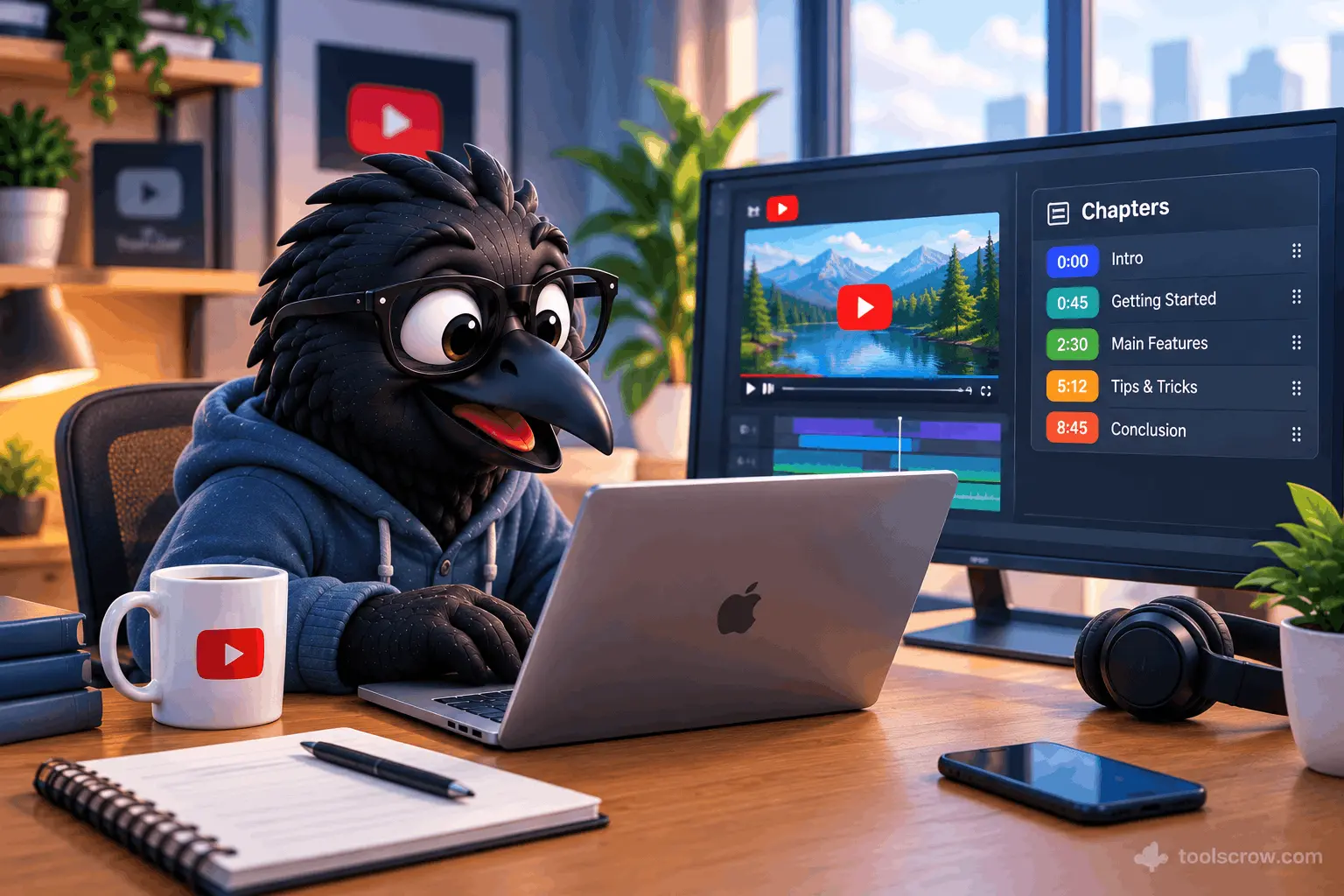
Most YouTube creators know chapters exist. A much smaller number actually use them. And an even smaller number use them strategically, with titles chosen for search visibility rather than just navigation convenience.
That gap between knowing about chapters and using them well is where viewer retention is lost, search rankings stay lower than they should, and watch time suffers in ways that are hard to diagnose because the symptom looks like a content problem rather than a formatting one.
This guide explains exactly how YouTube chapters work under the hood, what the formatting rules are (and what happens when you get them wrong), what the SEO benefit actually is and why it matters beyond just viewer experience, and how to use AI to generate chapters for any video in seconds rather than scrubbing through footage manually doing it by hand. Along the way, there is a free tool that handles the entire process.
What YouTube Chapters Actually Are - And What They Do for Your Video
YouTube chapters are navigation markers that divide your video into labeled sections, displayed as a visual progress bar with named segments below the video player. When a video has chapters enabled, the progress bar shows the division points visually, and hovering over any point in the bar shows a thumbnail preview of that specific section alongside the chapter title.
From the viewer's side, chapters solve a real problem. A 25-minute tutorial on a complex topic is significantly more useful when a viewer who already knows the first ten minutes can jump directly to the section that covers their specific question. Without chapters, many viewers leave rather than scrub through footage to find what they need. With chapters, they stay, watch the relevant section, and often watch adjacent sections they did not originally intend to watch. That behavior - the extended stay, the secondary section viewing - is exactly what YouTube's algorithm interprets as high audience satisfaction.
From the creator's side, chapters do something less obvious but potentially more valuable in the long run. Each chapter title becomes searchable text that YouTube and Google index as part of your video's metadata. A video with a chapter titled "How to Use Excel VLOOKUP for Beginners" is more findable for that specific query than a video without that text in the description, even if the video itself covers that exact topic thoroughly. Chapter titles are effectively additional keyword opportunities that most creators leave entirely unused.
YouTube's Exact Chapter Rules - Get These Wrong and Nothing Works
This is the section most guides skim over, and it is the reason so many creators add timestamps to their descriptions and wonder why chapters are not appearing. YouTube applies four non-negotiable technical requirements. Miss any one of them and the chapters simply do not activate, no error message, no warning, just regular timestamps in the description treated as plain text.
Rule 1: The First Timestamp Must Be 0:00
The very first timestamp in your description must be exactly 0:00. Without a 0:00 timestamp, YouTube ignores all your timestamps entirely. This is the number one reason chapters do not work. It does not matter how many other timestamps you have or how correctly formatted they are. No 0:00 entry means no chapters. The 0:00 chapter does not have to be labeled "Introduction" it can be whatever makes sense for your content, but it must exist and it must be first.
Rule 2: You Need at Least Three Chapters
YouTube requires at least 3 timestamp entries in your description for chapters to activate. One or two timestamps are treated as regular text. This minimum exists because a two-chapter video is essentially just a video with a midpoint marker — it does not provide enough navigational value to warrant the chapter interface. Three is the floor, and there is no maximum. For longer videos, more chapters are generally better up to a practical point where chapter density becomes excessive.
A useful guideline: aim for one chapter every 2 to 5 minutes of video. A 10-minute video typically has 4 to 6 chapters. A 30-minute video might have 8 to 12 chapters. These are not hard rules but they reflect what tends to work well for viewer navigation without over-fragmenting the content.
Rule 3: Each Chapter Must Be at Least 10 Seconds Long
Each chapter segment must be at least 10 seconds long. Chapters shorter than 10 seconds are silently skipped by YouTube. This catches creators who try to add very brief intro cards, sponsor spots under 10 seconds, or transitional moments as their own chapters. If you need to mark a section that is shorter than 10 seconds, combine it with the adjacent chapter rather than creating a standalone entry that YouTube will ignore.
Rule 4: The Timestamp Format Must Be Exact
Use colons, not periods or semicolons: 0:00, 1:30, 10:45. For videos over one hour, use h:mm:ss format. No spaces inside the timestamp. The format 0:30 is correct. The format 0: 30 with a space inside fails silently. The format 0.30 with a period fails. The format 00:30 with a leading zero on a sub-hour video is accepted but inconsistent. Pick one consistent format and stick to it throughout the description.
Each chapter entry must be on its own line with the timestamp first, then a space, then the chapter title. This structure is not flexible — YouTube parses it line by line looking for the timestamp-space-title pattern.
The correct format looks like this:
0:00 Introduction
2:15 What is VLOOKUP and when to use it
5:40 Step-by-step VLOOKUP tutorial
11:20 Common VLOOKUP errors and how to fix them
18:45 Advanced VLOOKUP alternatives
24:10 Summary and next steps
The SEO Impact of YouTube Chapters — Why This Is Not Just a UX Feature
Most content about YouTube chapters frames chapters as a viewer experience improvement. That framing is correct but incomplete. The more strategically significant benefit is SEO — both within YouTube's own search and in Google's video search results.
Chapter Titles as Additional Keyword Signals
YouTube's algorithm reads your video description, tags, title, and transcript to understand what your video is about and which searches it should appear in. Chapter titles in the description are part of that readable text. A video with six well-titled chapters effectively has six additional keyword-rich phrases in the description, each describing a specific topic the video covers in detail.
Consider two identical videos on the same topic. Video A has no chapters. Video B has chapters titled: "What is VLOOKUP," "VLOOKUP syntax explained," "VLOOKUP with multiple sheets," "VLOOKUP vs INDEX MATCH," "VLOOKUP troubleshooting," and "When not to use VLOOKUP." Video B has six additional keyword signals in its description that Video A does not. For anyone searching any of those specific sub-topics, Video B has a meaningful discoverability advantage over Video A — even if the actual video content is identical.
Key Moments in Google Search Results
Google displays video chapters as "Key Moments" in search results — expandable timestamp links that appear directly in the search result for the video, allowing users to jump to a specific section without watching from the beginning. These Key Moments appear when Google can identify chapter data either from explicit timestamps in the description or from schema markup on the page.
A video appearing in Google search results with Key Moments takes up significantly more visual real estate than a standard video result. It shows the video thumbnail plus a row of timestamp previews, each with a chapter title and thumbnail. This expanded result has a meaningfully higher click-through rate than a standard single-line video result — users who see exactly which section covers their specific question are more likely to click through.
For YouTube videos embedded on a website or blog, adding structured data (schema markup) that specifies the chapter timestamps can reinforce the Key Moments signals Google uses. The Schema Markup Generator at toolscrow.com generates the VideoObject schema including hasChapter markup that tells Google precisely where each chapter begins and what it covers.
Watch Time and Audience Retention Impact
YouTube's primary ranking signal is watch time — the total minutes viewers spend watching your video — weighted by audience retention (the percentage of each video the average viewer watches). Chapters improve both metrics, but not in an immediately obvious way.
The intuitive concern about chapters is that they encourage viewers to skip ahead, potentially reducing retention. Research on actual creator data consistently finds the opposite: videos with chapters have higher average session retention than comparable videos without them, because the chapter navigation reduces the most common abandonment behavior — viewers who would have left the video to search for a more specific answer instead use the chapter navigation to find it within the same video. They stay on the video. Their watch time counts. Their complete viewing of the relevant chapter counts as high retention for that segment.
How AI Generates YouTube Chapters — What's Actually Happening
There are two meaningfully different approaches to AI-generated chapters, and understanding the difference helps you choose the right tool and set the right expectations.
Approach 1: Content-Based AI Analysis (Video or Transcript Processing)
Some AI chapter tools actually process the video content — either the audio (transcribing speech and analyzing topic transitions) or the video frames (detecting scene changes, visual transitions, and content shifts). This approach achieves strong accuracy in detecting major scene changes and content transitions. Content creators report saving an average of 25 minutes per video compared to manual chapter creation.
The limitation of content-based AI analysis is that it requires either uploading the video file (slow, large file sizes) or processing a YouTube URL with API access (which requires the video to already be published). Videos that already carry a caption track skip the listening stage entirely, because the AI reads the track YouTube already stores — 14.7 seconds was the median wait across a large sample of production imports. Upload a video with no captions and the audio has to be transcribed first, which is the slower route.
Approach 2: AI-Assisted Chapter Generation from Creator Input
The second approach — and the one that works at any stage of video production, including before publishing — uses AI to generate well-formatted, SEO-optimized chapter titles from information the creator provides: the video topic, the script outline, a rough list of sections, or a description of the video's content flow. This is faster, works without uploading any file, and allows chapter creation before the video is even published so the description is ready to go at the moment of upload.
The free YouTube Chapter Generator at toolscrow.com uses this approach. Enter your video topic, the sections your video covers, and the approximate timing of each section. The AI generates properly formatted chapter entries with optimized titles — ready to copy and paste directly into your YouTube description. The output follows all four of YouTube's technical requirements automatically: the 0:00 first entry, the minimum three chapters, valid timestamp formatting, and the correct line structure. You do not need to remember the rules because the tool handles them.
Step-by-Step: Using the YouTube Chapter Generator at Toolscrow.com
Open the tool at toolscrow.com/seo-tools/social/youtube-chapter-generator/ — free, no account required, generates copy-ready formatted chapters in seconds.
Step 1: Enter Your Video Topic and Description
Start with the video's main topic and a brief description of what it covers. Be specific — "Python tutorial for beginners covering installation, variables, loops, and functions" gives the AI significantly more to work with than "Python tutorial." The more context you provide about what the video actually covers, the more relevant and searchable the generated chapter titles will be.
Think about the keywords your target viewer would search to find this video, and incorporate those naturally into your description. The AI uses this information to craft chapter titles that serve both navigation and search discoverability rather than just describing the visual flow of the video.
Step 2: Add Your Video Sections and Timings
List the sections of your video with their approximate start times. You do not need to be precise to the second — the AI generates the structure and you can fine-tune the exact timestamps after reviewing the output. For each section, note what happens: what topic is introduced, what question is answered, what demonstration takes place.
If you have a script or outline for the video, this step takes about two minutes. If you are working from a finished video without a script, scrub through the footage once and note the approximate timestamps where the topic shifts. This single scrub-through is all you need — the AI handles the title generation and formatting from there.
Step 3: Generate and Review the Output
The tool generates a complete set of formatted chapter entries ready to paste into your YouTube description. Review the output for three things: accuracy (do the titles correctly describe what happens at that timestamp in the video?), keyword relevance (are the titles using language your target viewer would search?), and SEO balance (are the titles descriptive enough to be useful without being so keyword-stuffed that they read awkwardly to a human viewer?).
Most generated chapters will require only minor tweaks rather than complete rewrites. The AI handles the structural work — formatting, minimum requirements, timestamp structure — and you handle the content accuracy review, which takes significantly less time than generating the chapters from scratch.
Step 4: Copy and Paste into Your YouTube Description
Copy the generated chapter text and paste it into your YouTube video description. The chapters can be at the beginning, middle, or end of the description — YouTube finds and activates them regardless of where they appear in the description text. Many creators place chapters at the top of the description for immediate viewer visibility, then add the longer description text below.
After uploading or updating the description, wait a few minutes and then check the video — the chapter markers should appear in the progress bar. If they do not appear within five to ten minutes, verify the four technical requirements: 0:00 first entry, at least three chapters, minimum ten seconds per chapter, correct timestamp format with colons and no internal spaces.
Step 5: Optimize Chapter Titles for Search After the First Publish
Once your video is live and receiving views, check YouTube Analytics for the search terms bringing people to the video. If any of those search terms are not reflected in your current chapter titles, update the chapters to incorporate those terms naturally. This is an iterative process — the first set of chapters gets you functional and reasonably optimized, and subsequent rounds of optimization based on actual search data tighten the alignment between what people are searching and what your chapters signal to YouTube.
Writing Better Chapter Titles: The Difference Between Functional and Searchable
The formatting of chapters is mechanical — follow the four rules and they work. The quality of chapter titles is strategic — it determines whether chapters produce SEO benefit beyond the baseline navigation improvement.
Most creators write chapter titles that describe what happens in the video from their own perspective: "Part 2," "Setup," "Demo," "Results." These titles are navigationally functional but search-invisible. Nobody searches YouTube for "Part 2." Nobody types "Demo" into the search bar looking for a tutorial. These generic labels do nothing for the video's discoverability.
Better chapter titles describe what the viewer gets from that section using language the viewer would actually search:
| Weak Chapter Title | Better Chapter Title | Why It's Better |
|---|---|---|
| Introduction | What is Dollar Cost Averaging and Why It Works | Answers a specific searchable question |
| Setup | How to Set Up Your First Brokerage Account | Contains a searchable how-to phrase |
| Part 2 | Choosing Between Index Funds and ETFs | Names the specific topic with search terms |
| Demo | Live Example: $500 Monthly Investment Over 10 Years | Specificity makes it distinctive and clickable |
| Tips | 5 Mistakes New Investors Make and How to Avoid Them | Numbers and "how to avoid" both drive clicks |
| Conclusion | Should You Start Investing Now or Wait? | Frames the conclusion as an answerable question |
The pattern: replace generic structural labels with specific, descriptive phrases that use the language of the viewer rather than the language of the creator. A viewer watching a financial tutorial does not think "I want to see Part 2." They think "I want to know whether to choose index funds or ETFs." The chapter title should match the second thought, not the first.
Chapters for Different Video Types — What Works for Each Format
The optimal chapter structure varies significantly by video format. A tutorial video, a podcast clip, a product review, and a vlog all benefit from chapters but the pacing and naming conventions that work best differ.
Tutorial and How-To Videos
Tutorial chapters should map to the learning progression of the video. Start with context (what problem this solves, why it matters), move to prerequisites or setup, then the core steps in logical order, then common errors and how to fix them, then advanced applications or next steps. Each chapter title should answer the implicit question a viewer at that stage of the tutorial is asking. Tutorial chapters are the format where SEO benefit from chapter titles is most pronounced, because tutorial searchers are highly specific about what they want to learn.
Long-Form Interview and Podcast Videos
Interview chapters should reflect the major topics covered in the conversation rather than the structural flow of the interview (introduction, main conversation, conclusion is not useful). If the interview covers five distinct topics — the guest's background, a specific industry controversy, their investment philosophy, their book, and their predictions for the next year — those five topics should be the five chapters, labeled with the specific topic rather than the structural stage. This approach makes the interview's content discoverable by anyone searching for any of those five topics specifically.
Product Reviews
Review chapters follow a consistent structure that viewers of that genre expect: overview, unboxing, design and build quality, specific feature categories relevant to the product type, performance testing, comparison to competitors, and final verdict with recommendation. Naming chapters according to the specific features tested (battery life, camera quality, display brightness) rather than generic review stages (Performance, Build, Final Thoughts) makes the review findable by anyone searching for information on those specific features.
Educational and Documentary Style Videos
These videos often have a narrative or argumentative structure rather than a step-by-step one. Chapter titles should reflect the key claims or sections of the argument: "Why the Old Model Is Broken," "The Evidence That Changed Everything," "What the Experts Get Wrong," "The New Framework," "What This Means for You." This structure turns each chapter into a potential search entry point while also giving the video a clear, navigable intellectual structure.
Common Mistakes That Break Chapters or Reduce Their Impact
Forgetting the 0:00 Entry
This is the most common mistake and the one that produces the most frustration because the rest of the timestamps look perfectly correct. Every chapter set must start with 0:00 as the first line. No exceptions, no workarounds.
Using Periods Instead of Colons in Timestamps
The format 0.00 does not work. YouTube's parser looks specifically for the colon-separated format. This mistake is particularly common when copying timestamps from video editing software that uses different time notation conventions. Always use colons: 0:00, 1:30, 10:45.
Placing Chapters Too Close Together
Chapters under ten seconds are silently skipped. But chapters that are only slightly over ten seconds — say, fifteen or twenty seconds — create a choppy chapter experience that serves neither navigation nor SEO well. If a section is genuinely very short, consider whether it belongs as its own chapter or whether it is better combined with an adjacent section.
Writing Chapter Titles That Describe the Video Rather Than the Viewer's Question
The most common strategic mistake: writing chapter titles from the creator's perspective rather than the viewer's. "My setup tour," "Why I started this channel," "Behind the scenes" are creator-centric titles that describe the creator's activities. "How to Build a Home Studio Under $500," "Why Most Creators Fail in Year One," "What a Professional YouTube Production Workflow Looks Like" are viewer-centric titles that describe what the viewer gets and are far more likely to be searched.
Never Updating Chapters After Publishing
Chapters are part of your description and can be updated at any time without affecting the video itself. Once a video is receiving traffic and you can see in YouTube Analytics which search terms are driving that traffic, revisiting the chapter titles to incorporate high-traffic terms is one of the easiest and most impactful optimization moves available. It takes about five minutes and can meaningfully improve the video's discoverability for specific search queries.
Chapters and YouTube's Algorithm: What Creators Often Get Wrong
A persistent myth among creators is that chapters hurt retention metrics because they encourage skipping. The logic seems reasonable: if viewers can jump directly to the section they want, they skip everything else, reducing average view duration and percentage watched.
The actual data does not support this. Average view duration for videos with chapters is generally comparable to or higher than for equivalent videos without chapters, for a straightforward behavioral reason: viewers who would otherwise leave the video to search for a more specific answer instead stay and navigate to the relevant chapter. Their engagement — the time they spend watching the relevant section — counts toward the video's retention metrics. The alternative is that they leave entirely, which counts for nothing.
YouTube's algorithm is sophisticated enough to evaluate retention at the chapter level, not just as a single percentage across the full video. A video where viewers consistently watch Chapter 3 with high retention even after skipping Chapter 2 is read by the algorithm as a video with a highly valuable Chapter 3 — which contributes to the video's relevance for the topics Chapter 3 covers. This granular chapter-level signal is one of the mechanisms by which well-titled chapters contribute to search visibility beyond their direct text content.
Frequently Asked Questions About YouTube Chapters and Timestamps
Do YouTube chapters affect video rankings?
Yes, indirectly and directly. Directly, chapter titles add searchable keyword text to your video description that YouTube indexes for search. Indirectly, chapters improve viewer retention behavior (less abandonment, more targeted viewing of relevant sections) which are positive signals in YouTube's ranking algorithm. The combination of better metadata and better behavioral signals from viewers consistently correlates with improved search position over time.
Can I add chapters to videos that are already published?
Yes. You can edit the description of any published video through YouTube Studio and add chapters at any time. The chapters activate within a few minutes of saving the updated description. Retroactively adding chapters to older videos that are still receiving traffic is one of the most time-efficient SEO improvements available for an existing YouTube channel, because the improvement applies immediately to any traffic the video is already generating.
What is the difference between chapters and timestamps?
Technically, they are the same thing — timestamps are the formatted time entries in a description, and chapters are what appears in the video player interface when those timestamps meet YouTube's requirements. Colloquially, "timestamps" often refers to time links that do not meet the chapter requirements (fewer than three, or missing the 0:00 entry), while "chapters" refers to the complete set that activates the visual chapter interface. For maximum benefit, always ensure your timestamps meet all four requirements so they activate as full chapters rather than remaining as plain text links.
Should chapters always start at 0:00 or can I start later?
The first chapter entry must always be exactly 0:00. It does not have to describe the actual video content that appears at 0:00 — you could label it "Skip to Tutorial: 2:30" if your video starts with a longer intro — but the 0:00 entry must be present as the first timestamp or YouTube will not activate chapters at all.
How many chapters is too many?
There is no technical maximum. The practical guideline is one chapter per two to five minutes of video content. For a one-hour video, that suggests twelve to thirty chapters — on the high end of that range, the chapter navigation becomes a comprehensive table of contents which is appropriate for long-form educational content. The benchmark is whether each chapter represents a genuinely distinct topic or step. If two adjacent chapters would be titled very similarly, they probably should be combined.
Your Next Video Should Have Chapters — Here's the Fastest Way to Add Them
The technical requirements for YouTube chapters are specific and unforgiving — miss one and nothing works. The strategic opportunity from well-titled chapters is substantial — additional keyword signals, Google Key Moments in search results, improved viewer retention behavior, and better algorithm signals. The time required to add chapters well is genuinely minimal once you have a tool that handles the formatting.
For any video you are preparing to publish, or any existing video you want to optimize, the free YouTube Chapter Generator at toolscrow.com generates properly formatted, SEO-aware chapter entries from your video description in seconds. No account. No upload required. Copy, paste, publish.
Here is the complete process in four steps:
- Open the YouTube Chapter Generator at toolscrow.com/seo-tools/social/youtube-chapter-generator/
- Enter your video topic and the sections it covers with approximate timings
- Generate and review the formatted chapter output — adjust any titles that do not accurately reflect your video's content
- Paste the chapters into your YouTube description and verify they activate in the video player within a few minutes of saving
Every video you publish without chapters is leaving search visibility and viewer retention on the table that a five-minute process could capture. The chapters do not write themselves — but with the right tool, they take five minutes rather than thirty, and they work correctly the first time.
Also useful from Toolscrow's SEO tools suite: the Schema Markup Generator for adding VideoObject structured data to embedded videos on your website, and the Robots.txt Generator for ensuring your video pages are crawled correctly by Google.



Comments (0)
No comments yet. Be the first to share your thoughts!
Leave a Comment
All comments are reviewed before publishing. Please keep it respectful and on-topic. Comments with links or promotional content will be rejected automatically.