
There are more than 800 million videos on YouTube right now, and a growing percentage of the highest-earning ones were made by people you have never seen. No face, no personal brand, no studio setup - just a well-researched script, a convincing AI voice, quality visuals, and optimized metadata that puts the video in front of the right audience.
Faceless YouTube is not a new concept, but in 2026 it has become genuinely mainstream. Channels covering finance, history, science, self-help, gaming commentary, and meditation routinely hit six and seven figures annually without the creator ever appearing on screen. The technology that makes this possible has improved faster than most people realize, and a significant portion of it is free or nearly free.
This guide is different from the generic AI tool lists that populate search results. Those lists give you seven tools with a paragraph of marketing copy each. This one focuses specifically on what a faceless channel creator actually needs at each stage of production, gives you honest assessments of free versus paid options, and identifies where Toolscrow's free tools replace or complement paid alternatives for the metadata optimization that most lists ignore entirely.
Here are the seven categories every faceless channel creator needs a tool for - and the best options in each.
What Makes a Faceless Channel Actually Work
Before the tool list, the honest context. A faceless YouTube channel lives or dies on three things: content quality, production consistency, and discoverability. AI tools can dramatically improve all three, but they cannot substitute for a clear channel focus and regular publishing. The channels you see clearing $10,000 a month without showing a face are not running on autopilot. They are disciplined about their niche, their publishing schedule, and their metadata.
The production pipeline for a faceless video has five stages. Script and research. AI voiceover. Visuals and B-roll. Video editing and export. Metadata optimization and publishing. This guide addresses tools for all five, with particular depth on stage five - because that is the stage most tool lists skip, and it is where a large percentage of faceless channels lose views they should be earning.

The Biggest Faceless Niches in 2026 - And What Each One Requires
Not all faceless niches are equal in what they demand from your toolset. A meditation channel with ambient visuals and calm narration needs completely different tools from a finance channel with stock charts, data overlays, and authoritative voiceover. Before choosing your tools, know what your niche actually requires.

Finance and investing channels tend to earn the most per thousand views because their audience has money and makes financial decisions. The tools they need most are credible voiceover, data visualization, and strong SEO metadata - because the competition for high-value finance keywords is intense. History and documentary channels need high-quality narration and stock footage. Meditation channels need primarily audio quality and ambient visuals. Gaming commentary channels can run almost entirely on screen recording plus voiceover.
Keep your niche in mind as you read through the tool assessments below. The best tool for a finance channel is not always the best tool for a cooking channel.
Tool 1: Script and Research - ChatGPT 4o (Free) or Claude Pro ($20/month)
Every faceless video starts with a script. Your script determines the quality of your voiceover, the structure of your visuals, and whether your video holds attention from the first ten seconds to the last frame. AI has made scriptwriting dramatically faster without making good scripts any less dependent on research quality and editorial judgment.
ChatGPT 4o is the default recommendation for script generation because it is free up to daily message limits, handles long-form writing well, and can be prompted to produce scripts in specific formats - narration-heavy, list-style, documentary, explainer. The free tier is sufficient for most creators publishing two to three videos per week.
Claude Pro adds meaningful advantages for finance and educational channels where accuracy matters. Its ability to work with very long context windows means you can feed it source material, research papers, or data, and have it synthesize a properly structured script that references those sources accurately rather than fabricating details. At $20 per month, it is the right upgrade for channels where factual errors would damage credibility.
Before publishing any script, run it through the free Grammar Checker at toolscrow.com and the Word Counter to check length against your intended video duration. A rough guide: 130 to 150 words per minute of narrated video. A ten-minute faceless video needs roughly 1,300 to 1,500 words of script.
Tool 2: AI Voiceover - ElevenLabs (Free Tier) or Murf AI ($29/month)
Voiceover is the most important production element in a faceless YouTube channel. It is what listeners spend the most time evaluating - consciously and unconsciously - and it is where the gap between budget and professional output is most audible. Fortunately, AI voiceover technology improved faster in 2024 and 2025 than in any previous two-year period in the field's history.
ElevenLabs offers the strongest free tier currently available. Their free plan provides approximately 10,000 characters per month with access to a substantial voice library. For a short-form channel publishing content under five minutes, the free tier may cover your entire monthly output. The voice cloning feature - which lets you create a custom voice from a sample - requires a paid plan but is not necessary for most faceless channels that simply choose from existing professional voices.
Murf AI is the right choice when you need commercial use rights from day one, more consistent voice quality control, and the ability to fine-tune pronunciation of specific terms your niche uses frequently. Finance channels saying "compounding" and "amortization" need correct pronunciation locked in. Science channels need phonetic control over technical vocabulary. Murf's pronunciation editor handles both. At $29 per month for the Creator plan, it is priced appropriately for a channel that is already monetized or close to it.
After generating your voiceover, use the free Audio Equalizer at toolscrow.com to improve the frequency balance of your narration - particularly if you find the AI voice sounds too thin or too bassy in your video. The Audio Echo tool can add subtle room presence to voices that sound too dry or clinical, which is a common characteristic of synthetic narration.
Tool 3: Visuals and B-Roll - Pexels or Pixabay (Free) vs Storyblocks ($15/month)
Faceless videos need visuals. The specific type depends entirely on your niche. Finance channels use stock footage of markets, cityscapes, business environments, and data charts. History channels use archival images, maps, and period-appropriate stock video. Meditation channels use nature footage, slow motion water, and ambient scenery. Gaming channels record their own screen. Cooking channels film from above.
For most niches, Pexels and Pixabay provide sufficient free stock video to get a channel started. The royalty-free license covers commercial use on YouTube, which is the essential requirement. The main limitation is selection - if your topic is specific, you may exhaust relevant free footage fairly quickly. Canva's free tier adds basic graphics capability and is particularly useful for creating title cards, lower thirds, and simple data visualizations that support narration.
Storyblocks ($15 per month for individual creators) solves the selection problem. The unlimited download model means you never run out of relevant footage for your niche, and the library is significantly more current than free alternatives. For channels publishing more than four videos per month, the math works in Storyblocks' favor almost immediately when you calculate the time cost of hunting for adequate free footage across multiple sources.
For thumbnail creation specifically - which is arguably more important than any individual visual inside the video - use the Background Remover at toolscrow.com to isolate elements from images, and the Auto Image Enhancer to sharpen and brighten your thumbnail elements before compositing them in Canva.
Tool 4: Video Editing - CapCut (Free) or DaVinci Resolve (Free Professional-Grade)
Video editing is the stage where faceless creators tend to overcomplicate their tooling. You do not need a $500/year subscription to produce a well-edited faceless YouTube video. The two best options are both free, and they serve different use cases.
CapCut is the right choice for creators who want to go from raw components to finished video as fast as possible. Its auto-caption feature, AI scene detection, and template library make the assembly process genuinely quick, and the mobile version means you can edit on any device. The watermark issue on certain export options is a real limitation for serious channels - the free desktop version exports without watermark, but the online version adds branding on free exports. Use the desktop app.
DaVinci Resolve is the professional's free option. The free version includes capabilities that would cost several hundred dollars per month in competing software - color grading, motion graphics, audio mastering, and multi-track editing at professional quality. The learning curve is steeper than CapCut, but for channels that prioritize visual quality and plan to produce for more than six months, the investment in learning Resolve pays back repeatedly. Many channels earning $5,000 to $20,000 per month from faceless content are edited entirely in the free version of DaVinci Resolve.
Tool 5: Title Optimization - Toolscrow YouTube Title Analyzer (Free, Gemini 2.5)
This is the first of the two Toolscrow tools that directly address the metadata optimization stage - the stage that determines whether your video gets found after all the production work is done.
The free YouTube Title Analyzer at toolscrow.com does something that paid tools like TubeBuddy and vidIQ charge monthly subscriptions for: it scores your title against the specific criteria that drive click-through rate on YouTube and gives you four AI-generated alternatives powered by Gemini 2.5.

The tool scores four dimensions independently. Overall CTR score, which combines all factors into a single readability number. Length score, because titles between 40 and 60 characters consistently produce 30% higher click-through rates than longer titles - the tool shows you exactly how many characters you have used against that optimal range. Keyword score, evaluating whether your title contains terms that signal relevance to search intent. Engagement score, assessing whether the title uses power words and psychological triggers that produce emotional response in potential viewers.
For faceless channels, title optimization matters more than it does for channels with a strong personal brand. A personal brand channel can convert clicks partly on the host's recognition. A faceless channel converts purely on title and thumbnail. Your title is doing heavier lifting than on a branded channel, which makes the marginal value of optimizing it correspondingly higher.
The practical workflow: enter your working title, read the four scores and the specific feedback, then use the AI title suggestions as inspiration for iterations rather than as final copy. The tool generates four professional variations - typically including a curiosity-gap version, a numbered list version, a how-to version, and a benefit-forward version. You are rarely going to use any of them verbatim, but the best elements of each suggest directions your own title should move in.
The power words panel shows which high-CTR trigger words your title currently contains and suggests additions from a curated list. Words like "secret," "proven," "finally," "mistake," and "actually" have consistent track records of increasing click-through rate when used appropriately - not in every title, but when the content genuinely delivers on the promise the power word creates.
One practical note for faceless finance and education channels specifically: the tool's current year freshness signal tip is relevant here. Including the year in a title - "Best Passive Income Strategies 2026" versus "Best Passive Income Strategies" - increases click-through rate because viewers in high-competition niches are specifically looking for current information and filter out content that appears dated. The tool identifies when adding the year would help your specific title.
Tool 6: Description Writing - Toolscrow Description Generator (Free, 8 Templates)
The YouTube description is one of the most consistently underoptimized elements of faceless channel videos. Most creators either leave it nearly empty or paste a generic block of text they copy from video to video. Both approaches waste significant SEO value.
YouTube's algorithm reads the description to understand what the video covers and match it to relevant searches. The first 155 characters appear in search results as the snippet below your title - essentially your search result ad copy. Timestamps in the description improve watch time by letting viewers navigate directly to the sections they want, which increases the proportion of your video that gets watched. Related links in the description drive traffic to your other content and external destinations. Three to five relevant hashtags at the end add discovery pathways. A strong call to action increases subscriber conversion rates by 10 to 15%.
Writing all of this from scratch for every video is time-consuming. The free Description Generator at toolscrow.com handles it in about thirty seconds once you understand how to use the input fields effectively.

The tool offers eight templates - Tutorial, Vlog, Review, Unboxing, Podcast, Gaming, Interview, and Educational - each with a pre-structured format appropriate to that video type. For most faceless channels, Tutorial and Educational are the most relevant starting points.
The inputs that most directly affect output quality are the Video Summary field and the Video Topic field. The Summary is what the tool uses to write your first paragraph, which needs to be keyword-rich because it is what both YouTube and Google read first. Write the summary in one to three direct sentences that lead with your primary keyword. Do not write a vague summary like "this video covers investing tips" - write "this video shows exactly how a beginner can build a $50,000 investment portfolio in 36 months using index funds and a simple monthly contribution strategy."
The Timestamp Builder inside the tool lets you add chapter markers that format correctly for YouTube - the tool handles the formatting so you are not guessing about colon placement or leading zeros. Enable the Hashtags section and the FAQ section checkboxes before generating, and the output includes both. The generated description shows a real-time SEO score, total character count against the 5,000-character YouTube limit, and a live search preview showing exactly how the first 155 characters will appear in Google and YouTube search results.
After generating, export as text for clean pasting into YouTube Studio. If you produce a particular type of video regularly, the Recent Descriptions history keeps your last several outputs accessible for modification rather than starting fresh each time.
Tool 7: Hashtags and Publishing - Toolscrow Hashtag Generator (Free) + Chapter Generator (Free)
The final tool category covers the last two metadata elements that most faceless creators either skip or get wrong: hashtags and chapters.
For hashtags, the critical rules for YouTube in 2026 are simple but widely ignored. Use between three and fifteen hashtags total - exceed fifteen and YouTube removes every hashtag from the video entirely. Place only three to five of those as your primary tags at the end of the description, since YouTube displays only the first three above the video title. Use specific, relevant tags that accurately describe the video content rather than high-volume generic tags that bear no relationship to the specific video.
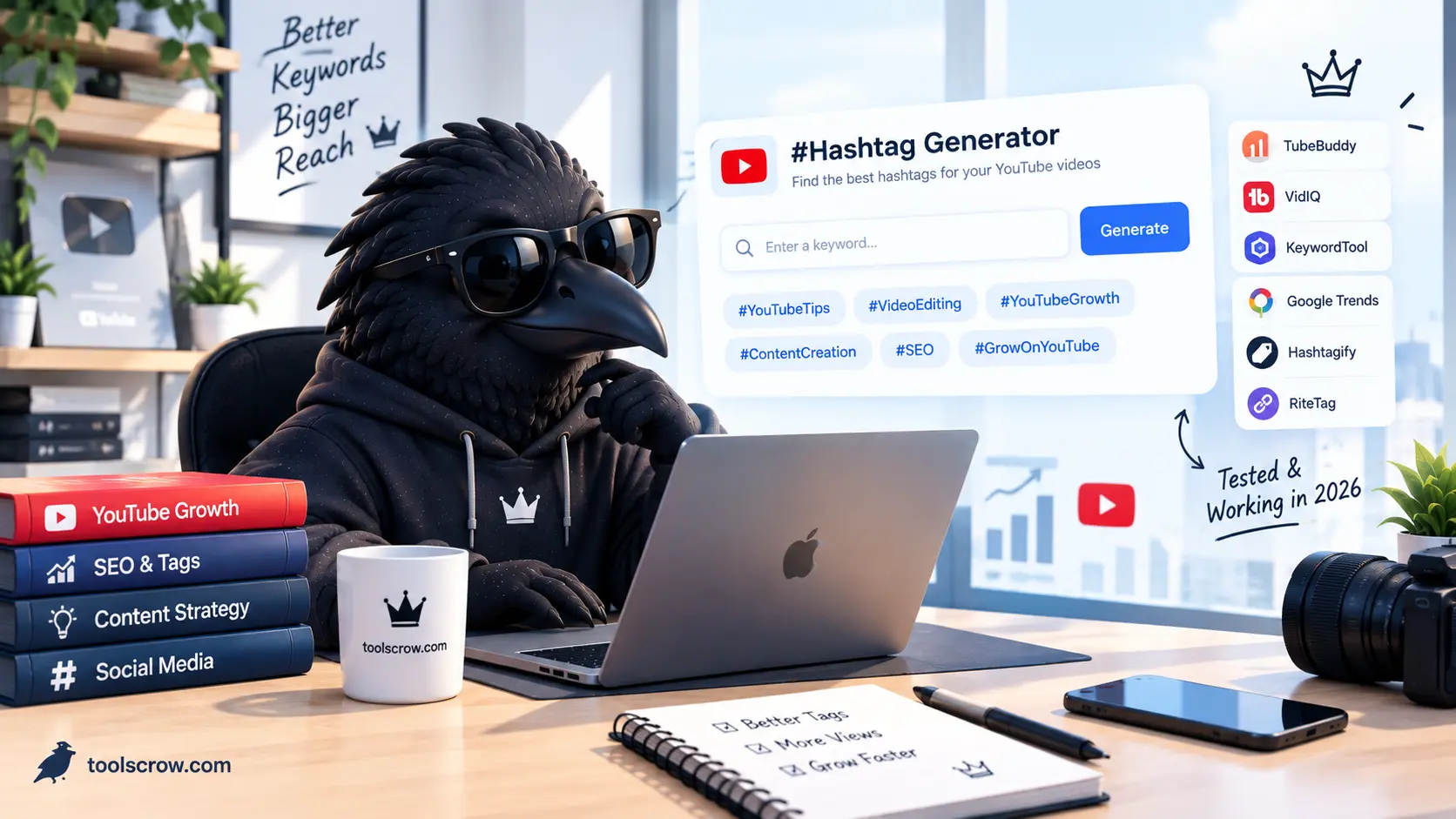
The Hashtag Generator at toolscrow.com generates platform-specific hashtag sets for YouTube, Instagram, TikTok, and LinkedIn from a single keyword input, sorting results into Popular, Medium Reach, and Niche categories automatically. For your YouTube set, select one from each tier to create a properly diversified set of three to five tags. For Instagram and TikTok cross-posts of the same content, switch the platform selector and generate a separate, larger set appropriate to those platforms - never paste your YouTube hashtag set onto Instagram directly.
For chapters, the YouTube Chapter Generator at toolscrow.com creates properly formatted timestamp chapters that appear as navigation markers in the YouTube progress bar. Chapters improve watch time, appear in Google search results as Video Key Moments (significantly increasing click-through rate from search), and give viewers the experience of a more professional, navigable video. For faceless channels that cannot rely on personality to maintain engagement, chapters are a meaningful retention tool.
The Free vs Paid Reality: What You Actually Need to Spend
The honest answer for most faceless channel creators starting out: you can build a functioning production pipeline for under $30 per month or even completely free. Here is what a realistic budget breakdown looks like at three stages.

Starting out with zero budget, the free stack looks like this. ChatGPT 4o for scripting. ElevenLabs free tier for voiceover. Pexels and Canva for visuals. CapCut desktop for editing. ToolsCrow Title Analyzer, Description Generator, Hashtag Generator, and Chapter Generator for metadata optimization. This stack costs nothing and is capable of producing videos that genuinely compete on YouTube. The limitations are ElevenLabs' monthly character cap and the narrower visual library from free stock sources.
At a $30 to $50 per month budget, the most impactful upgrades are ElevenLabs Creator at $22 per month for unlimited character generation and better voice quality, and Storyblocks at $15 per month for unlimited stock footage. This covers the two biggest production quality gaps in the free stack without spending money on tools where free alternatives are genuinely adequate.
At $100 per month and above, Murf AI replaces ElevenLabs for pronunciation control and commercial licensing clarity, and you may add an InVideo AI subscription for semi-automated video creation that assembles footage to script automatically. This level of spending makes sense only after the channel is already monetized and the output quality improvements are compounding into measurable revenue increases.
The metadata optimization tools - Title Analyzer, Description Generator, Hashtag Generator, Chapter Generator - stay free regardless of budget level. There is no paid tier on any of them that offers meaningful additional features for what faceless channel creators need.
What Optimized Metadata Actually Does to Your Numbers
This section addresses a skepticism that is reasonable to have: does spending time on metadata optimization actually move metrics for a faceless YouTube channel?

The consistent finding from creator case studies and YouTube's own published data is that title and description optimization primarily affects click-through rate and search impressions - the two metrics that determine whether your video gets found and whether it gets clicked when it is found. Watch time improvements come from chapters, which increase the proportion of the video that gets watched by letting viewers skip to relevant sections rather than abandoning a video when early sections cover what they already know.
For a faceless channel specifically, click-through rate is disproportionately important because you have no visual personality to prompt recognition-based clicking. A personal brand creator with a recognizable face and loyal audience gets a base level of clicks from subscribers who click on anything they publish. A faceless channel earns every click on the strength of the title and thumbnail alone. A title that moves click-through rate from 2% to 4% doubles the views from the same number of impressions. That is not a marginal improvement - it is a complete change in channel growth trajectory over twelve months.
The Full Workflow: From Idea to Published Video Using This Stack
Putting all seven tools together into a single workflow looks like this for a faceless finance channel publishing twice weekly.
The Monday video starts on Thursday of the prior week. Research the topic using reputable sources. Prompt ChatGPT or Claude to produce a structured script based on that research. Run the script through the Grammar Checker and Word Counter at toolscrow.com to check for errors and confirm it runs to the right length for the intended video duration.
On Friday, generate the voiceover in ElevenLabs or Murf using the finalized script. Enhance the audio through the ToolsCrow Audio Equalizer if needed. Source relevant stock footage from Pexels or Storyblocks for each section of the script. Create or source the thumbnail image and enhance it using the ToolsCrow Background Remover and Image Enhancer.
On Saturday, assemble the video in CapCut or DaVinci Resolve - voiceover as the primary audio track, stock footage cut to the narration, title cards at key transitions, music at low volume underneath the narration.
On Sunday, optimize the metadata. Enter the working title into the ToolsCrow Title Analyzer, review the scores, and revise to 40 to 60 characters with the strongest keyword in the first half. Generate the description using the Description Generator - Educational template, keyword-rich summary front-loaded, timestamps from the Chapter Generator embedded, three to five hashtags from the Hashtag Generator at the end. Upload everything to YouTube Studio and schedule for Monday morning at the time your analytics show peak audience activity.
This workflow, repeated consistently, is what grows a faceless channel. The tools handle the time-consuming parts of production and optimization. The creator's irreplaceable contribution is the editorial judgment - what to cover, how to frame it, what angle makes it more valuable than competing videos on the same topic. AI handles execution. Strategy is still human.
Frequently Asked Questions About AI Tools for Faceless YouTube
Can YouTube detect AI-generated voiceover and penalize the channel?
YouTube does not penalize channels for using AI-generated narration. The platform's content policies focus on deception, misinformation, copyright violation, and policy violations - not on whether a human or AI read the script. Many of the highest-earning YouTube channels in educational and documentary categories use AI narration. The key requirement is that the content itself is original, accurate, and valuable to viewers. AI narration on a well-researched, original video is treated identically to human narration on that same video by YouTube's algorithm.
How long does it take to build a faceless channel to monetization?
YouTube Partner Program monetization requires 1,000 subscribers and 4,000 watch hours in the previous 12 months. For a well-optimized faceless channel in a medium-competition niche publishing twice weekly with consistent quality, most creators report reaching this threshold in four to eight months. Channels in high-competition niches like personal finance take longer but earn more per thousand views once monetized. Channels in low-competition niches reach the threshold faster but may plateau at lower revenue. The optimization tools described in this guide - particularly the Title Analyzer - accelerate the timeline by improving the click-through rate and watch time metrics that drive YouTube's recommendation algorithm.
Do I need to disclose that my voiceover is AI-generated?
YouTube's current policy requires disclosure of AI-generated content that is realistic and could be confused with real events, real people's statements, or real footage of events that did not occur. AI narration on an educational or entertainment channel - where the narration is clearly presenting original commentary, not falsely representing a real person's words - does not require a specific disclosure label under current policy. However, checking YouTube's Creator Academy and its AI-generated content policies directly is always recommended as these policies continue to evolve.
Is the Toolscrow Title Analyzer accurate for YouTube SEO?
The Title Analyzer scores titles against the specific factors that research and YouTube's own published CTR guidance identify as influential - character length (40 to 60 optimal), keyword presence, power word usage, and engagement signals. The Gemini 2.5 AI title generation produces professional variations that implement these factors automatically. The tool is not a rank predictor - no title tool can guarantee search position. But it reliably identifies titles that are too long, missing a primary keyword, or using no emotional trigger words, all of which are fixable problems that consistently affect click-through rate negatively when left unaddressed.
What is the single most important tool for a faceless channel that costs nothing?
The honest answer is that the tools in this guide compound each other, so singling out one is somewhat artificial. But if forced to choose, the YouTube Title Analyzer has the highest impact per unit of time spent using it. Title optimization is the highest-leverage metadata activity for a channel that cannot rely on face recognition to drive clicks, it takes three minutes per video, and it is completely free. The description generator is a close second because the first 155 characters of a well-written description function as search ad copy - and most faceless channels leave that space either empty or wasted on generic text.
Related on Toolscrow: How to Create YouTube Chapters and Timestamps with AI, YouTube Hashtags 2026: How Many, Which Ones, and Where to Put Them, Why YouTube Chapters Are the Number One SEO Hack for 2026, and How to Optimize YouTube Titles for Long-Tail Search.


Comments (4)
been looking for something like this for months. every other list just tells you to use vidIQ and calls it a day. this actually breaks it down by what you need at each step. saved.
I have a faceless channel about ancient history. 14k subs. Been doing this for about a year and a half. Took me way longer than 4-8 months to get monetized lol. Try 11 months. And I was publishing 3x a week. The timeline in this article is very optimistic. Everything else is solid though.
Ive been watching faceless channel videos for months now trying to figure out if its actually worth it or just another youtube guru thing. This is the first article that actually shows the real workflow instead of just "use AI bro".. The budget breakdown is what sold me. Most people act like you need $200/month to start but you showing the free properly. One thing though, the ElevenLabs free tier is not as generous as it sounds. 10,000 characters is like 6-7 minutes of audio max, So if your publishing 2 videos a week at 10 mins each your going to blow through that in 2 weeks. Just an up for anyone starting out. Otherwise good honest article.
I'm from Vietnam and doing faceless channel in english about cooking. Not perfect grammar but its working, almost 3000 subs now after 6 months. The tools here are good but I want to mention something the article doesn't cover. For non-english creators, the AI voiceover sounds very american. My viewers in asia sometimes ask why the voice sounds strange. So I use ElevenLabs but I pick the voice that sounds more neutral. Also for scripts, ChatGPT writes in american english which is fine but sometimes too formal for cooking content.. The title analyzer is very useful though. Small change but makes big difference over time.
Leave a Comment
All comments are reviewed before publishing. Please keep it respectful and on-topic. Comments with links or promotional content will be rejected automatically.