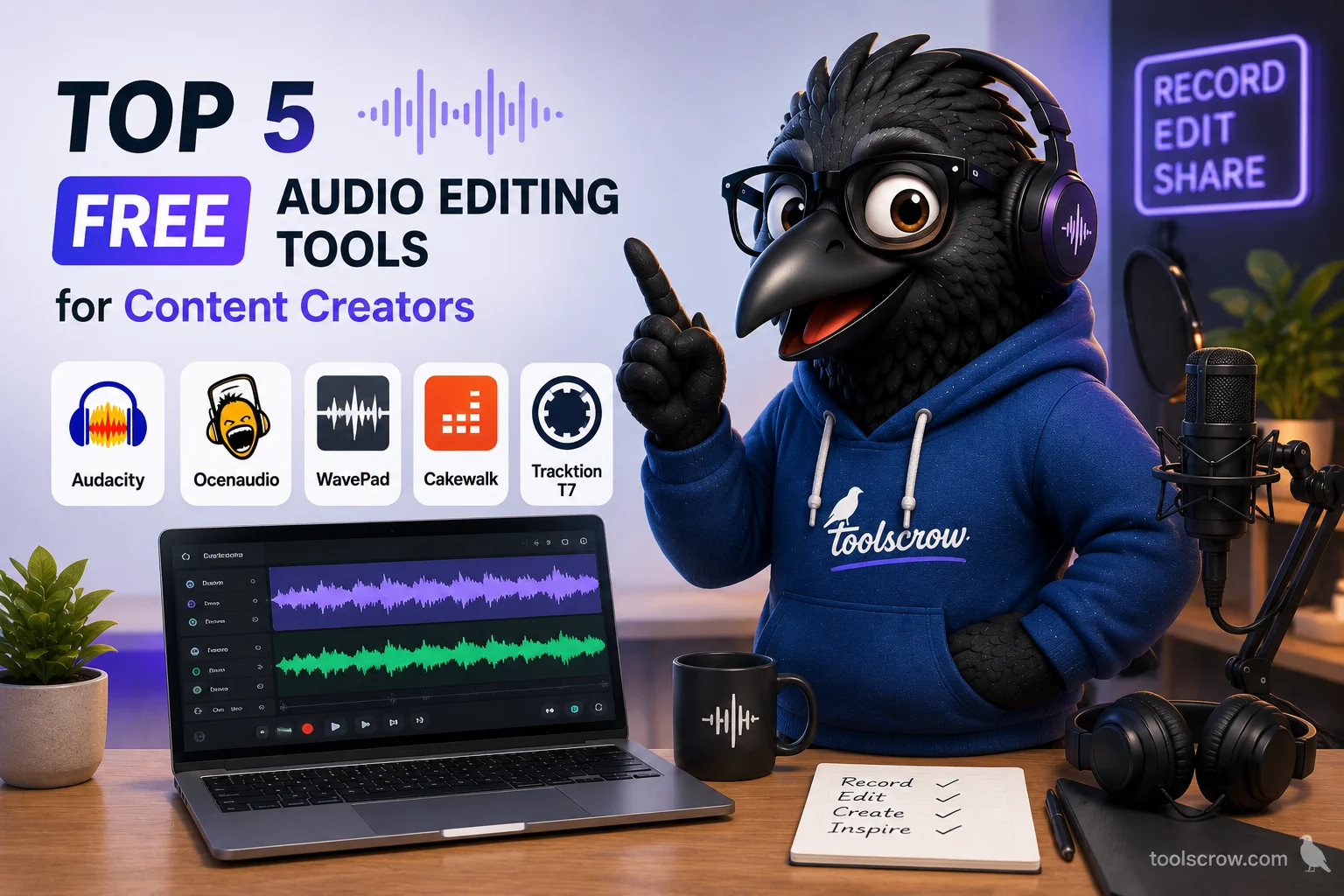
Top 5 Free Audio Editing Tools for Content Creators
There are two very different things called "free audio editors", and confusing them is the single most expensive mistake a content creator can make before committing to a workflow. The first category is genuinely free forever - open-source projects and first-party software built by companies whose incentives aren't tied to selling you an upgrade. The second category is a free tier of a commercial product, which usually means an export watermark, a file-length cap, or a feature that gets locked behind a subscription the moment you actually need it.
A podcaster who spends three months learning a free-tier editor, then discovers their 45-minute episodes exceed the free export limit, has wasted more than the cost of just paying for something - they've wasted the learning time. Meanwhile, a creator who immediately installs Audacity and then discovers they only ever needed to trim a 30-second clip has spent time on installation and interface learning that a browser tab would have handled in fifteen seconds.
The five tools in this guide are all genuinely free in 2026 - no asterisk, no paid tier required for the core workflow, no watermark. They're organized by what a content creator actually needs to accomplish, with the honest tradeoffs stated plainly rather than smoothed over to fit a "top picks" format. The decision framework at the end maps specific creator workflows to specific tools, because the best choice for a podcaster editing a 60-minute interview is genuinely the wrong choice for a TikTok creator cutting a 15-second sound byte.
This article is for general informational purposes. Software pricing and features change frequently, verify current details directly with each vendor before relying on any specific capability.
Quick Summary: Five Genuinely Free Audio Editors
- Audacity - best for long-form podcast and multi-track work. Major 4.0 update landed September 2026.
- Ocenaudio - best for single-file edits with real-time effect preview. Lighter than Audacity.
- GarageBand - best if you already own a Mac or iPhone. Free with the operating system.
- BandLab - best for browser + mobile collaboration. Unlimited projects, free cloud storage.
- AudioMass - best for zero-install, zero-signup browser editing. Open source, 100KB core.
- All five are genuinely free forever - no paid tier needed for the core workflow, no watermarks, no export caps.
Why "Free Forever" and "Free Tier" Are Not the Same Thing
Before naming tools, the distinction that matters more than any feature comparison. A free tier is a marketing mechanism - the vendor gives you enough to see the value and then limits something specific to create upgrade pressure. Common free-tier limitations in audio software include export length caps (Riverside's free tier limits recording duration), watermarking on exports, restrictions on commercial use, or the specific feature you eventually need (batch export, stem separation, higher-quality output) being locked behind a paid plan.
Genuinely free software is a different category. Audacity is open-source under the GPL - its source code is publicly available, and there is no paid tier because there is nothing to sell you. GarageBand is free because Apple gives it away to sell Macs and iPhones, not because it's a demo. Ocenaudio was developed by a Brazilian university research group and released free with no commercial tier at all. AudioMass is open-source and available on GitHub with no monetization layer whatsoever.
Both categories are legitimate - a well-made free tier is not dishonest. But a creator building a workflow on a tool should know which category they're adopting before spending hours learning an interface, because the limitations of a free tier usually appear exactly at the moment the workflow is working best. Every tool in this guide is in the first category: genuinely free, with no paid tier needed for the core workflow.
1. Audacity - Best for Long-Form Podcast and Multi-Track Editing
Price: Free, open source, no paid tier in existence. Windows, macOS, Linux.
Audacity has been the free audio editor benchmark for over 25 years, and the September 2026 release of Audacity 4.0 is the largest update in its history. The interface has been rebuilt on Qt with a modern dark mode, and - the change that matters most for long-form editing workflows - audio editing is now non-destructive. Trimming a clip no longer deletes the underlying audio, which means the "I accidentally cropped too much and can't get it back" problem that plagued every Audacity user for two decades is finally solved.
For podcasters specifically, Audacity's workflow advantages over browser-based tools become decisive past roughly 20 minutes of audio. The ability to view an entire 60-minute episode as one scrollable waveform, apply noise reduction across a full recording rather than to a single clip, and undo any change from the last hour of work is not something a browser tab can replicate comfortably. The Noise Reduction effect - which works by sampling a section of background noise and then removing that exact profile from the entire file - remains the strongest free implementation of this feature in any audio editor, and it's a genuine differentiator on spoken-word material where cleaning up a recording is most of the work[reference:0].
The plugin ecosystem is the other structural advantage. Audacity supports VST3, AU, and LV2 effects, which means the free OpenVINO AI Tools pack can add AI noise suppression, stem separation, and speech-to-text transcription that runs locally on your machine with no subscription and no upload[reference:1]. No other free editor on this list has that kind of extensibility.
The honest tradeoff: Audacity's interface, while greatly improved in 4.0, remains denser than the alternatives. A first-time user still needs an hour or two of orientation before they're productive, and the tool is genuinely more program than a creator who only ever trims audio needs. The right way to use Audacity is for full-length podcast editing, multi-track mixing, and any session longer than 20 minutes. For quick tasks, the browser-based tools further down this list are faster.
Best for: Podcasters editing full episodes, YouTube creators producing long voiceover with music beds, anyone needing noise reduction across a full recording.
2. Ocenaudio - Best for Single-File Edits With Real-Time Preview
Price: Free, no paid tier. Windows, macOS, Linux. Developed by a research group at the Federal University of Santa Catarina in Brazil.
Ocenaudio exists specifically to fill the one gap Audacity has never fully solved: hearing an effect applied in real time, before committing to it. Adjust an EQ curve, and the audio updates as you move the slider. Apply a fade, and you hear it happen as you drag. Change the pitch, and the preview plays back at the new pitch immediately. This sounds like a small thing until you've spent an hour bouncing between "adjust effect settings → apply → listen → undo → adjust → apply" in a less responsive editor - at which point the value of real-time preview becomes obvious.
The tool is deliberately narrower than Audacity, and that's the point. Ocenaudio handles single-file editing and analysis with a cleaner, faster interface than a multi-track editor, and its install footprint is a fraction of Audacity's. For a creator editing a single voiceover file, cleaning up a recording, or applying effects to a finished track, Ocenaudio's lighter interface and immediate feedback loop are genuinely faster[reference:2]. The 3.21.3 update in September 2026 kept the tool current without changing what makes it work.
The honest tradeoff: Ocenaudio is not designed for multi-track, batch-processing, or plugin-heavy workflows. It's a precision single-file editor, not a full DAW. A creator who needs to layer a voiceover over three music tracks with independent EQ on each will find Ocenaudio's ceiling pretty quickly. The right mental model is that Ocenaudio and Audacity are complementary rather than competing - a working creator often has both installed and reaches for whichever fits the specific task.
Best for: Voiceover cleanup, single-track mastering, quick effects work where hearing the result immediately matters.
3. GarageBand - Best If You Already Own an Apple Device
Price: Free with macOS and iOS. No subscription, no paid tier, no feature gating for the core workflow.
GarageBand is the only tool on this list where the honest recommendation starts with a hardware question: do you already own a Mac, an iPhone, or an iPad? If yes, GarageBand is one of the most capable free audio editors available, and it's likely already installed on your device. If no, it's completely irrelevant and there's no reason to read further.
For Apple users creating content, GarageBand's specific strengths are meaningful. The Loop Library - thousands of royalty-free instrumental loops, drum patterns, and sound effects built into the application - lets a creator build original background music for a video without licensing concerns. The interface is genuinely polished in a way that Audacity's is not, and the effects (compressor, EQ, reverb, delay) are accessible without a learning curve. For a YouTube creator who needs a clean voiceover mixed against simple music, GarageBand handles the entire job - recording, mixing, and export - in one free application.
On iPhone and iPad specifically, GarageBand's mobile version is unusually capable for a free app. You can record, edit, add loops, mix tracks, and export a finished file directly from a phone, and files sync across devices via iCloud so a recording started on iPhone can be finished on a Mac. For creators who film and edit on mobile, that cross-device workflow has no free equivalent on non-Apple platforms.
The honest tradeoffs: GarageBand is Apple-only, with no Windows version and no Android version. Its strength in music production (loops, virtual instruments, MIDI) is less directly relevant for pure podcast or voiceover editing than Audacity's, though it handles both comfortably. Export formats are slightly more limited than Audacity's, which matters only if you need a specific non-standard format. For the vast majority of Apple-based creator workflows, none of those limitations are meaningful.
Best for: Mac, iPhone, and iPad users; creators needing royalty-free background music built in; mobile-first recording and editing.
4. BandLab - Best for Browser and Mobile Collaboration
Price: Free on browser, iOS, and Android. No paid tier for the core recording and editing workflow. Free unlimited cloud storage for projects.
BandLab occupies a genuinely different position from the four tools around it because it's built as a social and collaborative platform first, and an audio editor second. That framing matters because it changes who the tool is right for: a creator working solo on a voiceover will find BandLab's collaboration features to be unnecessary overhead, while a creator working with a remote co-host, a remote musician, or a client who wants to review and comment on a mix will find those same features genuinely valuable in a way the other four tools can't match.
The free tier is unusually generous by the standards of cloud-based audio tools. Unlimited project storage, no export limits, no watermark, and the ability to invite collaborators who don't need paid accounts to participate. For a podcast with a co-host in a different city, or a music-focused creator working with remote collaborators, BandLab's browser-based workflow means everyone can access the same project without anyone needing to install software or maintain identical versions on their own machines. BandLab's own documentation confirms unlimited multitrack projects and free cloud storage on the free tier[reference:3].
On mobile, BandLab is one of the strongest free audio apps available, with a full-featured recorder, effects chain, and export workflow that produces genuinely usable output. The mobile-to-browser sync means a clip recorded on a phone can be edited further on a laptop with no file transfer step. The free tier includes core features like the Sampler and 4-stem Splitter, and built-in song templates that speed up the "get something down" phase of a project[reference:4].
The honest tradeoffs: As a pure audio editor, BandLab is less feature-dense than Audacity or GarageBand for single-user audio manipulation. It doesn't have the depth of a professional DAW, and advanced audio engineering tasks (precision noise reduction, spectral editing, complex plugin chains) are outside its scope. It's also cloud-based by design, which some creators find less intuitive than local-file editing. For collaboration-focused workflows, though, none of the other tools on this list come close.
Best for: Remote collaboration, mobile-first creators, browser-based editing without any install.
5. AudioMass - Best Zero-Install Browser Editor for Quick Tasks
Price: Free, open source, no signup, no upload to any server. Core JavaScript is approximately 100KB. Multitrack mode added in 2026.
AudioMass deserves its own entry rather than being lumped in with the "browser-based" category generally, because it occupies a specific niche none of the other tools cover: a full-featured waveform editor that runs entirely in the browser with no backend, no account, and no upload. Open the page, drop in an audio file, edit, export, close the tab. Nothing is transmitted to any server - the tool's own documentation confirms it runs entirely in the browser with no backend and no plugins required[reference:5]. For a creator working with unreleased client voiceover, embargoed podcast content, or any audio with confidentiality requirements, that matters in a way that desktop tools' local processing also satisfies but cloud-based tools don't.
The 2026 addition of full multitrack mode is the update that pushed AudioMass from "useful quick-edit tool" to "genuinely capable editor for short projects." You can now layer multiple tracks, drag clips around, crossfade overlaps, record onto armed channels, and bounce the whole thing down to a single file - all inside a browser tab, with the core JavaScript file under 100KB[reference:6]. That's a fraction of what any desktop editor downloads just for its installer, and it means the tool loads instantly on any device with a modern browser, including a Chromebook or a borrowed laptop.
The honest tradeoff: AudioMass is still not a replacement for Audacity or Ocenaudio for long-form work. Zooming and scrolling through a 60-minute podcast file in a browser tab is less comfortable than a full-screen desktop interface, and the multitrack mode - while genuinely useful - doesn't have the depth of a dedicated DAW. The right way to use AudioMass is for short projects, quick cuts, and situations where installing software isn't practical: a Chromebook, a borrowed computer, a device with limited drive space, or a workflow where speed of access matters more than depth of editing.
Best for: Chromebook and lightweight device users, quick edits without any install, privacy-sensitive audio, short multi-track projects.
The Tool That Fills Every Gap These Editors Leave
Every tool in this guide handles the editing itself - cutting, effects, mixing, export. There's a second category of audio task that all five tools either handle inefficiently or not at all: the fast, focused operations that don't justify opening a full editor. This is the specific gap that browser-based single-task tools fill, and it's the reason the Toolscrow Audio Suite exists as a complementary layer rather than a competitor to Audacity, Ocenaudio, or GarageBand.
The honest positioning here matters. Toolscrow does not build a multi-track DAW, and none of these tools should be replaced by it for long-form editing. What the suite does is handle the specific tasks that a creator reaches for several times per week - tasks that a full editor technically can do but that take longer to set up than to actually complete:
- MP3 Cutter - trim audio to an exact length for a TikTok sound clip, a podcast ad read, or a specific riff. Opens in a tab, processes in seconds, downloads without any project file to save or manage.
- Audio Joiner - merge multiple audio files into one track. Useful for stitching intro music into a main episode, or combining multiple voiceover takes without opening a multi-track editor.
- Audio Volume Booster - raise the overall volume of a file that came out too quiet. Essential for voiceovers recorded on a phone or clips pulled from a source that was mixed low.
- Audio Equalizer - adjust frequency balance (bass, mid, treble) to fix a thin-sounding voice or muffled recording without learning a full EQ interface.
- Audio Compressor - even out the loud and quiet parts of a voice recording so listeners don't need to constantly adjust their volume. One of the most underused tools by new podcasters and voiceover creators.
- Audio Silence Remover - automatically detect and trim long silent gaps. Saves hours on podcast editing when a guest pauses frequently.
- Audio Fade - add professional fade-in and fade-out to remove the awkward hard cut that makes amateur edits obvious.
- Video to Audio - extract the audio track from a video file. Essential for pulling a voice clip from a Zoom recording or extracting sound from a screen-recorded tutorial.
- LUFS Normalizer - match the loudness of a track to platform-specific targets (Spotify, YouTube, Apple Podcasts) before upload. This avoids the post-upload compression surprise where a carefully mixed episode suddenly sounds quieter than competitors in the same feed.
- Slowed + Reverb - apply the popular aesthetic effect in one click instead of manually adjusting speed and reverb settings in a full editor. Standard for TikTok and Reels audio trends.
- Waveform Generator - create visual waveform graphics to embed in video thumbnails, podcast cover art, or social media posts. Turns an audio asset into a shareable visual without opening a design tool.
- Audio Pitch Shifter - change pitch without changing playback speed, for creative effects or matching a vocal to a track key.
- BPM Detector - identify the tempo of a track before looping it into a beat or matching it against a video edit rhythm.
Because the entire suite runs client-side, no file ever leaves your device. There's no upload step, no account creation, and no queue behind other users. For a creator who needs one specific thing done - trimming a clip, boosting a track, extracting audio from a video - a browser tab that opens in two seconds is genuinely faster than launching a full editor, and it doesn't require saving a project file or managing a workspace for a task that will be complete in under a minute.
How to Choose Between These Five - A Decision Framework
Rather than a generic "it depends" conclusion, here is a specific decision sequence based on the most common content creator profiles.
If you edit episodes longer than 20 minutes - podcast interviews, long YouTube voiceover, audiobook-style content - install Audacity. The depth of noise reduction, multi-track capability, full-length waveform view, and plugin support make it the only genuinely free tool built for that scale of work. The 4.0 update's non-destructive editing removed the biggest historical reason to avoid it.
If you're on a Mac, iPhone, or iPad, and your work is voiceover or music-focused, GarageBand is the fastest path from idea to finished file. It's already installed, its interface is polished, and its export quality is high enough for professional publishing. The Loop Library alone is worth the switch if you need background music.
If you work with long-form audio but want faster feedback loops than Audacity provides - hearing EQ changes as you make them, previewing fades before committing - Ocenaudio is the right addition. Install both Audacity and Ocenaudio; each handles a different part of the workflow well, and neither one competes with the other for the same task.
If you collaborate with remote co-hosts, musicians, or clients, or if your primary device is a phone or Chromebook, BandLab's browser-plus-mobile workflow is the only tool on this list designed for that structure. The free cloud storage and collaborator access are genuinely valuable for distributed teams in a way that no local-file editor can replicate.
If you're on a Chromebook, a borrowed computer, or any device where installing software isn't practical, AudioMass gives you a full waveform editor with multitrack mode, entirely in a browser tab, with nothing uploaded to any server and no signup required.
If you need one specific thing done fast - trimming a clip, extracting audio from a video, boosting a quiet track, removing silence, generating a waveform for a thumbnail - the Toolscrow Audio Suite is faster than opening any desktop application. It doesn't replace Audacity or GarageBand for long-form work, but it removes the friction of installing software for tasks that only take thirty seconds.
Most working creators end up using two or three of these tools together rather than picking one. The browser-based suite for fast operations, a desktop editor for long-form sessions, and a collaboration tool if the workflow requires one - these solve different problems rather than competing for the same job. The pattern that consistently produces the best results is keeping the fast tool bookmarked and the deep tool installed, then reaching for whichever matches the task at hand.
Frequently Asked Questions About Free Audio Editing Tools
Are these tools actually free, or is there a hidden catch?
All five are genuinely free with no hidden catch for the core workflow. Audacity and AudioMass are open-source projects with no paid tier in existence. Ocenaudio is a free download with no commercial tier - it was developed as a research project by a Brazilian university group rather than as a commercial product. GarageBand is free because Apple gives it away to sell hardware, not to upsell software. BandLab's free tier covers the entire recording and editing workflow, and its own documentation confirms unlimited multitrack projects and free cloud storage. Where "free" carries an asterisk in this category - with other tools not on this list - the limitation is usually an export watermark or a file-length cap, and none of the five tools covered here have either.
Can I use these tools for commercial content, like a monetized YouTube channel or a Spotify podcast?
Yes, for all five. None of them restrict commercial use, watermark the output, or claim any rights over the audio you create with them. Audacity's GPL license and Ocenaudio's free-for-commercial-use terms are both explicit. GarageBand's exported audio is yours to use commercially without restriction. BandLab grants full ownership of projects created with the free tier. AudioMass runs entirely in the browser with no terms restricting output. The one thing worth being careful about on any platform is the licensing of music or samples you bring into the editor - that's a separate issue from the editing tool itself, and the tool doesn't change whether you have the right to use a given sound file.
Which of these is best for removing background noise from a voice recording?
Audacity has the strongest noise reduction tool of the five, because its Noise Reduction effect works by sampling a section of background noise - a moment of silence in the recording - and then removing that specific noise profile from the entire file. This is more effective than simple noise gates or filters because it targets the actual characteristics of your recording's noise rather than applying a generic reduction. For a podcast or YouTube voiceover recorded in a home environment with consistent background hiss or hum, this produces genuinely clean results. Ocenaudio's real-time preview is useful for judging the result immediately, but for serious noise removal, Audacity is the right starting point.
Do I need to install software, or can I edit audio entirely in the browser?
For quick tasks - trimming, joining, converting format, boosting volume, adding a fade, removing silence, extracting audio from video, or applying a slowed+reverb effect - you can handle the entire workflow in the browser using the Toolscrow Audio Suite or AudioMass without installing anything. For long-form editing, noise reduction, multi-track mixing, or applying advanced effects chains, a desktop application (Audacity, Ocenaudio, GarageBand) is meaningfully better. The practical reality for most creators is that both are used together: browser tools for the fast operations, desktop tools for the deep sessions. Neither replaces the other, and the best workflow uses whichever matches the size of the task.
What format should I export for a podcast?
MP3 at 128 kbps or higher is the standard for spoken-word podcast distribution - it's universally compatible, produces small files, and at 128 kbps or above, the compression artifacts are inaudible to most listeners. WAV is better for further editing or for archival storage because it's lossless, but file sizes are much larger. For platforms that accept WAV (some podcast hosts do, and Spotify's ingestion accepts WAV), uploading WAV and letting the platform handle compression is technically slightly higher quality - but for the vast majority of podcast workflows, MP3 at 192 kbps is a clean middle ground. For YouTube and TikTok audio, the platform re-encodes whatever you upload anyway, so exporting WAV from your editor and letting the platform handle it is a reasonable default.
Is Audacity 4.0 still free, or did the update introduce a paid tier?
Audacity 4.0 is still free and open-source. Muse Group, which acquired Audacity in 2021, continues to release the software under the GPL with no paid tier and no feature gating. The 4.0 update - released September 2026 - rebuilt the interface on Qt, added dark mode, introduced non-destructive clip editing, and added saveable Workspaces, but it did not change the licensing model. The software remains available for Windows, macOS, and Linux at no cost, with no account required to download or use it.
The Bottom Line
The "best" free audio editing tool depends entirely on what you're actually doing with it - and the reality for most content creators is that two or three of these tools serve different parts of the workflow rather than one tool doing everything well. Audacity is the correct choice for anyone editing long-form podcast content, and the 4.0 update removed the biggest historical friction point. GarageBand is the fastest path for Apple users. Ocenaudio fills the real-time-preview gap that Audacity has never solved. BandLab handles remote collaboration in a way none of the others can. AudioMass is the only genuinely free tool that runs a full waveform editor in a browser tab with nothing uploaded to any server.
The right approach is to install the one that matches your primary workflow - Audacity for long-form, GarageBand if you're on a Mac, Ocenaudio if real-time feedback matters most - and bookmark the browser-based tools for everything else. Most production pipelines end up using both, because the alternative is either over-installing a desktop app for a ten-second task, or trying to edit a 60-minute podcast inside a browser tab.
Handle the fast tasks without opening a full editor:
Toolscrow Audio Suite - 12+ browser-based tools for cutting, joining, boosting, normalizing, and converting audio
MP3 Cutter - trim audio to an exact length in seconds
Video to Audio - extract audio from any video file
LUFS Normalizer - match your track to platform loudness targets before uploading
Waveform Generator - turn audio into visual assets for thumbnails and social posts
Related reading: How to Make a Trap Beat Online (Beginner's Guide - No Download) and How to Add Echo to Audio Without Muddy Sound.
Try Audio Pitch Shifter
Free online pitch shifter tool. Change audio pitch while preserving original duration using high-quality granular time-s
Open Tool
You Might Also Like
All posts →

Comments (0)
No comments yet. Be the first to share your thoughts!
Leave a Comment
All comments are reviewed before publishing. Please keep it respectful and on-topic. Comments with links or promotional content will be rejected automatically.