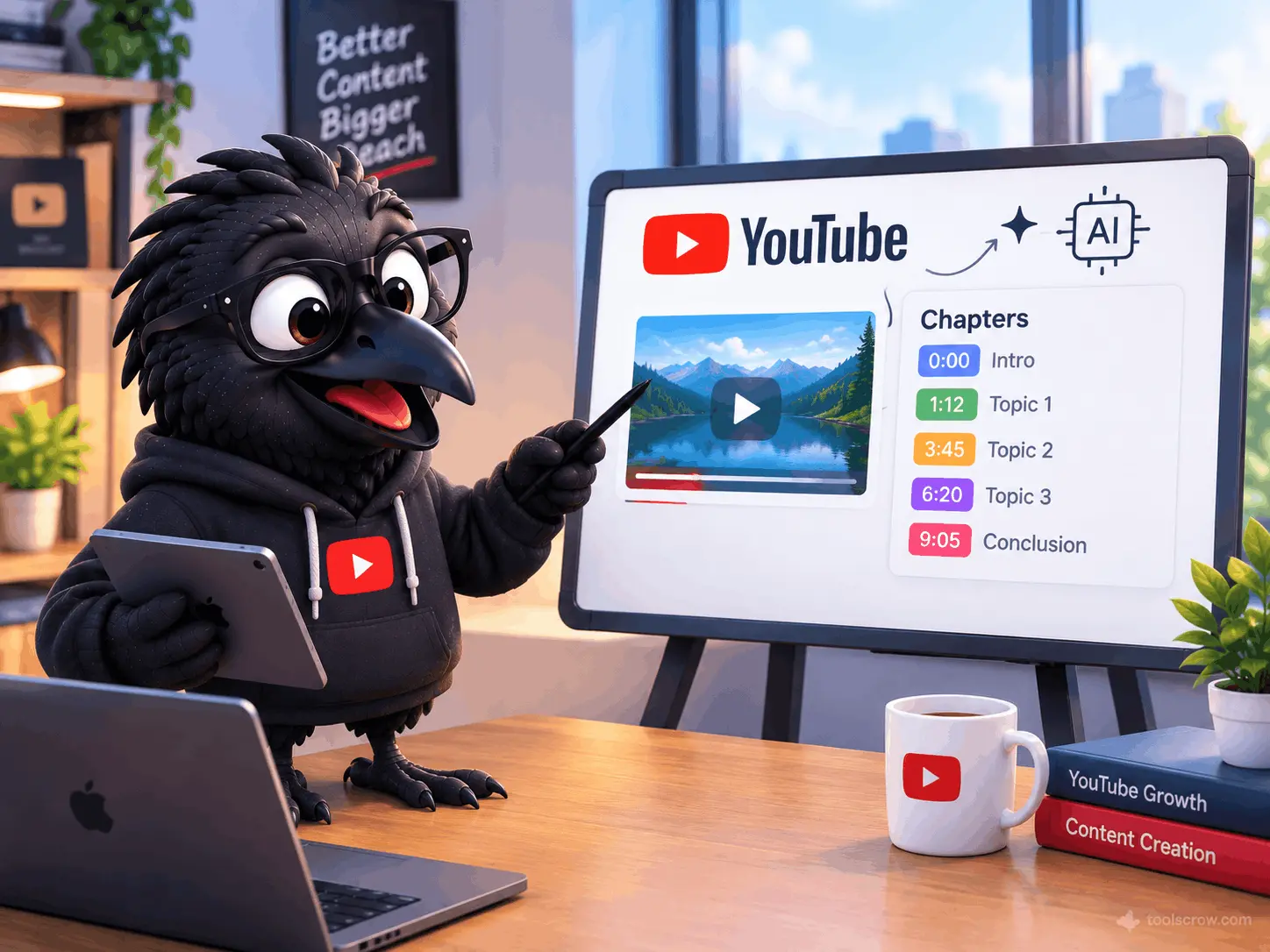
Manually adding YouTube chapters used to mean one thing: watching your own video again. You would scrub through the footage, note down the timecode where each topic started, write a title for that section, check the format, move to the next transition, repeat - twelve or fifteen times for a longer video. Twenty-five minutes of work on a good day, more on a bad one. Zero creative value produced.
In 2026, nobody who knows what tools exist should be doing this manually. AI chapter generation has matured to the point where a creator can go from a published YouTube URL to a correctly formatted, SEO-optimized set of chapters in under a minute. Before publishing, from a video description or script outline, the time is similarly short. And the range of free models available - including options that require no API key at all - means the cost barrier to automation is essentially zero.
This guide covers every method for generating YouTube chapters automatically in 2026, from the simplest no-setup browser options to more advanced AI model selection for creators who want specific chapter styles. It explains the actual differences between AI models for this task, covers the chapter modes that change how chapters are structured depending on content type, and gives you a clear recommendation for which approach fits your specific situation.
The Manual Method: What You're Replacing (And Why It's Worth Replacing)
Before covering the automated methods, it is worth understanding exactly what manual chapter creation involves - because the contrast clarifies why automation matters and what the automated tools actually need to replicate.
Manual YouTube chapters are added through the video description. The format is a timestamp on its own line, followed by a space, followed by the chapter title. The first timestamp must be 0:00. There must be at least three chapters. Each chapter must run at least ten seconds. The timestamp uses colons, not periods. Every one of these rules must be met or YouTube silently ignores the entire chapter block.
A manually created chapter set looks like this in the description:
0:00 Introduction - What We're Building Today
2:30 Setting Up the Development Environment
7:15 Writing the Core API Function
14:40 Connecting to the Database
20:10 Testing and Debugging Common Errors
26:35 Deploying to Production
Getting this right for a 30-minute technical tutorial means scrubbing through the video at least once, identifying six to ten topic transitions, noting timecodes, writing titles, formatting correctly, and checking that no chapter falls below the ten-second minimum. This is not intellectually demanding work. It is repetitive, time-consuming, and the kind of task that is easy to skip or rush through badly because there is always a more valuable use of thirty minutes than re-watching your own video.
The automated methods below replace all of this - either by analyzing the video's transcript to identify topic transitions automatically, or by generating chapters from the creator's own description of what the video covers, which skips the re-watching step entirely.
The Three Approaches to Automatic Chapter Generation
Automatic chapter generation in 2026 works through three distinct technical approaches, each with different advantages and appropriate use cases. Understanding these helps you choose the right tool rather than just picking the first one you find.
Approach 1: Transcript Analysis (URL-Based)
The most common approach among AI chapter tools is transcript analysis. The tool accepts a YouTube URL, fetches the video's existing caption track, passes the transcript to an AI model, and receives back a set of chapter markers based on where the AI identifies topic transitions in the spoken content.
This approach requires the video to already be published and have captions - either auto-generated by YouTube or manually uploaded. Videos without any caption track require an additional audio transcription step before chapter detection can run, which adds processing time. Videos with existing captions can be processed extremely quickly - some tools report median times under 15 seconds for captioned videos.
Transcript-based tools are the most accurate for content where the speaker explicitly signals topic transitions verbally - tutorials, educational content, structured presentations. They are less reliable for highly edited content where visual transitions do not align with spoken transitions, or for content with significant background noise or music.
Approach 2: Description-Based Generation (Pre-Publish)
The second approach generates chapters from information the creator provides rather than from the video itself. The creator describes the video's topic, the sections it covers, and the approximate timing of each section. The AI generates chapter entries with optimized titles based on this input.
This approach has one significant advantage over transcript analysis: it works before the video is published. A creator can have chapters ready in their description the moment the video goes live, rather than adding them after publishing. This matters because the first hours after publishing are when a video receives its highest organic reach, and those early visitors encountering a well-structured description with chapters produce better engagement signals than the same video discovered without them.
The free YouTube Chapter Generator at toolscrow.com uses this approach. Enter your video topic and the sections it covers with approximate timings, and the AI generates properly formatted, SEO-optimized chapter entries ready to paste into your description immediately. No API key. No account. No published video required.
Approach 3: Visual Scene Detection (Advanced/Professional)
The most sophisticated approach uses computer vision to analyze actual video frames alongside the transcript, detecting visual transitions - scene changes, B-roll cuts, title cards - that indicate topic shifts independent of what the speaker is saying. Tools using this approach (Wideframe being the clearest example in 2026) integrate with professional editing software and analyze raw footage rather than published URLs.
This approach produces the most accurate chapter timestamps for visually complex content like documentary footage, travel videos, or heavily edited tutorials where the edit structure tells a different story from the spoken content. The cost is substantially higher - these tools are professional production software, not free creator utilities - and the workflow integration requires professional video editing software rather than just a YouTube description.
For most creators, Approach 1 or Approach 2 covers the chapter generation need completely. Approach 3 is relevant for production teams handling high-volume, high-complexity content where chapter accuracy at the scene detection level justifies the tooling investment.
Free AI Models for Chapter Generation: DeepSeek vs Gemini vs Others
The most important development in AI chapter generation in the past twelve months is the proliferation of genuinely capable free AI models that can produce high-quality chapter sets at zero cost. This changes the economics of automated chapter generation from "should I pay for this?" to "which free option is best for my content type?"
Here is the breakdown of the major free and paid AI models available for chapter generation in 2026, based on their actual characteristics and how those map to chapter generation quality:
DeepSeek R1 - Free, No Usage Costs
(cite index="45-1">DeepSeek R1 is a completely free model with no usage costs. It requires an OpenRouter API key for authentication but has zero per-request charges. DeepSeek R1 is a reasoning model - meaning it works through problems step by step rather than generating output in a single pass. For chapter generation, this reasoning approach produces particularly good results on complex, multi-topic content where identifying genuine topic transitions requires understanding the flow of ideas rather than just detecting keyword changes.
The practical implication: DeepSeek R1 generates chapters that reflect the logical structure of content rather than just its surface vocabulary shifts. A tutorial that spends seven minutes on a single coding concept with multiple sub-steps will produce chapters that reflect the sub-conceptual structure rather than just splitting at every code block. This produces more useful navigation chapters for technical content.
The limitation: DeepSeek R1 can be slower than lighter models, particularly for longer videos with extensive transcripts. For quick chapter generation on standard content, a faster model like Gemini Flash may produce comparable results faster.
Google Gemini - Free Tier Very Generous
(cite index="45-1">Google Gemini offers a generous free tier. Most users can operate entirely within the free tier for chapter generation without approaching usage limits. (cite index="49-1">Gemini's free API tier provides 1,500 requests per day - far more than any individual creator needs for chapter generation.
Within the Gemini family, there are two meaningful options for chapter generation:
Gemini 2.5 Flash: The faster model, optimized for speed. Produces high-quality chapters quickly, making it ideal for creators who generate chapters for many videos and want minimum wait time. Flash handles standard content types - tutorials, interviews, reviews, podcasts - with consistent quality.
Gemini 2.5 Pro: (cite index="46-1">The most capable model for complex analysis. Pro takes longer to process but produces noticeably better chapters for content with subtle topic transitions, academic or highly technical subject matter, and videos where the logical structure of the content is more nuanced than a simple linear progression of topics. For creators with a small number of high-stakes videos where chapter quality matters most, Pro is the better choice.
Gemini's strong performance on chapter generation comes partly from its training on YouTube content specifically - it understands the conventions of different video formats and produces chapter titles that reflect those conventions naturally.
No-API-Key Options - Zero Setup Required
For creators who do not want to deal with API keys at all, (cite index="48-1">Auto Chapters for YouTube is a Chrome extension that generates timestamps and chapter titles using Gemini without requiring any API keys or setup. Just install and use - no OpenAI, Gemini, or other credentials needed.
This zero-friction approach is the right starting point for creators who want to try automatic chapter generation without committing to any account creation or API key management. The output quality is consistent with Gemini's standard performance, and the lack of any setup removes the main barrier that keeps creators from starting.
The Toolscrow YouTube Chapter Generator is similarly frictionless - no API key, no account, no setup of any kind. Enter your video topic and sections, generate, copy. The difference from API-key-free browser extensions is that Toolscrow generates from your description rather than from a published URL, which means it works before the video exists on YouTube.
Paid Model Options: Claude, GPT-4o, Llama
(cite index="45-1">Through OpenRouter, creators can access Claude, GPT-4o, Llama, and more using a single API key, with usage costs paid directly to the provider. For most chapter generation use cases, the free models (DeepSeek R1 and Gemini) produce output quality that is indistinguishable from the paid models in practice - the limiting factor for chapter quality is usually the transcript clarity and the chapter mode settings, not which model processes it.
The paid models become worth considering in specific situations: very long videos (over 60 minutes) where context window size affects chapter coherence, highly technical content requiring domain expertise that smaller models handle less reliably, and multilingual content where a paid model may offer better non-English chapter title generation.
For the vast majority of creators generating chapters for standard English-language YouTube content under 30 minutes, DeepSeek R1 (free, reasoning model) or Gemini 2.5 Flash (free, fast) covers the use case completely without payment.
AI Model Comparison Table
| Model | Cost | API Key Required | Speed | Best For | Accuracy Rating |
|---|---|---|---|---|---|
| DeepSeek R1 | Free (no usage cost) | OpenRouter key (free) | Medium | Complex technical content, reasoning-heavy topics | Excellent |
| Gemini 2.5 Flash | Free tier (1,500 req/day) | Gemini API key (free) | Fast | Standard tutorials, interviews, reviews | Very Good |
| Gemini 2.5 Pro | Free tier then paid | Gemini API key | Slow | Complex, academic, nuanced topic structure | Excellent |
| Auto Chapters (no key) | Free | None required | Fast | Quick setup, zero friction | Good |
| Toolscrow Generator | Free | None required | Instant | Pre-publish, SEO-focused, any video type | Very Good |
| Claude 3.5 | Paid ($0.003–0.015/1K tokens) | OpenRouter or Anthropic | Fast | High-volume production, multilingual | Excellent |
| GPT-4o | Paid | OpenRouter or OpenAI | Fast | Broad use, strong on varied content types | Excellent |
Chapter Modes: How Different Content Types Need Different Chapter Structures
The most underappreciated aspect of AI chapter generation is that the optimal chapter structure differs significantly by content type. A tutorial should have chapters that map to learning progression. A podcast should have chapters that reflect conversational topic shifts. A product review needs chapters organized around evaluation criteria. A storytelling documentary may not benefit from chapters at all, or may need chapters structured to guide without revealing the narrative arc.
Advanced chapter generation tools in 2026 offer mode selection - you tell the AI what type of content it is processing, and it adjusts its chapter detection and title generation strategy accordingly. Here is how the major chapter modes work and when each is appropriate:
SEO Optimized Mode
This mode prioritizes chapter titles that are written for search discoverability rather than pure navigational accuracy. The AI generates titles using the question-and-answer format that matches how viewers search - "How to Install Python on Windows 11" rather than "Installation Step." It increases keyword density in titles, uses phrases that appear in actual search queries for the topic, and structures chapters to create multiple entry points for different specific queries about the video's topic.
Use this mode for: tutorials, how-to videos, educational content, product reviews, and any video where you actively want to rank for specific search terms. This is the mode with the highest SEO value and the one recommended for most creator use cases.
The Toolscrow YouTube Chapter Generator generates in SEO Optimized mode by default - every chapter title is designed with search discoverability as a primary objective alongside navigational clarity.
Educational Mode
Educational mode structures chapters to reflect a learning progression rather than search queries. Chapter titles use pedagogical framing - "Understanding the Concept," "Applying the Method," "Practicing with Examples," "Common Mistakes to Avoid" - that maps to how learners advance through new material. This mode places chapters at conceptual boundaries rather than topic-shift boundaries, which may produce fewer but more meaningful navigation points for learners.
Use this mode for: university-style lectures, online course content, skill-building tutorials where viewers are watching sequentially to learn a subject rather than jumping to specific answers, and any content where the primary audience is students rather than searchers.
Storytelling Mode
Storytelling mode generates chapter titles that suggest the narrative direction without revealing the resolution - creating curiosity-driven chapter labels rather than information-dense ones. "The Decision That Changed Everything" communicates structure without spoiling outcome. "When the Data Didn't Add Up" suggests tension without revealing how it resolves. This mode prioritizes viewer engagement through narrative framing over search discoverability.
Use this mode for: documentary content, case study videos, business narratives, personal story videos, and any content where the emotional arc is central to the viewing experience. Notably, this mode produces lower SEO value because the chapter titles are not search-optimized - the right choice is to accept that trade-off deliberately for narrative content rather than forcing SEO-optimized titles onto storytelling videos.
Podcast Mode
Podcast mode adapts to the conversational, nonlinear structure of interview and discussion content. It identifies topic shifts in conversation rather than in structured presentations, generates chapter titles that reflect what was discussed rather than what was demonstrated, and handles the natural digression and return patterns of conversational content more gracefully than modes optimized for structured linear presentations.
Use this mode for: interview videos, roundtable discussions, Q&A formats, podcast recordings uploaded to YouTube, and any content where two or more people are talking rather than one person presenting.
(cite index="19-1">Long-form creators, tutorial channels, podcast clip editors, faceless operators, and YouTube automation workflows represent the content categories that benefit most from mode-specific chapter generation. Each of these categories has a different optimal chapter structure, and using the wrong mode produces chapters that are technically correct but strategically inappropriate for the content.
Review Mode
Review mode organizes chapters around evaluation criteria rather than temporal flow. A product review has implicit structure - overview, design, performance, specific feature categories, comparison to alternatives, final verdict - and review mode maps the transcript to these evaluation categories rather than to the order in which the reviewer happened to address them. This can produce chapters that rearrange the apparent structure of the review to create a cleaner evaluation framework.
Use this mode for: product reviews, app reviews, service comparisons, software walkthroughs where the viewer needs to navigate to specific evaluation criteria rather than watching the full review sequentially.
Step-by-Step: How to Generate Chapters Automatically Using the Toolscrow Generator
For a creator who wants the fastest path from no chapters to correctly formatted, SEO-optimized chapters ready for their next video, here is the exact process using the Toolscrow YouTube Chapter Generator:
Step 1: Know Your Video's Section Structure
You do not need to re-watch your video. You need to know what it covers and approximately when. If you scripted the video, your script outline gives you this directly. If you recorded without a script, a quick mental walkthrough of what you recorded - not a frame-by-frame review, just "I covered installation in the first five minutes, the core function from 5 to 15 minutes, debugging from 15 to 22 minutes, and deployment in the last eight minutes" - is enough input for the generator to work from.
The more specific your section descriptions, the more SEO-relevant your generated chapter titles will be. "I talked about Python" produces generic titles. "I covered installing Python 3.12 on Windows 11, creating virtual environments, and installing packages with pip" produces specific, searchable titles.
Step 2: Open the Generator and Enter Your Information
Go to toolscrow.com/seo-tools/social/youtube-chapter-generator/. No account required. No API key. No setup.
Enter your video's main topic and the sections it covers with approximate timings. The generator uses this input to create chapter entries that are accurately labeled for your actual content rather than generating generic structure. For a 25-minute tutorial with six main sections, this input step takes about two minutes.
Step 3: Generate and Review
The generator produces a complete formatted chapter block. Review it for two things: accuracy (does each title correctly describe what happens at that timestamp in your video?) and SEO quality (are the titles using specific, searchable language rather than generic labels?). Most generated chapters need only minor adjustments - changing a word or two to more precisely match your actual content.
If a chapter covers two distinct topics and would benefit from being split into two chapters, add the additional entry manually. If two chapters are so similar that combining them makes navigation cleaner, merge them. The generator output is a starting point that is typically 80-90% final, requiring small edits rather than complete rewrites.
Step 4: Paste Into Your YouTube Description
Copy the generated chapter block and paste it into your YouTube description before publishing. Chapters can be placed anywhere in the description - beginning, middle, or end. Many creators place chapters at the top for immediate viewer visibility, with the longer description text below. Others integrate chapters midway through a description that begins with keyword-rich text targeting the video's primary search intent.
After saving the description (for published videos) or publishing the video (for new uploads), verify the chapters appear in the progress bar within a few minutes. If they do not appear, check the four technical requirements: 0:00 first entry, minimum three chapters, ten seconds minimum per chapter, colon format in timestamps.
What Happens When You Generate Chapters From a URL vs From a Description
Creators who have used both URL-based and description-based chapter generation often ask which produces better chapters. The honest answer is that they produce different chapters, each with different strengths, and the better option depends on what you are optimizing for.
URL-based generation (feeding a published YouTube URL to an AI model that reads the transcript) produces chapters that accurately reflect what was actually said at each timestamp. If you improvised during recording and covered topics in an order different from your outline, the transcript-based chapters will reflect the actual recording rather than your intended structure. For content where accuracy of timestamp alignment is critical - long interviews, unscripted commentary, live session recordings - transcript-based generation is more reliable.
Description-based generation (providing the Toolscrow generator with your section structure) produces chapters optimized for SEO intent. Because you are describing what each section covers in terms a viewer would search for, rather than extracting what the transcript literally says, the resulting chapter titles tend to be more search-relevant. A transcript might produce "So let's talk about some of the common errors you might run into here" as a chapter title; a description-based generator produces "Common Python Installation Errors and How to Fix Them." Same section, very different discoverability.
For creators whose primary goal is search ranking and AI citation (the AI citation mechanics described in the companion article on YouTube chapters SEO), description-based generation with SEO optimization typically outperforms transcript-based generation because the titles are constructed with search intent rather than extracted from natural speech patterns.
The No-API-Key Workflow: Zero Setup to Automatic Chapters in Four Steps
For creators who want the absolute lowest friction path to automatic chapters - no API key management, no account creation, no configuration - here is the complete workflow:
- Open the Toolscrow YouTube Chapter Generator at toolscrow.com/seo-tools/social/youtube-chapter-generator/. No login. No API key. Just the tool.
- Describe your video: enter the topic and the sections you cover with approximate timings. This takes two minutes for a standard video.
- Click Generate. The AI produces formatted chapter entries in seconds.
- Copy and paste the chapter block into your YouTube description before publishing.
Total time: three to five minutes per video. Zero cost. Zero setup overhead. Chapters ready before the video goes live.
For creators who want to try URL-based generation without any API key, (cite index="48-1">Auto Chapters for YouTube generates timestamps and chapter titles using Gemini, without requiring API keys, directly on the YouTube watch page. Install the Chrome extension, open any YouTube video, and chapters generate automatically without any credential management.
How to Improve Chapter Quality After Generation - The Iteration That Most Creators Skip
The initial chapter generation - whether from a URL or a description - is not the end of the process for creators serious about chapter SEO. The best results come from one round of refinement based on actual search data after the video goes live.
Two weeks after publishing a chaptered video, open YouTube Studio Analytics and look at the search terms bringing viewers to the video. If any of those search terms appear in the video's sections but are not reflected in the current chapter titles, update the chapters to incorporate those terms. This is not about keyword stuffing - it is about ensuring that what your chapter titles promise matches the specific language viewers are using to search for that content.
Also check whether a Key Moments rich snippet is appearing for the video in Google search results. Search for the video's primary topic in Google and see whether the result shows the expanded layout with timestamp previews. If it is not appearing after two weeks, the chapter titles may need to be more specifically aligned with the search query - Google's Key Moments selection is influenced by how well a chapter title matches the search query that surfaces the video.
This iteration loop - generate, publish, check search data, update chapter titles - is the difference between chapters that are functionally adequate and chapters that are actively driving search traffic. It takes five minutes per video once, after a two-week wait for initial analytics to accumulate.
Frequently Asked Questions About Automatic YouTube Chapter Generation
Do I need to re-upload my video after adding chapters?
No. Chapters are added through the video description only. Edit the description of any published video in YouTube Studio, add the chapter block, save, and the chapters appear in the video player within a few minutes. The video file itself is unchanged and the view count, comments, likes, and all other engagement data are completely unaffected.
What AI model produces the best YouTube chapters for technical content?
For technical content with complex conceptual structure, DeepSeek R1 (free, reasoning model) or Gemini 2.5 Pro (free tier available) consistently produce stronger results than lighter models. The reasoning capability of DeepSeek R1 is particularly useful for technical tutorials where understanding the logical dependency between topics - not just detecting keyword shifts - produces more accurate chapter boundaries. For standard technical tutorials with clear topic separation, Gemini 2.5 Flash is fast and accurate enough without the longer processing time of a reasoning model.
My video does not have captions. Can AI still generate chapters for it?
For URL-based tools, a video without captions requires audio transcription before chapter generation - this adds processing time but is handled automatically by most tools. For the Toolscrow description-based generator, the video having or lacking captions is irrelevant - you provide the section information directly, so no transcript is needed. If your videos consistently lack captions and you want fast URL-based chapter generation, enabling auto-captions in YouTube Studio before running a chapter generator significantly speeds up the process.
Can I use automatic chapter generation for YouTube Shorts?
YouTube Shorts does not support chapters. The platform does not display chapter navigation on Shorts content, and the technical requirements (minimum three chapters, each at least ten seconds) cannot be met on most Shorts content which runs under 60 seconds. Chapter generation tools are designed for standard long-form YouTube videos.
Do automatically generated chapters count the same as manually written ones for YouTube SEO?
Yes - YouTube's system does not distinguish between chapters written manually and chapters generated by AI. The chapter titles in the description are parsed by YouTube as metadata regardless of how they were created. The SEO value comes from the chapter titles' content (keyword relevance, specificity, search alignment) rather than from the process used to create them. An AI-generated chapter titled "How to Debug Python Import Errors" produces the same SEO signal as the same title written by hand.
Generate Your First Automatic Chapters Right Now
The process described in this guide - from zero chapters to a correctly formatted, SEO-optimized set ready for YouTube - takes three to five minutes using the right tool. The time cost of continuing to generate chapters manually, or of not adding them at all, is substantially higher in both immediate time spent and long-term missed discovery opportunity.
The key decisions to make before starting:
- Before or after publishing? Description-based generation (Toolscrow) works before publishing. URL-based tools require a published video.
- Free or paid model? DeepSeek R1 and Gemini free tier cover most use cases at zero cost. Paid models are only worth considering for very long, technically complex, or multilingual content.
- Which chapter mode? SEO Optimized for search-driven content. Educational for course content. Podcast for interview and discussion. Storytelling for narrative. Review for product and service evaluation.
- API key or no API key? The Toolscrow generator requires no API key. Auto Chapters for YouTube requires no API key. If you want model selection flexibility, DeepSeek R1 via OpenRouter requires a free OpenRouter account but has zero usage costs.
For most creators reading this guide, the right starting point is the Toolscrow YouTube Chapter Generator - free, no setup, works before publishing, SEO-optimized output. Use it for the next video you publish and measure the impact on External Search traffic in YouTube Analytics two weeks later.
Then decide whether the additional accuracy of URL-based transcript analysis is worth adding to your workflow, or whether the description-based approach continues to produce the right results for your content type.
Either way, the manual scrub-through-your-own-video method should be the last option you consider in 2026, not the first.
Related reading: Why YouTube Chapters Are the #1 SEO Hack for 2026 - the SEO case for chapters with real 2026 data. 8 Best YouTube Chapter Generator Tools (Free and Paid) for 2026 - the full tool comparison. How to Create YouTube Chapters and Timestamps with AI (2026 Guide) - technical rules and step-by-step tutorial. Also: Schema Markup Generator for VideoObject schema on embedded YouTube videos.



Comments (0)
No comments yet. Be the first to share your thoughts!
Leave a Comment
All comments are reviewed before publishing. Please keep it respectful and on-topic. Comments with links or promotional content will be rejected automatically.